
While Shopify's built-in inventory tools are a fantastic starting point for new stores, they often can't keep pace once you start growing fast. Scaling businesses quickly find that what worked for a handful of orders becomes a serious operational bottleneck, leading to costly mistakes and lost sales. This is that critical moment when investing in specialized inventory management software for Shopify becomes less of an option and more of a necessity for survival and profit.
Shopify’s native inventory system is designed for simplicity, and that’s perfect when you’re just starting out. But as your business scales, that same simplicity turns into a liability. It's one thing to manage a few SKUs from a single location, but the complexity explodes when you add new sales channels, warehouses, or product variations into the mix.
This is where the cracks begin to show. A sudden surge in orders during a flash sale can lead to overselling, forcing you to cancel orders and break that hard-won customer trust. Manually creating purchase orders becomes a time-sucking chore prone to human error, leaving you with either costly overstock or frustrating stockouts of your bestsellers.

Most growing Shopify stores hit a wall with the built-in tools when they run into a few common problems. These operational headaches are clear signs it's time to upgrade your inventory system.
The core issue is a lack of real-time, centralized control. When your inventory data doesn't sync instantly across all your channels and locations, you're making critical business decisions based on outdated information.
Shopify's incredible growth, now powering over 4 million e-commerce websites globally, has made dedicated inventory software essential for its users. For these merchants, poor stock control directly translates to lost sales. In fact, stores using advanced inventory software can see up to a 25% reduction in carrying costs—a massive boost to the bottom line. You can dig deeper into Shopify statistics and what they mean for merchants on thefrankagency.com.
This changes how we should think about it: specialized software isn't just another expense. It's a strategic investment in operational efficiency, customer happiness, and sustainable growth.
Picking the right inventory software isn't about finding the one "best" tool. It's about finding the right fit for your business, your products, and your unique operational headaches. Before you even start looking at demos or pricing pages, you need to build a clear evaluation framework. Think of it as your personal scorecard to objectively measure each solution against what actually matters to your bottom line.
A little prep work goes a long way here. Getting a handle on general principles, like these top 10 inventory management best practices, gives you the context to ask smarter questions. It helps you see past the slick marketing and focus on the practical, day-to-day functions that will either solve your problems or create entirely new ones.
A great way to start is by mapping out your non-negotiables. These are the core capabilities that any serious contender for the best inventory management software for Shopify has to nail to support a growing brand.
This is the absolute foundation. When a sale happens on your Shopify site, on Amazon, or at a pop-up shop, your stock levels must update everywhere, instantly. A delay of even a few minutes during a flash sale or a holiday rush is a recipe for overselling and disappointing customers.
Here are the hard questions you need to ask any potential provider:
As you grow, your business gets more complex. You might be selling on Etsy and Amazon, all while managing inventory in your main warehouse, a 3PL, and a couple of retail stores. Your software needs to be the central command center, giving you a single, unified view of all your stock, no matter where it is. This is what stops logistical nightmares before they start and ensures you're always fulfilling orders from the smartest location.
Think about it: a brand selling online and at a weekend market needs a system that can differentiate warehouse inventory from the floor models at the booth. The last thing you want is an online customer buying the final display item you need for your in-person event.
A decent system tells you what you have in stock right now. A great system tells you what you'll need next month. This is where you separate the basic tools from the true growth partners. Accurate demand forecasting is how you avoid both stockouts (lost sales) and overstock (tied-up cash). Look for tools that don't just count but analyze historical sales, seasonality, and recent trends to give you precise purchasing recommendations. If you want to go deeper, it's worth understanding the different demand forecast methods that power these insights.
The real game-changer is moving from simple "low stock" alerts to genuinely intelligent reordering. An alert telling you you're low on a slow-moving product isn't very helpful. What you need is a system that recommends ordering 85 units of your bestseller because it knows its current sales velocity and your supplier's 14-day lead time.
Purchasing automation builds directly on that intelligence. The software should be able to generate purchase orders automatically when stock hits a reorder point you've defined, then send them right to your suppliers for approval. This kind of automation doesn't just save you a few hours; it frees up your time for strategy and drastically cuts down on the risk of human error in your buying process.
Choosing the right inventory management software for your Shopify store isn't just about picking features off a list. It's about finding a system that solves your specific operational headaches. The perfect tool for a sprawling multi-channel retailer will likely be a terrible fit for a D2C brand that manufactures its own goods.
Let's cut through the marketing noise and compare the heavy hitters—Cin7, Skubana, Stocky, and Katana—on the criteria that actually matter for a growing Shopify business.
If you're looking for a wider market view, this complete guide to advanced ecommerce inventory management solutions is a great resource. My goal here is to give you a straight, side-by-side analysis for the Shopify ecosystem.
Cin7 is built for complexity. Think of it as an enterprise-level command center for high-volume businesses that have outgrown simpler tools. Its real strength is a massive integration network, making it the go-to for retailers selling across Shopify, Amazon, wholesale channels, and physical stores.
Imagine you’re selling on Shopify, managing B2B orders via EDI, and syncing with a 3PL. You need a system that doesn't just sync stock levels but can also handle unique pricing for each channel. That's precisely where Cin7 excels.
The trade-off? This power comes with a steeper learning curve and higher setup costs. Smaller businesses will probably find its feature set overwhelming and its price tag a bit steep.
Skubana, now part of Extensiv, is laser-focused on one thing: smart order automation. Its killer feature is "Orderbots," a system that lets you build incredibly specific, rule-based workflows for routing orders and managing fulfillment.
For example, you could create a rule that automatically sends all orders from California to your West Coast 3PL—unless the order contains a specific fragile SKU, which then gets routed to a specialized partner. That level of detailed control is what sets Skubana apart.
Skubana isn't just about tracking what you have; it's about optimizing what you do with it. Its sweet spot is automating the complex "if-this-then-that" scenarios that slow down growing businesses.
It's less concerned with deep manufacturing or B2B features than Cin7, making it a more focused choice for D2C brands whose biggest challenge is sophisticated fulfillment, not supply chain management.
Understanding your core needs is the first step in making the right choice. It all comes down to what keeps you up at night: real-time syncing, multi-location management, or forecasting.
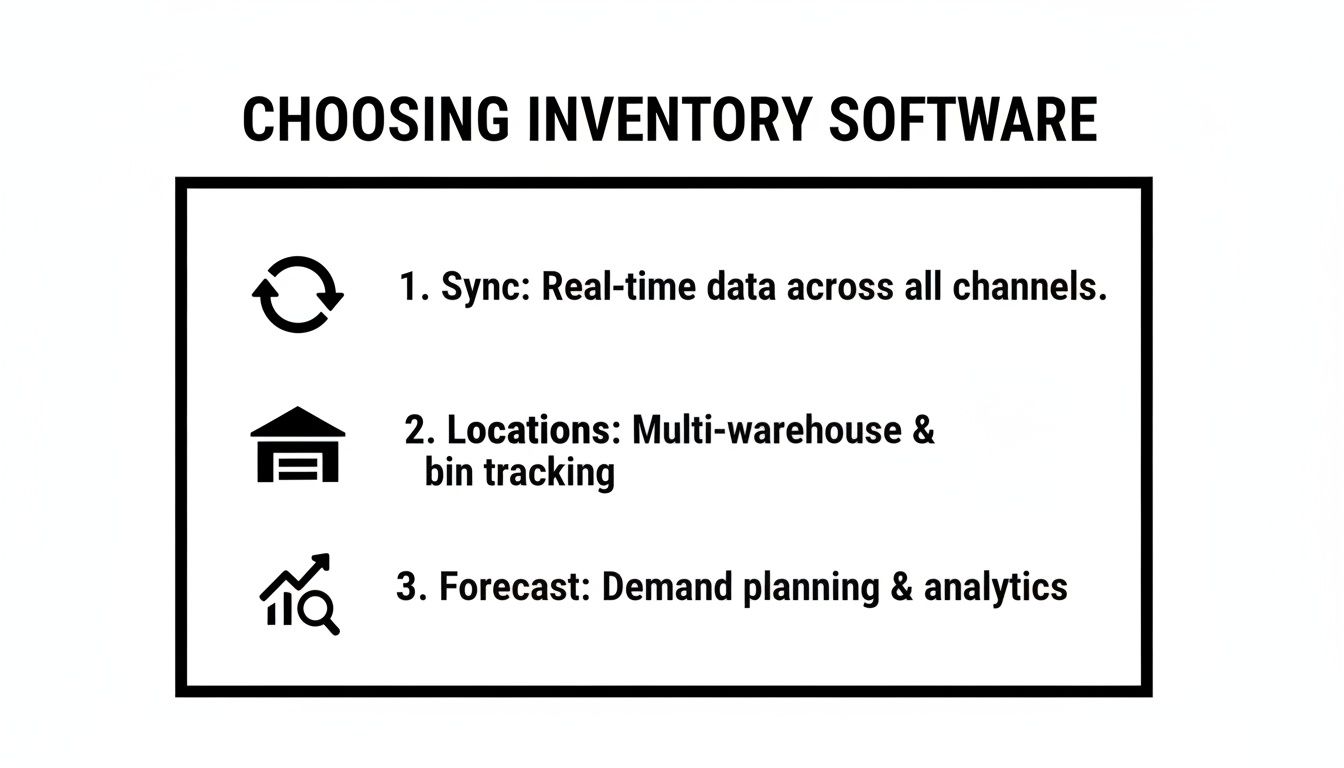
This visual breaks down the fundamentals of any solid inventory system, helping you focus on the features that will solve your most urgent problems.
Developed by Shopify itself, Stocky is the most tightly integrated option on this list. It’s included for free with Shopify POS Pro and Shopify Plus plans, which makes it a no-brainer starting point for merchants on those tiers. Its biggest advantage is its simplicity and direct line to your Shopify admin.
Stocky is great at the fundamentals: creating purchase orders, setting low-stock alerts, and doing some basic demand forecasting. For a single-channel Shopify store with one or two warehouses, it’s a huge improvement over managing inventory in spreadsheets.
But its limits show up quickly as soon as you scale beyond Shopify.
Stocky is the right call for Shopify-first businesses that need more control but aren't ready to jump into a complex multi-channel platform.
Katana is designed from the ground up for businesses that make their own products. While other systems treat inventory as finished goods, Katana tracks raw materials, work-in-progress (WIP), and finished products with equal focus. This makes it the clear winner for Shopify stores that are also manufacturers.
Think of a brand that sells handmade leather bags. With Katana, they can track their inventory of leather hides, zippers, and thread. When a new order lands in Shopify, Katana can automatically allocate the needed raw materials and schedule a production run.
This end-to-end visibility, from raw material to fulfilled order, is something retail-centric platforms just can't match.
For makers, inventory isn't just what’s sitting on the shelf—it's what you have the capacity to create. Katana connects sales to production, giving you a real-time view of your entire operation.
The compromise here is that Katana's retail features, like POS integrations or broad marketplace connections, aren't as built out as competitors like Cin7. It’s a specialized tool for a very specific—and very common—business model on Shopify.
To make the differences even clearer, here's a direct feature comparison. Seeing the platforms side-by-side helps pinpoint which one aligns with your most critical operational needs.
| Feature | Cin7 | Skubana (Extensiv) | Stocky (by Shopify) | Katana |
|---|---|---|---|---|
| Ideal User | Multi-channel, high-volume retailers with B2B needs. | D2C brands focused on advanced order automation. | Shopify-centric stores on Plus or POS Pro plans. | D2C manufacturers and makers. |
| Multi-Channel Sync | Excellent (700+ integrations) | Very Good (Major marketplaces) | Limited (Shopify only) | Good (Shopify & Wholesale) |
| Manufacturing | Basic (Kitting & Assembly) | None | None | Excellent (Raw materials, WIP) |
| Automation | Good (PO & Reordering) | Excellent (Rule-based order routing) | Basic (Low-stock alerts) | Good (Production scheduling) |
| Pricing Model | Enterprise-level, custom quotes. | Scaled, based on order volume. | Included with Shopify Plus / POS Pro. | Tiered, based on features. |
This table lays out the clear trade-offs. For enterprise users on Shopify Plus, which has 26,344 domains, an advanced app like Cin7 is essential. Its ability to sync with over 700 platforms can slash stock discrepancies by up to 90%. While the average Shopify store's revenue hovers around $2,300 monthly, merchants using top-tier inventory software often see figures 20-30% higher thanks to fewer lost sales from stockouts—a problem that hits 34% of e-retailers.
Ultimately, picking the right platform requires a hard look at your business model. Are you a reseller juggling a dozen channels, or a maker turning raw materials into finished products? Your answer points directly to the software built to solve your unique problems.
Picking the right inventory software for Shopify isn't about finding a single "best" platform. It’s about finding the one that fits your actual, day-to-day operational reality. A system packed with features is completely useless if it doesn't solve the specific problems you face every morning. The real trick is to match a tool's core strengths to your business model's unique demands.
This means you have to move past generic feature lists and start thinking in scenarios. Are you a fast-growing DTC brand drowning in fulfillment complexity, or are you a manufacturer trying to balance raw materials with finished goods? Your answer to that question is the most important factor in choosing a tool that will actually speed up your growth instead of just complicating your workflow.
Picture a direct-to-consumer brand that just went viral on TikTok. Orders are pouring in. Their biggest headache isn't making sales—it's getting those orders out the door accurately and on time from multiple 3PLs, all while trying desperately to prevent overselling. What they need more than anything is sophisticated, automated order routing.
For this kind of business, Skubana (now Extensiv) is the obvious choice. Its "Orderbots" system was literally built to handle complex fulfillment rules.
This level of automation frees up the operations team from manually deciding where every single order should go, which has a direct impact on both profitability and customer satisfaction. While other platforms offer some basic routing, Skubana's granular, rule-based logic is perfectly suited for the complex fulfillment challenges that come with scaling a DTC brand. To see how this works in the real world, check out these case studies on inventory analytics for D2C brands.
Now, think about a different kind of retailer—one who sells on Shopify, Amazon, eBay, and maybe even through wholesale B2B channels. Their inventory is a constantly moving target, spread across their own warehouse and Amazon's FBA centers. Their number one challenge is maintaining a single, accurate source of truth for stock levels so they don't have stockouts on one channel or oversell on another.
This business needs a central command center, which makes Cin7 an ideal solution. Its core strength is its massive integration network, which pulls hundreds of platforms into one unified system.
For a multi-channel seller, inventory isn't just a number; it's a promise made to multiple marketplaces at the same time. A system like Cin7 ensures you can keep every promise by giving you a true, real-time, global view of every single unit you own.
Cin7 is built to handle the specific quirks of each channel, from managing FBA inventory to processing EDI orders for big-box wholesale partners. This deep integration is essential. With Shopify holding a 30% market share in the U.S. and powering over 3.01 million stores, any serious tool has to play well with it. And with 51,394 European shops, tools like Cin7 that can manage complex global logistics are non-negotiable. It's no surprise that top experts consistently rank Cin7 and Dear Systems as leading choices, especially for the 50,000+ businesses on Shopify Plus that need true ERP-level power. You can learn more about Shopify’s market position and what it means for app developers on kinsta.com.
Finally, let’s look at a brand that makes its own products—say, custom furniture or small-batch skincare. Their inventory isn't just about finished goods on a shelf. It’s a mix of raw materials, half-finished components, and works-in-progress. A simple stock counter is useless for them. They need to track raw materials, schedule production runs, and connect a sale directly to the shop floor.
This profile points straight to Katana. It was designed from the ground up for makers.
This end-to-end visibility—from buying raw materials to shipping a finished product—is something that retail-focused platforms just can't provide. For a manufacturer, knowing you have ten finished tables is only half the story. Knowing you have the materials on hand to produce fifty more is what drives smart business decisions. Katana bridges that critical gap between your sales and your production floor.
Picking the right inventory management software is a huge win, but the real work starts now: implementation. A smooth rollout isn't just about flipping a switch. It's a deliberate process designed to prevent data headaches, minimize downtime, and get your team ready to hit the ground running. If you try to wing it, that powerful new tool can quickly turn into an operational nightmare.
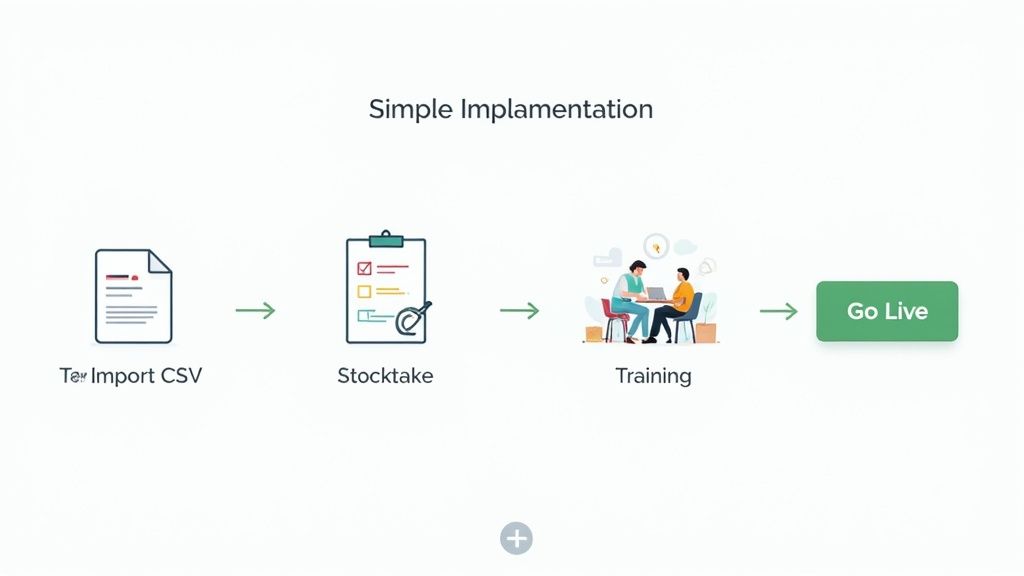
The number one goal here? Launch with data you can actually trust. Every report, forecast, and automated workflow hangs on the accuracy of your starting numbers. Get this right, and everything else falls into place.
Your new system is only as smart as the data you feed it. Before you even think about importing a single file, you have to do a thorough data cleanup. This is easily the most critical step for long-term success.
Get everything into a spreadsheet and start scrubbing. This isn't glamorous, but it's essential.
Think of it like cleaning out your garage before you install a new shelving system. A clean data foundation saves you from months of fixing errors and chasing down discrepancies after you've already gone live.
Once your product data is pristine, it’s time to count. I mean everything. You absolutely cannot rely on old numbers from Shopify or a previous spreadsheet. An accurate starting count is non-negotiable if you want your new system to be reliable.
This count establishes your single source of truth. You need to physically count every unit in every location—your warehouse, back rooms, and any 3PLs—and record those numbers against your clean product spreadsheet. This physical count becomes the initial inventory level you import, ensuring the system matches reality from day one.
With clean data ready to go, you can shift your focus to setting up the software itself. This is where you translate your day-to-day operations into automated processes.
Dial in the essential functions based on how your business actually works:
Last but not least, train your people on these specific workflows. Don't just give them a tour of the software. Walk them through the exact daily and weekly tasks they'll be responsible for. A confident, well-trained team is the final piece of the puzzle. It's what allows you to confidently manage stock levels and even start thinking about things like how to calculate safety stock in inventory to prevent future stockouts.
Choosing the right inventory software is a big decision, and it’s natural to have questions. I’ve heard these same ones from countless merchants over the years. Let's clear up some of the most common points of confusion to help you make a confident choice.
Yes, and probably sooner than you think. While a simple spreadsheet feels manageable at first, it becomes a major liability as soon as your order volume picks up. It’s just too easy to make costly mistakes.
Dedicated software does more than just count stock. It stops you from overselling, gives you a real-time view of your profit margins by tracking COGS, and frees you from hours of tedious manual updates. Getting a system in place early builds a solid foundation for growth, so you aren't stuck with a massive, painful operational overhaul down the road.
Pricing is all over the map, which can make it tough to compare apples to apples. Generally, the costs fall into one of three buckets:
A word of caution: The monthly subscription is rarely the full story. Always ask about one-time implementation fees, the cost for additional users, or charges for premium support. Those "hidden" costs can add up quickly.
The timeline really depends on two things: the complexity of the software and the state of your current data. For a small catalog and a straightforward tool, you could be up and running in a week or two.
On the other hand, migrating a large business with thousands of SKUs and multiple locations could easily take four to eight weeks. The biggest bottleneck is almost always data prep—getting your SKUs, supplier details, and cost data clean and organized before you even start the import process.
It absolutely should, and this is where the magic really happens. Most top-tier inventory apps offer direct integrations with accounting platforms like QuickBooks Online and Xero.
This link automates the flow of critical financial information. When a purchase order is received in your inventory system, a bill can be created automatically in your accounting software. This sync ensures your cost of goods sold, profit margins, and overall financial reports are always accurate and current, eliminating the need for manual reconciliation. It turns your inventory tool into the financial engine of your business.
Ready to stop guessing and start making data-driven inventory decisions? Tociny.ai uses AI to provide clear sales forecasts and actionable recommendations, helping you reduce overstock and eliminate stockouts. Join our private beta for exclusive early access and one-on-one guidance. Get early access to Tociny.ai.
Tociny is in private beta — we’re onboarding a few select stores right now.
Book a short call to get early access and exclusive insights.