
Let's be clear: free inventory management isn't some magical, all-in-one software that costs nothing. It's a mindset. It's a smart, scrappy strategy for keeping tabs on your products without adding another monthly bill to your expenses.
For Shopify merchants just starting out, this usually means getting your hands dirty with accessible tools like spreadsheets or even just the basic features already built into Shopify.

If you're building a direct-to-consumer (D2C) brand from the ground up, embracing a "free" approach to inventory is one of the most powerful first steps you can take. It’s not about finding a free lunch; it’s about taking a hands-on approach to mastering the physical side of your business.
Think of it like learning to cook. You don’t go out and buy a professional-grade sous vide machine on day one. You start with the basics—the pots, pans, and measuring cups you already have in your kitchen. That's the heart of a free inventory strategy.
A great chef learns the core skills long before they invest in expensive gadgets. The same exact principle applies to managing your stock as a Shopify merchant.
It all boils down to a few key disciplines:
This DIY method forces you to get intimately familiar with the mechanics of your business. You develop a gut feeling for how products move and what your customers are actually buying, all without the overhead of another subscription.
By starting with a free, manual system, you’re not just saving money. You’re building a foundational understanding of your cash flow and operational rhythm that will be invaluable as your brand scales.
Ultimately, this approach puts you in the driver's seat, forcing you to maintain that critical balance between supply and demand. You learn to listen to what your sales data is telling you and make decisions based on reality—a skill that fancy software can support, but never truly replace.
Alright, let's move from theory to action. You can actually build a surprisingly solid free inventory management system with tools you probably already have on your computer. This DIY approach is all about getting control over your stock without spending a dime upfront. And it all starts with the humble spreadsheet.
Don't write it off. A well-organized spreadsheet can be your single source of truth, tracking every single item from the moment you order it to the second it ships out to a customer.
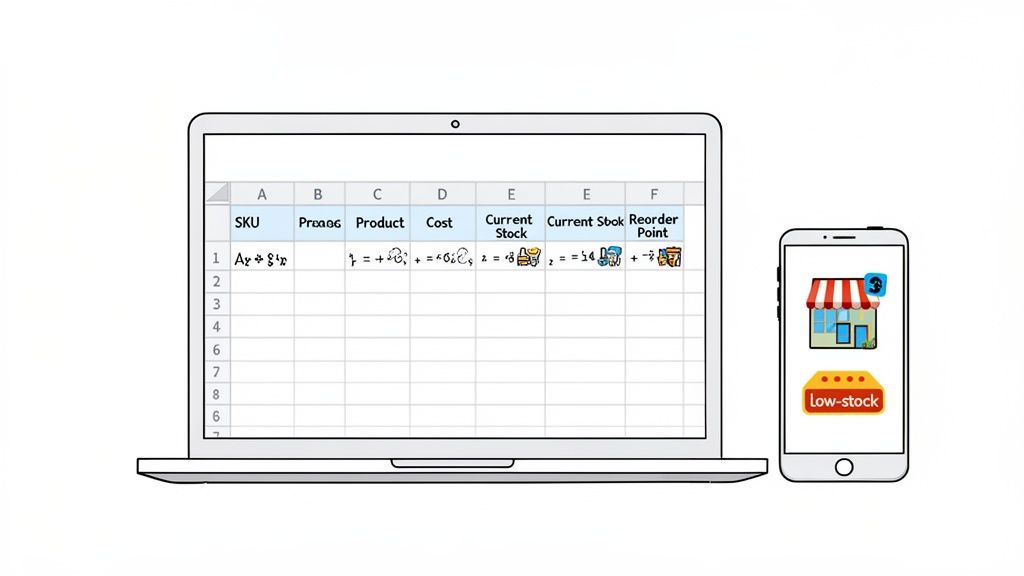
Think of a spreadsheet as a manual ledger for your products. The secret to making it work isn't fancy formulas—it's organization and consistency. You'll want to create a master sheet that logs the essential data for every product variant you carry.
To get going, set up columns for these core metrics:
With this structure, simple formulas can bring your sheet to life. For example, multiplying Current Stock by Cost of Goods gives you your total inventory value—a crucial number for your finances. You can even use conditional formatting to automatically highlight rows in red when stock dips below your reorder point.
If you want a head start, you can grab a pre-built inventory on Excel template | Low to Medium (Install and configure) | | Automation | Low (Mostly manual data entry) | Medium (Automates sales deductions, alerts) | | Flexibility | Very High (Fully customizable to your needs) | Low (Limited to the app's features) | | Data Centralization| Good (A single source of truth you control) | Varies (Data might be split between Shopify & apps) | | Scalability | Low (Becomes cumbersome with many SKUs) | Medium (Better for growing catalogs) | | Best For | New stores with a small number of products | Stores needing basic automation & notifications |
Ultimately, many stores find success by combining the organizational power of a spreadsheet with the automated tracking from Shopify's tools and a few key free apps. This hybrid system creates a robust framework for managing your inventory at zero cost, giving you the control you need to grow your business with confidence.
Choosing a free inventory management strategy is a smart, practical move for a lot of new Shopify stores. When you're just starting out and every dollar feels precious, the benefits are obvious and incredibly tempting. But it's crucial to look at both sides of the coin to really understand the trade-offs you're making down the line.
Think of it like using a paper map for a road trip. A free system is perfect for navigating a small, familiar town—it gets the job done at zero cost. But as your journey expands and your business starts to grow, that simple map starts to show its limits pretty quickly.
The biggest, most obvious advantage is the zero cost. Preserving cash flow is the lifeblood of any growing business. Avoiding another monthly software subscription means you can pour that money back into what really matters: marketing, product development, or just keeping the lights on.
Beyond the savings, spreadsheets give you a level of flexibility you just can't get with pre-built software. You can design a system that’s a perfect mirror of your unique products and operational quirks. There are no rigid constraints holding you back; you build exactly what you need, column by column, formula by formula. This hands-on approach also forces you to understand your business at an incredibly granular level.
But the cons of sticking with free tools for too long can silently chip away at your profits and your sanity. The biggest culprit here is manual data entry. Every single sale, return, and shipment has to be logged by hand, which swings the door wide open for human error. One simple typo can throw off your stock counts for weeks, leading to accidental overselling or ordering products you don't actually need.
Another huge challenge is the complete lack of real-time updates. A spreadsheet can't tell you that an item just sold out on your site while a team member is looking at an older version of the file on their computer. This creates a frustratingly delayed view of your inventory, making it nearly impossible to manage stock accurately if more than one person is involved.
The core issue with free, manual systems is that they just don't scale. The very processes that work beautifully for 20 SKUs and 5 orders a day will completely collapse under the weight of 200 SKUs and 50 orders a day.
Ultimately, the time you spend just managing the system becomes a massive hidden cost. As your business grows, you'll find yourself spending more hours punching in numbers than actually analyzing them. To get a better sense of when it's time to move on, you can explore the various inventory management tools for small business that bridge this exact gap. You'll eventually hit a point where the cost of inefficiency and missed sales far outweighs the money you're saving on free software.
Running a business with a free inventory management system is one thing, but knowing what numbers to actually watch is how you win. Without the right metrics, your spreadsheet is just a glorified product list. But with them? It becomes your command center for making smart, profitable decisions.
Think of these key performance indicators (KPIs) like the gauges on your car's dashboard. You wouldn't set off on a road trip without keeping an eye on your speed, fuel level, and engine temperature. In the same way, you shouldn't be running an e-commerce store without monitoring the vital signs of your most valuable asset: your inventory.
These metrics tell the real story behind your sales—what's flying off the shelves, what's collecting dust, and where your cash is truly tied up.
This is the big one. Your inventory turnover rate tells you how many times you sell through and restock your entire inventory in a given period, usually a year. A higher number is almost always better, signaling strong sales and that you're not sitting on dead stock.
The formula is pretty simple:
Inventory Turnover Rate = Cost of Goods Sold (COGS) / Average Inventory Value
A low turnover rate is a red flag. It often means you're overstocked or sales are sluggish, which means your cash is trapped in products just sitting there. A healthy rate shows you're selling efficiently. Just be careful—if it's too high, it might mean you're understocking and leaving money on the table by selling out too fast. For a deeper look, see how to use an inventory turnover ratio calculator to really get a handle on this metric.
While turnover gives you that 30,000-foot view, the sell-through rate zooms in on specific products over a shorter window, like a month. It’s the percentage of units sold compared to how many you received from your supplier in that period.
Here’s the math:
This KPI is your go-to for figuring out if a new product launch or a marketing campaign actually worked. Let's say you ordered 100 units of a new t-shirt design and sold 85 in the first month. That’s a fantastic 85% sell-through rate, telling you loud and clear that you've got a winner. Of course, inventory metrics are just one piece of the puzzle. It's also vital to track things like conversion rates, and you might find a conversion rate calculator useful for that.
Finally, Days of Inventory Outstanding (DIO) takes your inventory levels and translates them into time. It tells you the average number of days it takes to turn your stock into sales. In other words, it’s a measure of how long your cash is locked up in physical products.
You can calculate it like this:
You want this number to be as low as possible. A low DIO means you're converting inventory into cash quickly, which is fantastic for your cash flow and keeps your business agile. A high DIO, on the other hand, suggests you have slow-moving products that are tying up your resources without making you any money.
Every Shopify store starts somewhere, and a free inventory management system is often the perfect co-pilot for that initial journey. But as your business picks up speed, that trusty spreadsheet or basic app can start to feel less like a co-pilot and more like an anchor holding you back.
Knowing when to make the leap isn't always obvious. It's rarely a single, dramatic event. More often, it’s a slow burn of small, recurring frustrations that pile up and create serious operational drag. You might notice you’re constantly running out of your best-sellers, leaving loyal customers disappointed and walking away from guaranteed revenue.
Another painful signal is the discovery of dead stock—products you forgot you even had, now collecting dust, expired, or out of season. That's cash you can't get back, tied up on a shelf.
Think about your time, too. If you're spending more than a few hours every single week just updating spreadsheets, that’s time you aren't spending on marketing, product development, or talking to your customers. Your time has a cost, and at a certain point, manual data entry delivers a terrible return.
These symptoms all point to one underlying issue: your business’s complexity has outpaced what a simple, free system can handle. You’re no longer just tracking products; you need to forecast, analyze, and optimize.
The moment the cost of lost sales, wasted capital, and your own time becomes greater than the cost of a paid software, it’s no longer an expense—it’s an essential investment in your business’s future.
This isn't just you; it's a common growth stage for e-commerce brands. The global inventory management software market is projected to hit $4.79 billion by 2032, a clear sign of a massive industry-wide shift away from manual methods. As detailed on Fortune Business Insights, proper inventory control is becoming non-negotiable to stay competitive.
The inability to accurately forecast demand for an upcoming sale is another major red flag. If you’re essentially guessing how much to order, you’re gambling with your cash flow. This is where moving beyond simple tracking to strategic analysis becomes critical for scaling your brand profitably.
This decision tree can help you visualize how to connect your goals to the right metrics.
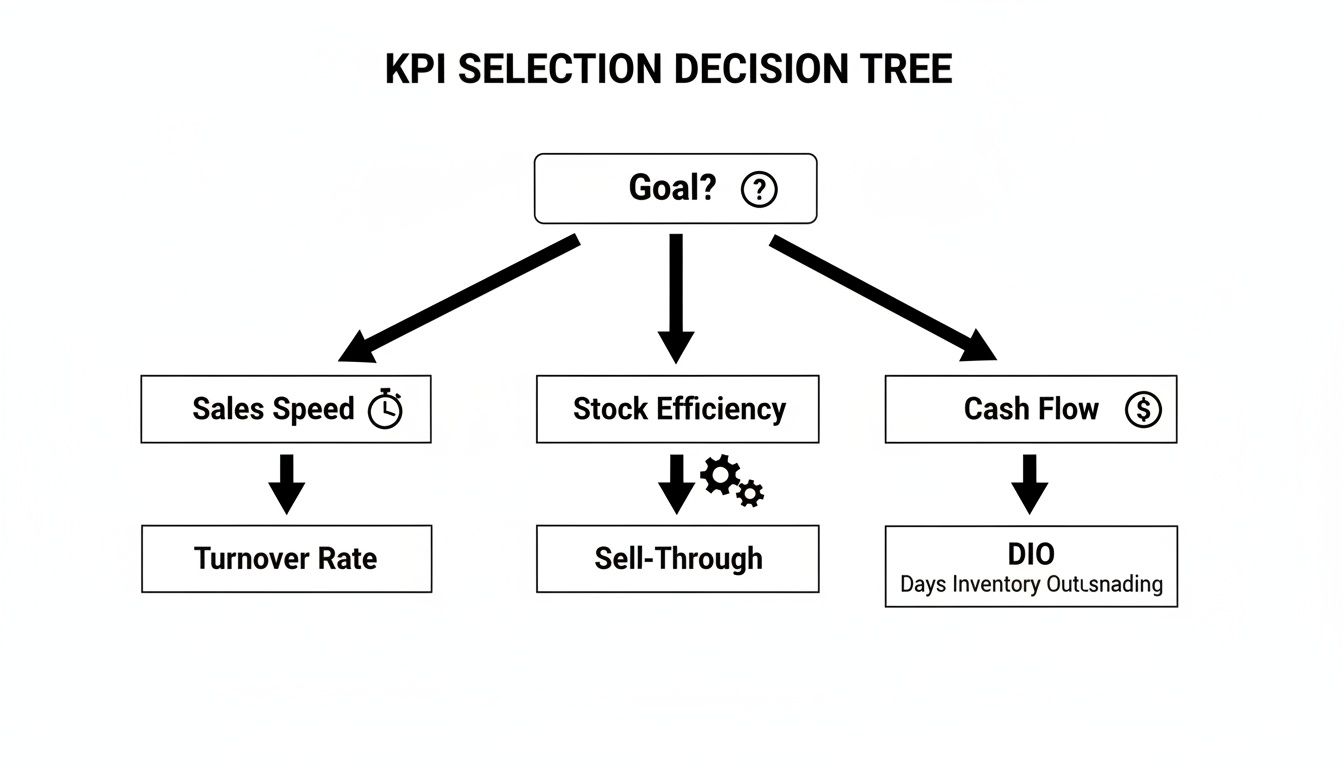
As the diagram shows, a clear goal like "improve cash flow" points you directly toward a specific KPI to track, like Days of Inventory Outstanding (DIO). If these signs are hitting a little too close to home, it’s time to start exploring a smarter system.
Once you've wrestled with the limits of a free inventory management system, the next logical step isn't just about paying for software—it's about upgrading your intelligence. Spreadsheets and free apps eventually fall short because they're reactive and riddled with opportunities for human error. AI-powered analytics, on the other hand, gives you a proactive way forward, turning raw data into insights you can actually use.
Think of an AI platform as an expert analyst who works for you 24/7. Instead of you spending hours buried in a spreadsheet squinting at rows of data to spot a trend, the AI does it instantly. It effortlessly sifts through your entire sales history, uncovers patterns you’d almost certainly miss, and flags the slow-moving products that are quietly tying up your cash.
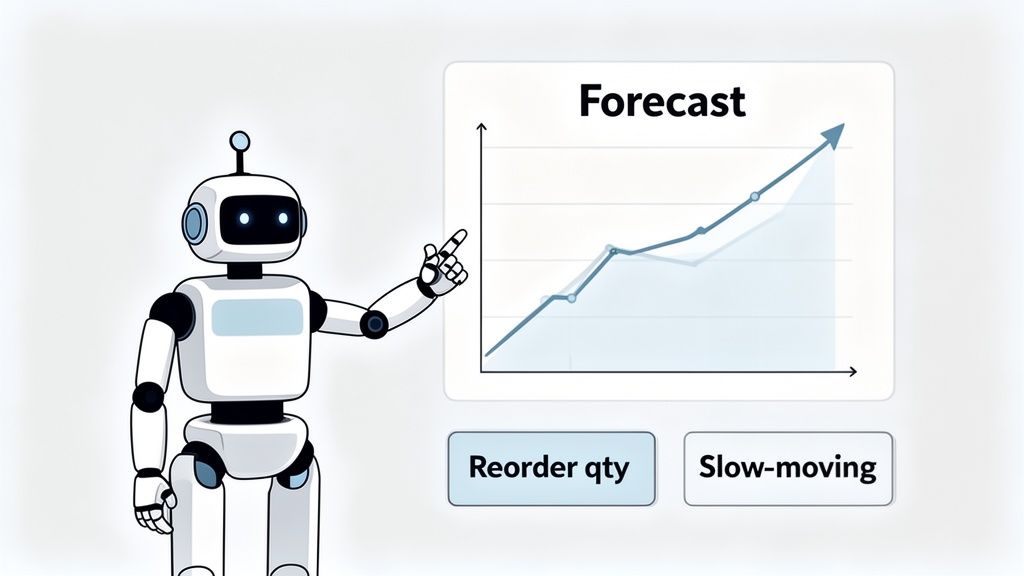
At its core, AI's job here is to replace guesswork with surprisingly accurate predictions. It crunches your past sales data, accounts for seasonality, and looks at market trends to forecast what customers will want next. Then, it tells you exactly how much of each item to reorder. This directly attacks the two biggest profit killers for any e-commerce brand: overstocking and stockouts.
By taking over the complex data analysis, AI-powered tools hand you back your most valuable resource—your time. You get to shift your focus from tedious inventory counts to big-picture activities like marketing, product development, and actually talking to your customers.
This isn't just theory; it's having a massive impact across the industry. Brands that bring in automated systems are reporting up to a 30% reduction in stockouts and a whopping 50% jump in operational efficiency. Modern AI forecasting models are consistently 10-20% more accurate than older methods, which is why 46% of companies are already weaving AI into their inventory strategies.
Ultimately, adopting AI analytics is about making smarter decisions with real confidence. It gives you the clear insights needed to slash waste, ensure your best-sellers are always in stock, and get your cash flow working for you, not against you. This kind of tech is quickly becoming a non-negotiable part of a successful business.
To get a better sense of the bigger picture and understand the AI's impact on overall e-commerce strategy, it's worth digging deeper. For brands that have the basics down and are ready to level up, AI is the bridge from just managing stock to strategically optimizing it for growth.
When you're wrestling with free inventory management, a lot of questions pop up. It's totally normal, especially for Shopify merchants who are just trying to get a handle on things without breaking the bank. Let's tackle some of the most common questions we hear from brands on the rise.
Think of this as a quick-reference guide to clear up any confusion and make sure you’re on the right track.
Yes, you absolutely can—especially when you’re starting out. For a small catalog of products, a well-organized spreadsheet is a surprisingly powerful tool for keeping track of SKUs, watching stock levels, and setting basic reorder points.
The secret to making it work? Unwavering consistency. The catch is, as your store grows and your SKU count multiplies, the time you spend updating that sheet balloons, and the risk of a simple typo throwing everything off skyrockets. That friction is your cue that it's time to look for something more automated.
The single biggest mistake—and the one that will cost you the most—is inconsistency. Free, manual systems aren’t "set it and forget it." They need constant attention. Every sale, every return, every new shipment has to be logged the moment it happens.
If you don't, you start making decisions based on bad data, which is way worse than having no data at all. This is how you end up with surprise stockouts on your bestsellers or, just as bad, cash tied up in products that aren't moving. It chips away at your profits and your customers' trust.
Inaccurate inventory data is a silent profit killer. It triggers a domino effect of poor purchasing decisions, missed sales opportunities, and frustrated customers that can take months to recover from.
You don’t need fancy software for a basic calculation. A straightforward and effective formula to get you started is:
(Average Daily Sales × Supplier Lead Time in Days) + Safety Stock
Let's make that real. Say you sell 5 units of a hot-ticket item every day, and your supplier takes 10 days to get a new shipment to you. You’ll need 50 units (5 x 10) just to cover sales while you wait for the new stock to arrive.
Now, add a safety stock of 15 units to buffer against a sudden sales spike or a shipping delay. Your new reorder point is 65. The second your inventory for that item hits 65 units, it’s time to place another order.
Ready to move beyond spreadsheets and guesswork? Tociny.ai replaces manual tracking with AI-powered analytics, giving you clear sales forecasts and precise reordering recommendations to eliminate stockouts and overstock for good. See how it works at https://tociny.ai.
Tociny is in private beta — we’re onboarding a few select stores right now.
Book a short call to get early access and exclusive insights.