Let's be honest, trying to manage your store's inventory with a spreadsheet is like trying to direct traffic in a major city with a notepad and pen. It’s slow, prone to mistakes, and just can't keep up. An inventory tracking program is your digital upgrade, replacing those manual methods with an automated system that gives you a real-time picture of what you have, where it is, and exactly when you need to order more.
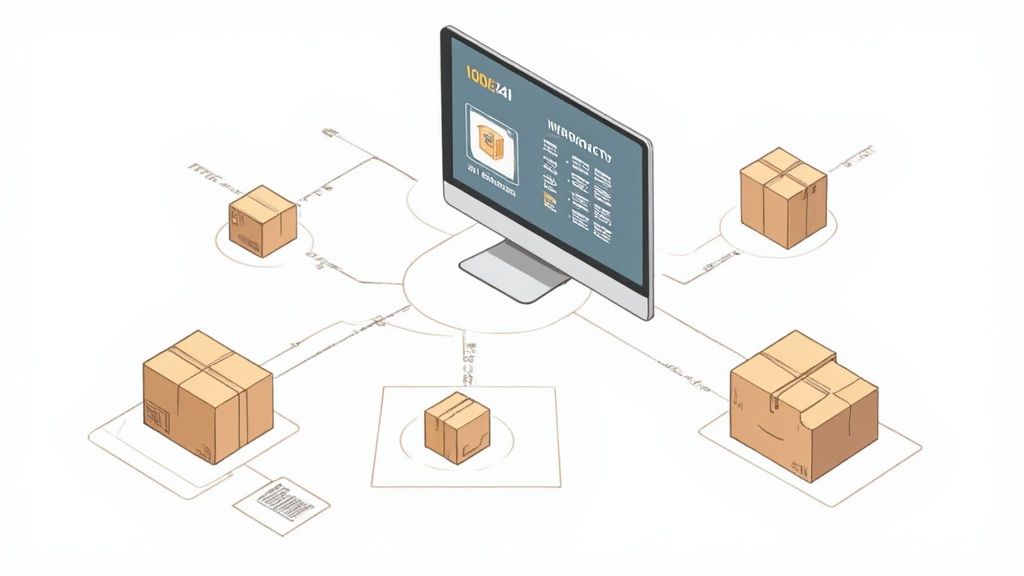
Think of an inventory tracking program as the air traffic control tower for your products. But instead of planes, it's monitoring every single item in your warehouse—every t-shirt, coffee bag, or gadget. It becomes the one single source of truth for your stock levels, no matter how many places you sell.
This system works by giving each product its own unique identity, usually a barcode or a Stock Keeping Unit (SKU). Every time an item is received, moved, or sold, the system instantly logs the change. This simple action gets rid of the guesswork and the soul-crushing manual counts that always seem to lead to expensive errors.
At its heart, the process is beautifully simple yet incredibly powerful. A customer buys a best-selling hoodie from your Shopify store. Instantly, the inventory tracking program deducts that item from your available stock count. This real-time update is what prevents the dreaded "oversell"—that awkward moment you have to tell a customer you sold them something you don't actually have.
This is non-negotiable in modern e-commerce. Your products are likely listed on your website, a marketplace like Amazon, and maybe even in a pop-up shop. The right software makes sure a sale in one place is immediately reflected everywhere else, keeping your entire operation in sync.
While its main job is to count, a modern inventory tracking program does so much more. It's the central nervous system for your entire business, feeding you the data that shapes purchasing, marketing, and even financial decisions. It's no wonder the global inventory optimization market is expected to explode from USD 5.87 billion in 2025 to USD 12.42 billion by 2032. If you're curious, you can learn more about this inventory optimization market trend and see why merchants are investing so heavily.
A great tracking program shifts your mindset from reactive problem-solving (like scrambling to handle a surprise stockout) to proactive, strategic planning. It gives you the clear data you need to make smarter purchasing decisions and keep your cash flow healthy.
Ultimately, this technology gives you an accurate, up-to-the-minute picture of your business's most valuable asset: your inventory. It turns a sea of raw data into intelligence you can actually use, answering the three fundamental questions that drive growth:
By answering these questions day in and day out, an inventory tracking program becomes less of a tool and more of a strategic partner in your success.
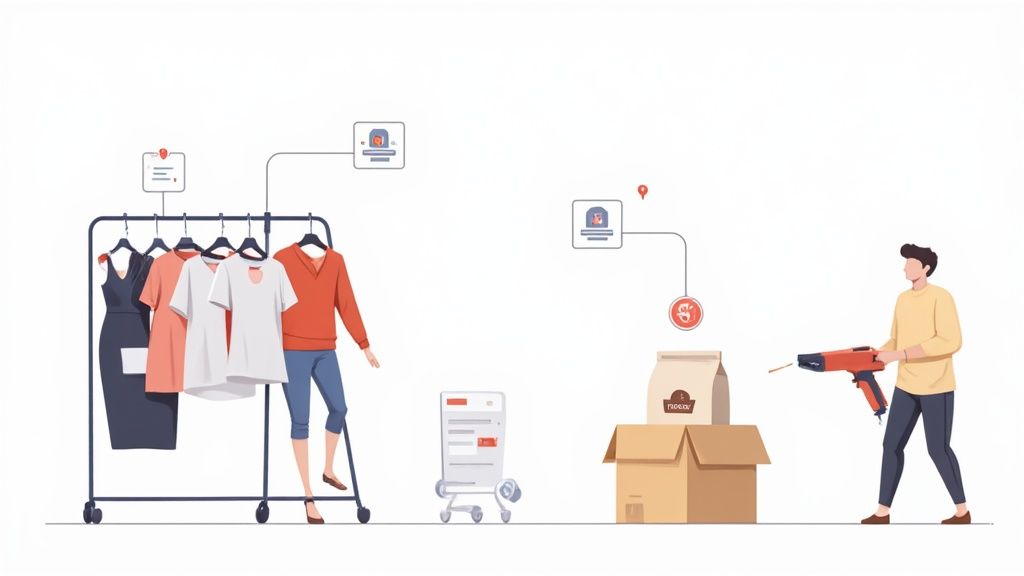
Alright, let's get past the basic definition. The real magic of an inventory tracking program is in its features. These aren't just bells and whistles; they're the tools that turn what could be a glorified spreadsheet into an automated, error-crushing machine for your business.
Think of it like this: a basic list tells you what you have, but a great tracking program tells you what you have, where it is, when you'll run out, and what to do about it. These features work together to give you a complete, real-time picture of your operations.
First things first: you need to track each unique product variation. A clothing boutique might sell a popular jacket, but if it comes in five sizes and four colors, that's 20 different SKUs (Stock Keeping Units) to manage. A solid program lets you see at a glance that you're out of "Medium, Blue" but way overstocked on "Small, Green."
This granular detail is what fuels real-time stock monitoring. Picture a coffee roaster watching a live dashboard as beans fly off the shelf during the morning rush. As bags sell both online and in-store, the numbers update instantly. This prevents them from running out of their best-selling blend and disappointing a line of caffeine-deprived customers.
Manually typing in product numbers is a recipe for disaster. It’s slow, tedious, and packed with potential for human error. Barcode scanning is the express lane for your inventory. When a new shipment arrives, a quick zap of each box updates your stock levels, confirms you got what you paid for, and makes those products available for sale almost immediately.
The impact here is huge. A GS1 study looking at the healthcare industry—which handles billions in critical inventory—found that barcode tracking slashed medication errors by 76% and let them reduce on-hand stock levels by 43%. It’s a perfect illustration of how accuracy drives efficiency and cuts costs. You can dig into more data on the growing inventory management software market to see its wider impact.
The best inventory tracking program acts as your digital assistant. It doesn’t just record data; it proactively alerts you when it’s time to act, preventing stockouts before they can ever hurt your sales.
This is where automated low-stock alerts come in. You set a "reorder point" for every item. As soon as your stock dips below that number, the system pings you or even drafts a purchase order automatically. No more last-minute panic buys.
Your inventory tracking program can't live on an island. Its true power is unlocked when it talks to the other software you rely on every day. When your tools are connected, you create a seamless ecosystem where data flows automatically, saving you hours of manual work.
Here are the must-have integrations:
This level of connectivity means that when you create new purchase orders in your inventory system, that information ripples across your entire tech stack, keeping everything accurate and up to date.
Knowing the features of a system is one thing, but seeing how they translate into tangible business results is where an inventory tracking program really proves its worth. This isn't just about counting items on a shelf; it’s about turning raw data into a powerful tool that protects your bottom line, frees up your cash flow, and keeps your customers happy.
When you adopt this kind of technology, you’re making a fundamental shift from reactive problem-solving to proactive, strategic growth. It has a direct, positive impact on every critical part of your ecommerce operation, from the warehouse floor right up to your financial statements.
The most immediate benefit you'll see is financial. Every time a customer lands on a product page only to find it sold out, you don't just lose a sale—you risk losing that customer for good. An inventory tracking program helps prevent these costly stockouts with real-time data and automated alerts, making sure you reorder hot items well before you run out.
But the flip side of the coin, overstocking, can be just as damaging. It's a silent killer of cash flow. Tying up capital in slow-moving products that just sit on shelves is a massive drain on your resources. A good system shines a spotlight on these underperformers, giving you the data you need to run targeted promotions and clear them out. To dig deeper into this challenge, check out our guide on how to deal with an excess of inventory and reclaim your working capital.
An inventory tracking program acts like a financial guardrail for your business. It stops you from driving off the cliff of a stockout and prevents you from getting stuck in the mud of overstock, keeping your operations lean and your cash flow healthy.
This balanced approach ensures your money is always working for you, invested in products that are actually selling and generating revenue.
Think about all the hours your team sinks into tedious manual counts or hunting down errors buried in inaccurate spreadsheets. An automated inventory tracking program liberates them from these low-value, repetitive tasks. This frees them up to focus on high-impact activities that actually grow the business, like marketing, customer service, and product development.
This boost in operational efficiency has a direct impact on the customer experience. When your stock data is accurate, you can make delivery promises with confidence. Customers get exactly what they ordered, right on time, without the frustration of unexpected backorders or last-minute cancellations. That kind of reliability builds trust and encourages the repeat business that forms the foundation of any successful brand.
The role of this software is so vital that the global market for inventory management software was valued at USD 3.9 billion and is still growing. You can discover more insights about the inventory software market on gminsights.com and see exactly why real-time visibility has become a top priority for businesses everywhere.
Making the jump from messy spreadsheets to a dedicated inventory tracking program feels like a monumental task, but breaking it down into a clear process makes all the difference. Honestly, this is one of the most powerful upgrades you can make for your business. The trick is finding a tool that solves today’s headaches and can keep up as you grow.
When you're looking at different programs, focus on a few key criteria that will make or break the experience.
First up is scalability. Don't just think about your current inventory. Where do you see your business in two years? Consider new product lines, more sales channels, and a higher volume of orders. A system that can't scale with you will quickly become another problem to solve.
Next, pay close attention to the user interface. A clunky, complicated system is a recipe for frustration and will slow your whole team down. You want something that feels intuitive right out of the box.
As one inventory manager put it, the shift to a modern, browser-based system should feel "like moving from a land line phone to a smart phone"—a significant leap in capability that is also instantly familiar and easy to use.
Finally, check its integration capabilities. Your new program absolutely must play nicely with the tools you already rely on, especially e-commerce platforms like Shopify and your accounting software. If it can't connect, you're just signing yourself up for more manual data entry.
Once you've picked your program, a smooth launch comes down to smart planning. Rushing the rollout will only lead to errors and a stressed-out team. Instead, follow these steps for a seamless transition that gets everyone on board.
Start with a Data Cleanup: Before you import a single thing, get your existing inventory data in order. This is your chance to fix old mistakes, standardize product names and SKUs, and get rid of discontinued items. Moving messy data into a shiny new system just pollutes it from day one.
Run a Phased Rollout: Don't try to switch everything at once. Start small. Pick one manageable product category or a single warehouse location to test the waters. This lets you work out the kinks, spot potential issues, and build confidence without disrupting your entire operation.
Prioritize Team Training: The best software in the world is useless if your team doesn't know how to use it. Invest time in proper training that walks them through daily tasks, from receiving new stock to picking and packing orders. This empowers your staff, reduces resistance, and makes sure you're getting the most out of your new tool.
When you get this right, the benefits are immediate. You reduce costs, save time, and get the kind of clear data that leads to smarter decisions.
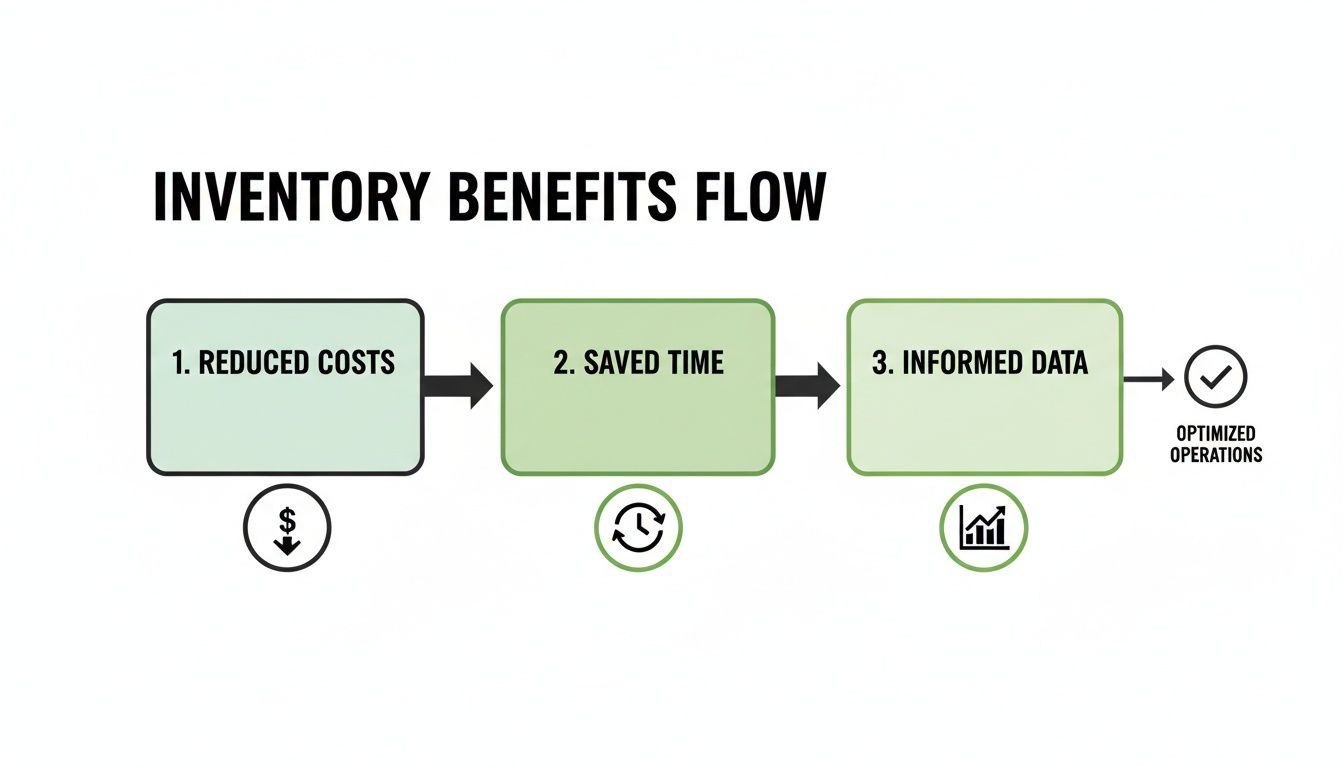
Ultimately, a well-implemented program turns inventory from a reactive chore into a strategic part of your business.

The next big leap for the inventory tracking program is already here, and it’s being driven by artificial intelligence. AI is fundamentally changing these tools, turning them from simple digital ledgers into proactive, strategic partners for your business. It's no longer just about knowing what you have on the shelf today; it's about predicting what you should have on the shelf next month.
This shift toward intelligent systems is a game-changer for how merchants plan. Instead of just reacting to last week's sales report, you can start anticipating demand weeks or even months out. That means smarter purchasing decisions, healthier cash flow, and a serious leg up on the competition.
At the core of any AI-powered inventory tracking program is adaptive forecasting. Think of it as a super-smart crystal ball for your sales data. The system doesn't just look at your past sales history; it layers in external factors like market trends, seasonality, and even upcoming holidays to predict future demand with remarkable accuracy.
This means you can confidently place an order for your best-selling winter coats before the first cold snap hits, guided by data instead of just a gut feeling. But AI also acts as a vigilant watchdog for your inventory through anomaly detection.
AI doesn’t just see that sales spiked; it digs deeper to find out why. It can spot the difference between a random busy day and a spike caused by a competitor running out of stock—giving you a temporary, actionable advantage.
For example, the system might flag a sudden, unusual increase in returns for a specific product. This could be an early warning of a quality control problem with a recent batch from your supplier, letting you jump on the issue before it hurts your brand’s reputation.
This intelligent layer makes something called dynamic reordering possible. Old-school systems often use static reorder points, like "order more when stock hits 20 units." An AI-driven system is much more nimble. It constantly adjusts these reorder points based on real-time sales velocity, current supplier lead times, and its own demand forecasts.
This approach helps you stay perfectly stocked—minimizing the risk of selling out during a sudden sales surge while also avoiding the costs of overstocking during a slow period. The system makes small, continuous adjustments to keep your inventory in lockstep with customer demand.
Ultimately, AI elevates an inventory tracking program from a necessary operational chore into a core part of your strategic planning, helping you stay one step ahead.
So, you’ve got your new inventory tracking program up and running. How do you actually know if it's making a difference? The answer is all in the numbers—specifically, the Key Performance Indicators (KPIs) you choose to watch.
Think of these metrics as the vital signs for your inventory health. They cut through the noise and tell you exactly what’s working, what's improving, and which areas need immediate attention. By tracking the right KPIs, you move from guessing if things are better to knowing for sure, with cold, hard data to back it up.
The first KPI you absolutely need to monitor is your Inventory Turnover Ratio. This metric tells you how many times you sell through and replace your entire stock over a certain period. A high ratio is a great sign—it usually means you've got hot-selling products and efficient management. A low ratio, on the other hand, can be a red flag that your cash is getting stuck in slow-moving inventory.
To really get a handle on this, it's worth understanding how an inventory turnover ratio calculator works and what it says about the financial health of your business.
Next up is the Sell-Through Rate. This one is brilliant for getting granular. It directly compares the amount of stock you receive from a supplier to how much of it you actually sell. This KPI is your secret weapon for spotting your star products and identifying the duds that are just taking up valuable shelf space.
Think of KPIs as the scoreboard for your inventory operations. They provide clear, unbiased feedback on your performance, helping you celebrate wins and quickly address areas that need improvement.
Finally, keep a close eye on your Order Fulfillment Cycle Time. This measures the entire journey of an order, from the moment a customer clicks "buy" to the second it lands on their doorstep. A shorter cycle time isn't just a sign of operational efficiency; it's a massive driver of customer happiness and loyalty.
To measure the effectiveness of your new program, focusing on a few core metrics will give you the clearest picture of your performance and return on investment. Here’s a quick breakdown of the most important KPIs to monitor.
| KPI (Key Performance Indicator) | What It Measures | Why It Matters |
|---|---|---|
| Inventory Turnover Ratio | The frequency at which you sell and replace your entire inventory. | Indicates sales velocity and capital efficiency. A low ratio might signal overstocking or poor sales. |
| Sell-Through Rate | The percentage of inventory sold versus the amount received. | Helps identify popular vs. unpopular products, informing future purchasing and marketing decisions. |
| Order Fulfillment Cycle Time | The total time from order placement to customer delivery. | A direct measure of operational speed and a key factor in customer satisfaction and retention. |
| Carrying Costs of Inventory | The total cost of holding unsold inventory (storage, insurance, obsolescence). | Highlights the hidden costs of overstocking and helps you optimize stock levels to improve profitability. |
| Stockout Rate | The frequency at which an item is out of stock when a customer tries to buy it. | Reveals lost sales opportunities and potential customer frustration, signaling a need for better forecasting. |
By consistently tracking these KPIs, you transform your inventory tracking program from a simple operational tool into a strategic guide for profitable growth. It's how you prove the value of your investment and make smarter, data-driven decisions every day.
Jumping into the world of inventory software can feel a little overwhelming, especially when you're busy running a growing business. Let's clear up some of the most common questions we hear from merchants who are thinking about getting an inventory tracking program.
Absolutely. It's a common misconception that this is only for the big players. While large companies need these systems to manage massive complexity, small businesses get a huge lift by avoiding costly stockouts, freeing up hours spent on manual counts, and getting access to the kind of sales insights that drive real growth.
Today, many of the best programs are cloud-based and offer affordable, flexible plans built specifically for smaller shops. The tech is more accessible than ever.
This really depends on the size of your catalog and how clean your data is. For a small or medium-sized business with well-organized product data, you could be up and running in anywhere from a few days to a couple of weeks.
The trick is to dedicate some focused time upfront for preparing your data, training your team, and rolling it out in phases. A little prep work goes a long way in making the switch seamless and keeping your sales humming.
Think of the SKU as the product's internal nickname and the barcode as its scannable, universal ID card. Both work together to create a fast and accurate tracking system.
Great question—they work together but serve different roles.
A SKU (Stock Keeping Unit) is a code you create internally. It's your own alphanumeric shorthand for tracking a specific product, like a "Blue-T-Shirt-Medium." You make the rules for your SKUs.
A barcode, on the other hand, is a universal, machine-readable pattern that represents data (often a SKU or UPC). It’s designed for one thing: fast, error-proof scanning. They're two sides of the same coin, working in tandem to keep your inventory accurate.
Ready to stop guessing and start making data-driven decisions? Tociny.ai offers an AI-powered analytics platform that gives you clear visibility into your inventory and sales. Get early access and see how we can help you grow.
Tociny is in private beta — we’re onboarding a few select stores right now.
Book a short call to get early access and exclusive insights.