Purchase order management is the nuts and bolts of how you buy things for your business. It's the entire process of creating, approving, tracking, and paying for purchase orders. Think of it as the official handshake that confirms a purchase, making sure your team and your supplier are on the same page about what you're buying, how much it costs, and when you'll get it. This system is your first line of defense against miscommunication and a leaky budget.
Let's say you're planning a big, important dinner party. You wouldn't just wander into the grocery store and hope for the best. You'd make a detailed list: exactly how many carrots, the specific cut of meat, the right brand of olive oil. That list is your game plan—it stops you from overspending, ensures you don’t forget a key ingredient, and makes the whole trip way more efficient.
Purchase order management is basically that strategic shopping list, but for your business. It’s the formal system you use to control buying from start to finish. Without it, ordering from suppliers can turn into a free-for-all, leading to costly mistakes, invoices that come out of nowhere, and seriously strained relationships with the people you depend on for your products.
A purchase order (PO) isn't just a request; it's a legally binding contract once the supplier accepts it. It's your company's official offer to buy specific goods or services under agreed-upon terms, protecting both you and your vendor.
This structured approach flips purchasing from a reactive, sometimes chaotic task into a proactive strategy. It gives you a clear paper trail for every single dollar spent.
The journey of a purchase order follows a clear, logical path that brings order to your procurement. Each stage builds on the last, ensuring everything is double-checked and accounted for, from the moment someone needs something to the moment the bill is paid. This flow is the heart of effective purchase order management.
This visual breaks down the three main stages that make up the PO lifecycle.
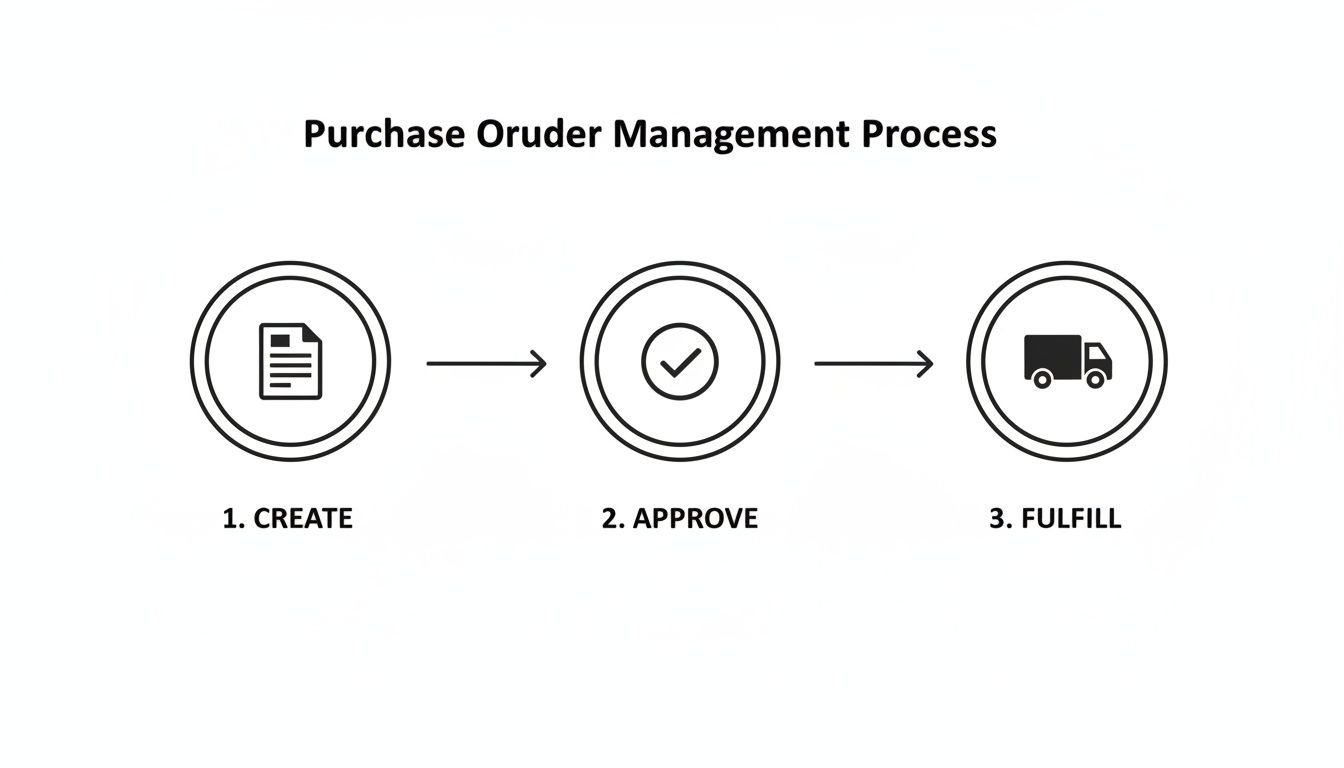
Let's break down the key phases to see how it all comes together.
To really understand the flow, it helps to see each stage laid out. Here’s a quick overview of how a purchase order moves from an idea to a closed transaction.
| Stage | Description | Key Objective |
|---|---|---|
| 1. Requisition & Creation | An internal team member identifies a need and fills out a purchase requisition. Once approved, this is turned into a formal purchase order with all the details. | To formally document a purchasing need and gather all necessary information accurately. |
| 2. Approval & Dispatch | The PO goes through an internal approval workflow to ensure it's within budget and authorized. After getting the green light, it's sent to the supplier. | To validate the purchase against budget and internal policies before committing funds. |
| 3. Fulfillment & Matching | The supplier confirms the order, ships the goods, and sends an invoice. Your team receives the items and performs a "three-way match" against the PO and invoice. | To verify that the goods received and the invoice submitted match the original purchase order exactly. |
| 4. Payment & Closure | Once everything matches up, the finance team pays the invoice according to the agreed-upon terms. The PO is then closed and archived. | To finalize the transaction, ensure timely payment, and maintain a clean financial record. |
This systematic process ensures that every purchase is intentional, authorized, and accurately recorded, preventing financial leaks and keeping your supply chain running smoothly.
For D2C and Shopify brands, getting a handle on purchase order management isn't just about being organized—it’s a matter of survival. Solid PO management directly impacts your inventory, cash flow, and your ability to keep customers happy without running out of stock.
The retail and wholesale sector gets this, which is why it's the main driver of order management system adoption, making up nearly 70% of all spending on these tools. That figure is projected to skyrocket to $1.9 billion by 2026.
That’s a huge number, and it tells you one thing: real-time tracking and tight inventory control are non-negotiable for meeting modern customer expectations. You can dig into more of this data on the OMS market from Netguru.
A disciplined purchasing process helps brands sidestep common disasters like surprise stockouts or having too much cash tied up in products that just aren't selling. It’s all about control.
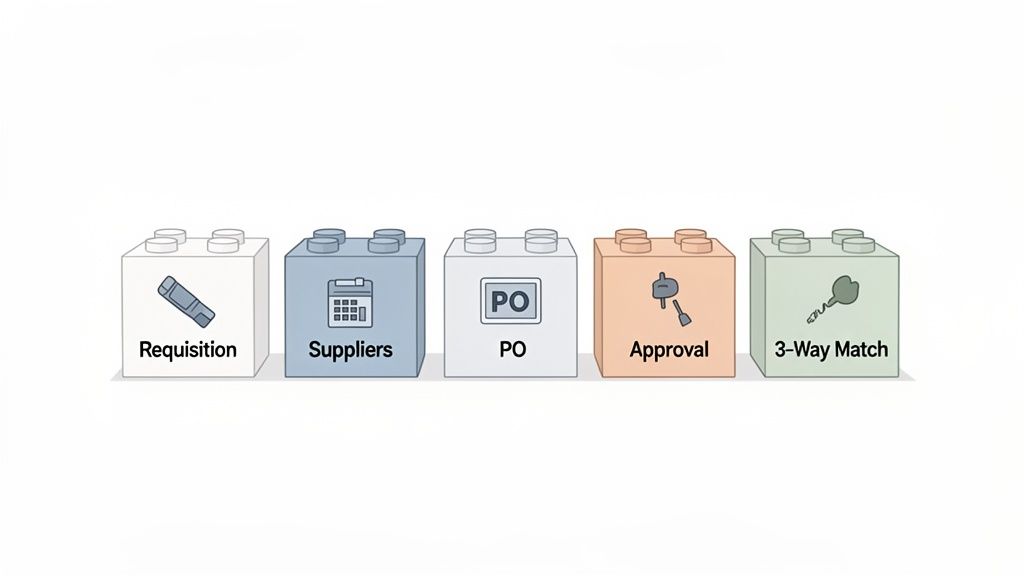
Setting up a proper purchase order management system is a lot like drawing up a detailed blueprint before building a house. If you just start buying materials and telling people to build, you’ll end up with chaos—costly mistakes, structural problems, and a site that’s impossible to manage. For a Shopify store, that blueprint is your PO system. It makes sure every dollar you spend on inventory is deliberate, tracked, and confirmed.
This system isn't just one app or a single spreadsheet. It’s a series of connected steps that bring much-needed clarity and control to how you buy from your suppliers. Each piece of the process acts as a checkpoint, making sure every purchase lines up with your inventory needs and your budget.
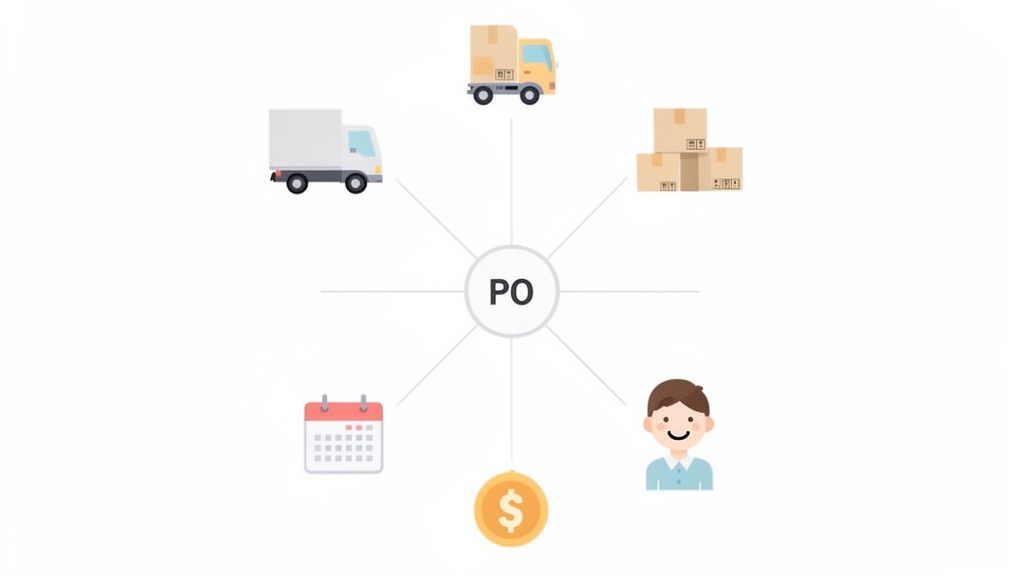
The very first building block is the purchase requisition. Think of it as the internal "ask" before any money gets spent. It’s a formal request from someone on your team—maybe the ops manager who sees a key product running low—to the person holding the purse strings.
A solid requisition form doesn't need to be complicated, but it must capture three key things:
This simple step stops random, unapproved spending in its tracks. It’s the gatekeeper that turns a casual "Hey, we should probably get more of that" into a documented, justifiable business action.
Once a requisition gets the green light, it’s time to pick a supplier and create the official purchase order (PO). This is the external, legally binding contract you send to your vendor. It takes that internal "ask" and makes it an actionable order.
A well-written purchase order is your single source of truth. It should leave zero room for error, clearly spelling out item descriptions, quantities, agreed-upon prices, payment terms, and delivery details.
For Shopify brands, creating a standardized PO template is a massive time-saver. It keeps things consistent and dramatically cuts down on human error. Every PO should have a unique PO number for easy tracking, which you’ll be thankful for later. If you want to dive deeper, our guide on automated purchase orders shows how to make this part of the process even smoother.
An approval workflow is the specific path a PO has to follow before it’s sent out. This isn't about creating red tape; it's about smart financial control. The idea is to make sure the right people sign off on purchases based on how much they cost or how important they are.
A growing D2C brand might set up a simple, tiered workflow:
This approach empowers your team to handle routine buys quickly while adding an essential layer of oversight for bigger investments. It keeps your budget in line and makes sure your spending supports the big picture. Many brands lean on tools that offer automated data processing to manage these workflows without getting bogged down in manual emails and follow-ups.
The last, and arguably most important, step is three-way matching. This is the financial detective work your team does right before paying an invoice. It's a straightforward but powerful check to make sure three documents all tell the same story:
When all three documents match—same items, same quantities, same prices—the invoice is good to go. But if there’s a mismatch, like getting billed for 100 units but only receiving 95, payment is put on hold. You don’t pay until the issue is sorted out with the supplier. This one habit is your best defense against overpayments, billing mistakes, and even potential fraud.
You can't fix what you don't measure.
When it comes to purchase order management, operating without tracking key metrics is like driving a delivery truck with no dashboard. You have no idea how fast you're going, if you're low on fuel, or if the engine is about to overheat. Without data, you're just guessing.
Measuring your performance creates the feedback loop you need to spot bottlenecks, celebrate efficiencies, and make smarter decisions. It turns your purchasing process from a simple administrative task into a strategic asset that directly boosts your bottom line.
To get a real handle on your PO performance, you need to look beyond just the numbers on the order form. Here are the essential KPIs every D2C brand should be tracking.
This table breaks down the most important metrics for gauging how well your PO process is actually working. Think of it as your quick-reference guide to operational health.
| Metric (KPI) | How to Calculate It | What It Tells You |
|---|---|---|
| PO Cycle Time | (Time Goods Received + Time Invoice Processed) - Time PO Was Created | The total time from order creation to final payment. A long cycle time points to internal delays or slow suppliers. |
| On-Time Delivery Rate | (Number of On-Time Orders / Total Number of Orders) x 100 | The percentage of orders that arrive by the agreed-upon date. This is your primary measure of supplier reliability. |
| PO Accuracy | (Number of Error-Free POs / Total Number of POs) x 100 | The percentage of POs processed without errors (wrong prices, quantities, etc.). It’s a direct measure of your internal process quality. |
Keeping an eye on these numbers is non-negotiable if you want to run a tight ship. They tell a story about where your money and time are going.
One of the most revealing metrics is your Purchase Order Cycle Time. This KPI measures the entire journey of a PO, from the moment it’s created to when it’s finally closed out after fulfillment and payment. It's the full-lap time of your purchasing race.
A long cycle time can signal a few different problems: sluggish internal approvals, inefficient suppliers, or hold-ups in your receiving and invoicing workflow. The goal is to shrink this timeline as much as possible without sacrificing accuracy.
Calculation: PO Cycle Time = (Time Goods Received + Time Invoice Processed) - Time PO Was Created
For instance, if you create a PO on June 1st, get the goods on June 15th, and pay the invoice on June 20th, your total cycle time is 19 days. Tracking this helps you set a baseline and start digging into where the delays are happening.
Your suppliers are your partners in growth, and the On-Time Delivery Rate is the scorecard for their reliability. This metric is simple: it tracks how often your suppliers deliver goods by the date you both agreed on in the purchase order.
A low on-time rate is a massive red flag. It's a direct path to stockouts, which means lost sales and unhappy customers. Consistently tracking this gives you the hard data needed to have productive conversations with underperforming vendors and reward the ones who always come through.
Here’s the straightforward formula:
If you received 95 out of 100 orders on schedule last quarter, your on-time delivery rate is a solid 95%. This KPI is absolutely fundamental to maintaining a healthy, predictable supply chain.
Mistakes cost money, plain and simple. The PO Accuracy metric measures the percentage of your purchase orders processed without a single error—no price discrepancies, wrong quantities, or incorrect SKUs. It's your quality control score.
A low accuracy rate means your team is burning valuable time fixing mistakes, chasing down corrections, and wrestling with invoice mismatches. This often points to a need for better PO templates, clearer communication, or just more careful data entry.
A high PO accuracy rate is the sign of a well-oiled procurement machine. It minimizes friction with suppliers, ensures you get exactly what you ordered, and makes the payment process a breeze.
Improving this one metric often creates a positive ripple effect, improving your cycle time and supplier relationships along with it. These KPIs are crucial, but they become even more powerful when you connect them to your inventory data. If you’re curious about how data precision impacts your stock levels, you can learn more about the forecast accuracy formula and why it matters.
By actively monitoring these key metrics, you can transform your purchase order management process from a cost center into a real source of competitive advantage.
Most brands handle purchasing reactively. They wait for stock levels to hit a danger zone, then scramble to reorder. It’s a stressful cycle of near-stockouts and manual calculations.
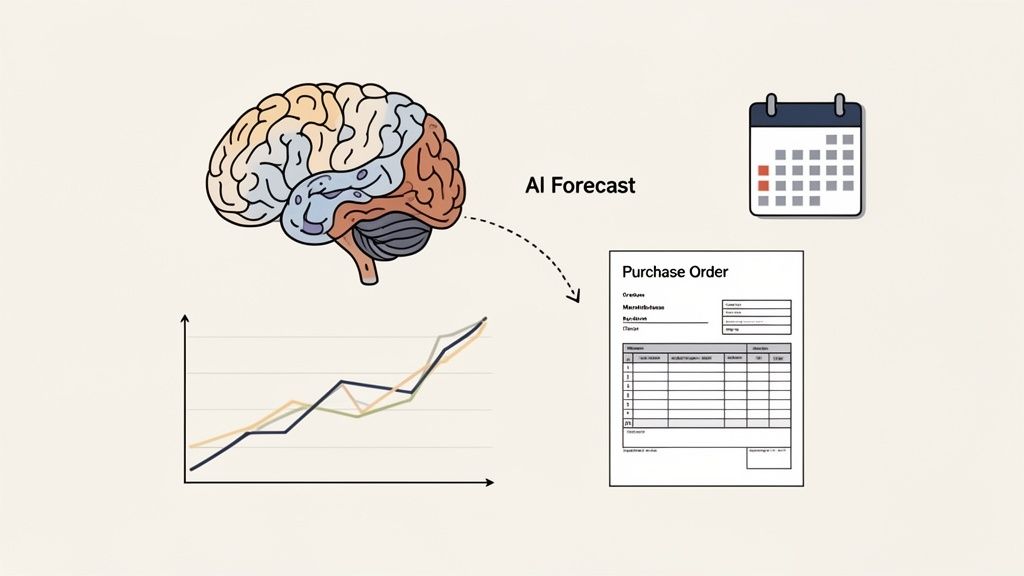
But what if you could shift from reacting to planning? That’s where AI-powered forecasting comes in. It flips the script, turning your purchase order (PO) process into a strategic, proactive part of your business.
Instead of guessing, you get:
With these insights, purchasing becomes a guided action, not a shot in the dark. A tool like Tociny.ai crunches your sales history, seasonality, and market trends to tell you exactly what you need and when you need it.
How does it work? An AI platform analyzes thousands of data points automatically—far more than a human could track.
From that analysis, it spits out exact reorder points, ideal order quantities, and even suggested ordering dates for every single SKU.
73% of D2C brands that adopted AI forecasting saw stockouts drop within three months.
These AI-driven recommendations plug directly into your PO workflow. With just a click, you can turn a suggestion into a purchase order, cutting out the tedious manual data entry and speeding up the whole approval process.
The flow is simple: 1. The AI analyzes your latest sales and current inventory levels. 2. It generates short- and medium-term demand forecasts. 3. It suggests specific purchase orders with SKUs and quantities. 4. You review, approve, and send the POs to your suppliers.
For Shopify merchants, this can all happen seamlessly in the background. As your store syncs sales data to Tociny.ai in real time, the system can auto-populate draft purchase orders in your procurement tool.
Better yet, when Tociny.ai connects to your supplier network via an API, it can enrich each recommended PO with live lead times and current pricing, making your orders even more accurate.
To make this all work, the system needs to talk to your other tools. Key connections include:
When these pieces are connected, your POs can adapt to supplier delays or price hikes without you having to lift a finger. It’s a huge leap from the old way of doing things.
| Approach | Procurement Style | Risk Level |
|---|---|---|
| Low-tech Reactive | Manual reorder on stockout | High |
| AI-driven Proactive | Forecast-based automated POs | Low |
The table above really says it all. Moving to AI-powered POs drastically reduces your risk and ensures your orders are perfectly aligned with what your customers are actually buying.
The biggest win here is striking that perfect balance—avoiding both stockouts and overstocks.
Imagine you're running a flash sale. An AI tool will spot that demand surge almost instantly and alert you to place a new PO before you sell out. It’s a level of agility that’s impossible with static reorder reports. The growth of the global order management software market underscores this trend. As of 2025, the market is valued at approximately $5.68 billion, projected to hit $11.02 billion by 2032 at a 10.3 % CAGR.
It's clear that your inventory forecasting tool needs to be the brains behind your purchasing operations.
Beyond just forecasting, exploring the broader application of artificial intelligence in procurement can significantly enhance your purchase order management.
Using AI analytics, you can even run simulations for different scenarios, like promotions or potential supply chain delays. This gives you a much stronger hand to play during supplier negotiations and contract planning.
The screenshot below shows a typical dashboard in Tociny.ai, where forecasted reorder points are displayed visually.
Here, you can see at a glance which SKUs have dropped below their safety stock thresholds. These visual cues are invaluable for helping your team prioritize what to order next and avoid any blind spots.
To dig deeper into this, you can learn more about demand forecasting software in our article.
Of course, implementing AI-driven PO management has one crucial prerequisite: clean historical data. Your sales and inventory records need to be accurate, because the AI's forecasts are only as good as the data you feed it.
Ready to make the switch? Start by auditing your current purchase order templates. Make sure there are fields where the AI’s recommendations can slot right in.
Next, connect your sales channels to ensure a seamless flow of data. From there, it’s about building good habits:
Finally, schedule regular meetings to validate what the AI is suggesting. This "human-in-the-loop" approach not only builds trust in the system but also helps fine-tune its accuracy over time.
As you get started, watch out for a couple of common pitfalls:
You can guard against these issues by regularly validating supplier data and keeping your own inventory records squeaky clean.
By combining AI demand forecasting with a structured purchase order process, you’re not just improving efficiency. You’re gaining a serious competitive edge in inventory control and building stronger, more reliable relationships with your suppliers.
Start putting AI-driven purchase order management to work today. You’ll keep your stock levels optimal, your costs in check, and your customers happy.
Ready to move from theory to action? Building a robust purchase order management system isn't an overnight project, but you can break it down into clear, manageable steps. Think of this checklist as your roadmap to a more controlled, efficient, and scalable procurement process.
Following these steps will help you create a system that not only prevents errors but also gives you the visibility needed to make smarter purchasing decisions. Let's walk through what it takes to get this done, from setting the ground rules to getting your team on board.
Before you touch any software or templates, you have to decide who can approve purchases and for how much. This is the bedrock of financial control. Without clear rules, you're inviting uncontrolled spending and budget blowouts.
Start by mapping out a simple, tiered structure. This ensures small, routine purchases can happen quickly while the big, significant investments get the proper oversight.
This structure creates a clear chain of command for your purchase order management, striking the right balance between speed and accountability.
With your approval rules in place, it’s time to choose the right tools for the job. What you pick will depend on your business size, order volume, and budget.
For a brand just starting out, a well-organized spreadsheet system using Google Sheets or Excel can work perfectly well. It’s a low-cost way to build good habits. But as you scale, manual tracking quickly becomes a massive bottleneck and a source of costly errors.
When spreadsheets start feeling clumsy, it's time to look at dedicated software. You'll want tools that offer:
The key is to pick a tool that grows with you. A system that automates the repetitive parts of purchase order management frees up your team to focus on more strategic work, like negotiating with suppliers and planning inventory.
A common mistake is waiting too long to upgrade from spreadsheets. The time spent manually tracking orders and fixing data entry errors often costs more than the software subscription. Be proactive—move to a dedicated system before the cracks start to show.
Consistency is your best friend in procurement. A standardized purchase order template ensures every order you send out contains all the necessary information, leaving no room for your suppliers to misinterpret anything.
Every PO template, whether it's in a spreadsheet or a dedicated app, must include these non-negotiable fields:
Creating a locked-down template prevents accidental omissions and ensures every PO is a clear, professional, and legally sound document.
A perfect system is useless if no one on your team knows how to use it. The final step is to train everyone involved in the purchasing process—from the person requesting an item to the one approving the final invoice.
Hold a short training session to walk through the entire workflow. Make sure to explain the "why" behind each step, especially the importance of using the PO system for every single purchase, no matter how small.
After the training, provide clear, easy-to-find documentation. A simple one-page guide or a short video can serve as a quick reference, cutting down on questions and making sure everyone follows the right procedure. When your team understands and buys into the process, your purchase order management system will run like a well-oiled machine, giving your brand the control and visibility it needs to thrive.
Even with the best plan, jumping into the world of purchase orders can feel a little intimidating. It’s completely normal to have a few lingering questions. After all, getting these details right is what separates a smooth, predictable procurement process from a chaotic, expensive one.
Let’s tackle some of the most common questions we hear from Shopify store owners and D2C brand managers. My goal here is to give you clear, straightforward answers that will help you build confidence and get your PO strategy locked in.
This is, without a doubt, the question we get asked most often. The simplest way to think about it is that a purchase order (PO) is the question, and an invoice is the answer.
A purchase order is the document you create and send to a supplier to get the ball rolling. It’s your official, detailed request spelling out exactly what you want to buy, how much you need, and the price you've both agreed on. It’s a proactive document that starts the transaction.
An invoice, on the other hand, is the bill your supplier sends you after they've shipped the goods or completed the service. It’s their formal request for payment, based on the terms you both agreed to in the original PO. It’s a reactive document that aims to close out the transaction.
Think of it like this: The PO is your company’s formal request to buy. The invoice is the supplier’s formal request for payment. They're two sides of the same coin, but they show up at different times and serve very different purposes.
A critical best practice here is to always perform a three-way match. Before a single dollar leaves your bank account, you should compare the PO, the packing slip (what you actually received), and the invoice to make sure every detail lines up perfectly.
Yes, absolutely—especially when you’re just getting off the ground. For a new store with a handful of SKUs and a couple of trusted suppliers, a well-organized spreadsheet is a fantastic, no-cost way to manage your purchase orders. It forces you to build good habits from day one without a big financial commitment.
But, and this is a big but, you have to recognize it's a temporary solution. As your business grows—and you start adding more products, working with more suppliers, and bringing on team members—that spreadsheet will quickly become your biggest liability. The risk of human error goes through the roof, leading to incorrect orders, missed approvals, and a messy paper trail for your accountant.
A spreadsheet is a great first step, but you should have a plan to graduate to a dedicated PO management app or an integrated inventory platform as soon as your order volume starts to climb.
This is where the magic really happens. Effective purchase order management is one of the most powerful levers you can pull to protect and optimize your cash flow. It works in a few key ways.
First, it puts a stop to surprise spending. By requiring a formal PO and an approval before any purchase is made, you guarantee that every dollar spent is intentional and has been budgeted for. This kills the kind of unauthorized or impulsive buys that can quietly drain your accounts.
Second, it locks in your prices and payment terms right at the start. A PO is a contract. It clarifies costs, delivery dates, and when your payment is due (e.g., Net 30, Net 60). That clarity gives you a predictable map of your future expenses, which makes your financial planning and cash flow forecasting far more accurate.
Maybe most importantly, when you pair a solid PO process with accurate demand forecasting, you stop tying up your most valuable asset—cash—in slow-moving or excess inventory. You order only what you need, right when you need it. This keeps your cash fluid and ready to be used for real growth opportunities, not sitting on a warehouse shelf.
Ready to transform your purchase orders from reactive tasks to a proactive, data-driven strategy? Tociny.ai uses AI-powered analytics to give you precise demand forecasts, helping you order the right amount of stock every time. Stop guessing and start planning with Tociny.ai.
Tociny is in private beta — we’re onboarding a few select stores right now.
Book a short call to get early access and exclusive insights.