
Have you ever sold an item during a huge flash sale, only to realize you didn't actually have it in stock? Or stared at shelves piled high with slow-moving products, knowing your cash is just sitting there collecting dust?
These aren't just minor headaches. They're big, flashing warning signs that your inventory system is broken. This is where real-time inventory management comes in. Think of it as the single, undisputed source of truth for your stock levels, updating instantly across every single place you sell—your online store, your physical shop, and any marketplaces you're on.
Let's be honest: relying on spreadsheets and doing manual counts every so often isn't just inefficient. It's actively draining money from your business.
When your Shopify store, your POS system, and your Amazon or Etsy channels aren't talking to each other, you're essentially operating with blind spots. This disconnect is what leads to those frustrating customer moments, like having to cancel an order for an out-of-stock item. It also means you're leaving money on the table when a popular product is listed as "sold out" online, even though you have a few units sitting in your backroom.
This old-school approach creates a serious financial drag, too. Without a clear, live picture of what you have and where, you can't possibly forecast demand with any real accuracy. The result is always the same:
The root of all this chaos is the lack of a unified, trustworthy view of your inventory. Real-time inventory management completely solves this by creating a central nervous system for your entire operation. Every single sale, return, and new shipment is recorded instantly, and that update is pushed out to all your connected systems.
This is more than just a tech upgrade; it's a fundamental shift in mindset. You move from constantly putting out fires to making proactive, data-driven decisions. You can finally trust your numbers and feel confident about your purchasing, marketing, and sales strategies.
For a broader look at how this fits into your overall growth, check out these e-commerce best practices that go hand-in-hand with smart inventory control.
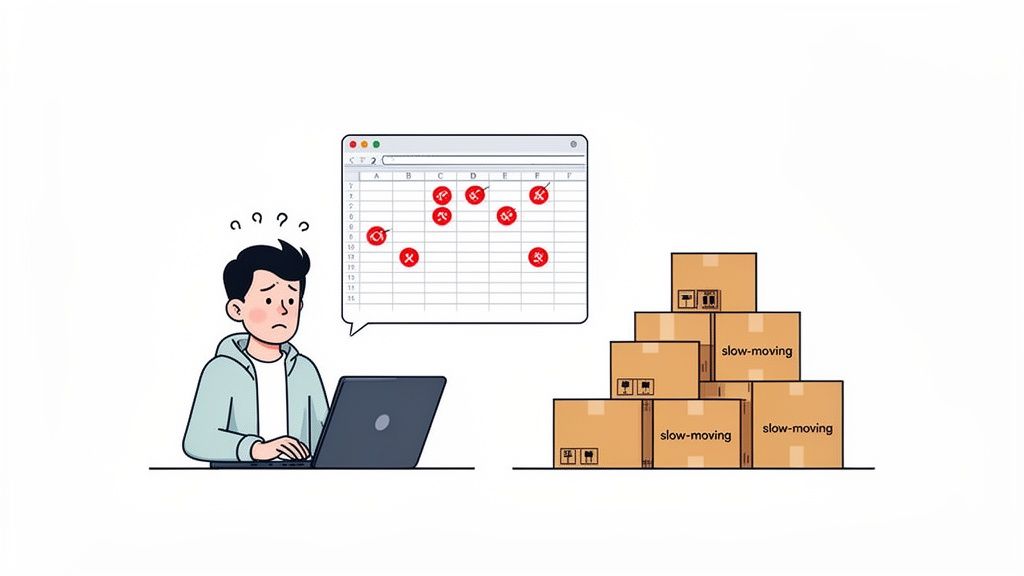
This picture probably looks familiar. It’s that feeling of frustration that comes from wrestling with disconnected data—the exact pain point modern inventory tools are built to eliminate.
This move toward live, synchronized data isn't just a fleeting trend; it’s quickly becoming the standard for any brand that wants to compete.
The numbers back this up. The inventory management market is on track to grow from USD 2.76 billion in 2025 to a massive USD 4.14 billion by 2031. This explosive growth is fueled by businesses finally ditching slow, delayed batch updates in favor of instantaneous tracking.
This is exactly why platforms like Tociny.ai exist—to turn that inventory chaos into a powerful engine for growth. If you're ready to see what life is like after spreadsheets, start by reading our guide on the inventory tracking sheet and why it's time to move on.
Before you even think about automating anything, you have to get your data straight. This is the single most important, non-negotiable step. Without a rock-solid, accurate starting point, any fancy real-time system you implement will just make a bigger mess, faster. It’ll amplify every little error, leading to terrible forecasts and even worse purchasing decisions.
First things first: you need to do a complete, wall-to-wall physical inventory count. Yes, it's tedious. But it's the only way to get a true picture of what’s actually on your shelves versus what your spreadsheets think is on your shelves. This count becomes your Day Zero—the source of truth for everything that follows.
Once you have that baseline, it's time to tackle the next big hurdle for growing brands: SKU hygiene.
I can't tell you how many brands I've seen stumble because of messy SKUs. It's a quiet killer of inventory accuracy.
Imagine you sell a t-shirt. In your point-of-sale system, it's "Blue-T-Shirt-Small." But in your 3PL's warehouse management system, it's logged as "TS-BL-S." To your software, these are two entirely different products. This tiny inconsistency creates phantom stock, causes overselling, and makes it completely impossible to track anything reliably.
You absolutely must standardize your Stock Keeping Units (SKUs). A logical, consistent naming convention ensures every single product variant has one unique identifier that’s used across every system you have.
A simple, effective format I often recommend is: * [Category]-[Style]-[Color]-[Size] * For example: TSHIRT-VNK-BLK-M for a black, medium, V-neck t-shirt.
This small bit of discipline has a massive impact. It guarantees that a sale on any channel correctly depletes the quantity of the right item, everywhere.
The whole point of real-time inventory management is to create one unified view of your stock. For anyone on Shopify, your store needs to be that central command center. All your sales channels, warehouses, and retail locations must feed their data directly into Shopify. It becomes the ultimate source of truth for your available inventory.
This means you need to connect the dots between every place your inventory is touched: * Point of Sale (POS): When you sell an item in your brick-and-mortar store, that sale has to update Shopify’s stock level instantly. * Third-Party Logistics (3PL): As soon as your 3PL ships an order, that information must sync back to Shopify to reduce your on-hand quantity. * Marketplaces: A sale on Amazon, Etsy, or anywhere else has to be immediately reflected in your Shopify inventory.
To pull this off, you’re essentially building a perpetual inventory system that gives you continuous, live visibility. This is how you move away from stressful, disruptive periodic counts and toward a constantly updated inventory record.
Key Takeaway: This initial work isn't just about cleaning up data; it's about building a reliable, scalable foundation for your entire operation. Investing time here will save you countless hours of chasing down sync errors, reconciling numbers, and dealing with angry customers down the line.
To help you get started, I’ve put together a checklist of the most common data sources you'll need to connect to Shopify to create this unified view. Think of it as a map to ensure no channel is left operating on its own island.
This checklist will help you identify and prepare all your inventory data sources for centralized management in Shopify. Go through each potential source in your business and plan how it will integrate.
| Data Source | Integration Method | Data to Sync | Sync Frequency Goal |
|---|---|---|---|
| Physical Retail | Native Shopify POS or Third-Party App | Sales, Returns, New Stock | Instant (Real-Time) |
| 3PL/Warehouse | API Connection or Dedicated App | Shipments, Receiving, Returns | Instant or Near Real-Time |
| Online Marketplaces | Channel Integration App (e.g., Codisto) | Sales Orders, Stock Levels | Instant or Every 5-15 Mins |
| Supplier Feeds | EDI or API Integration | Incoming Purchase Orders, Stock Availability | Daily or On-Demand |
Once this structure is in place, you can finally trust your numbers. When a customer sees "5 in stock" on a product page, you'll know it's the real number—one that accounts for a sale that might have happened just seconds ago in your physical store or on a marketplace halfway across the world.
This isn't just good data management. It's how you build customer trust and capture every single sales opportunity.
With a clean data foundation in place, it’s time to bring your real-time inventory management system to life. This is the fun part, where we move beyond spreadsheets and start physically connecting the critical pieces of your e-commerce tech stack. The goal here is to build an automated, interconnected network that completely eliminates manual data entry, giving you a single, accurate view of what you own and where it is.
This integration process is what turns all those isolated data points—from your warehouse, your storefront, your website—into a powerful, unified stream of intelligence. When your systems can talk to each other seamlessly, a single customer action, like an online purchase or an in-store return, triggers a domino effect of accurate updates across your entire operation. This closes the gap on the lag time and human error that lead to those painful stockouts and costly overstock situations.
For any brand that outsources fulfillment, the connection between your Shopify store and your Third-Party Logistics (3PL) partner is the absolute most critical link in this chain. It's non-negotiable.
When this is working right, an order shipped from your 3PL’s warehouse should instantly and automatically update the stock level for that SKU in Shopify. That's how you maintain accurate online availability and avoid disappointing customers.
Most modern 3PLs give you a couple of ways to make this connection:
No matter which method you use, the data needs to flow both ways. Shopify sends order details to the 3PL, and just as important, the 3PL sends shipment confirmations and inventory level adjustments back to Shopify.
If you run a physical storefront alongside your Shopify site, syncing your Point of Sale (POS) system is just as crucial. An item sold in your retail shop must be removed from your online store's available inventory in real-time. Mess this up, and you've got a classic recipe for overselling.
Imagine a customer buys the very last medium-sized blue hoodie in your physical store. Without a real-time sync, that same hoodie could stay listed as "in stock" online for hours. Someone else buys it, and now you've created a terrible customer experience and a logistical headache for your team.
For the most painless integration, Shopify POS is the obvious choice since it's built to work natively with your online store. But if you’re using a third-party POS, you absolutely have to ensure it has a robust, real-time integration with Shopify to keep that single source of truth intact.
The final piece of the puzzle is connecting your newly unified data stream to an intelligence layer. This is where a tool like Tociny.ai comes into play. Once your 3PL and POS are feeding live, accurate data into Shopify, Tociny.ai can plug directly into that central hub.
It ingests this constant flow of sales and inventory data to generate powerful, AI-driven forecasts and recommendations. Suddenly, you're not just seeing what you have—you can now see where your inventory levels are headed.
For a deeper look at how this all fits together, you can explore this detailed inventory management system example to see the components in action.
This integrated setup creates a powerful, self-improving cycle:
This connected ecosystem is the very core of modern real-time inventory management. It transforms your operation from a series of disconnected parts into a cohesive, intelligent system that actively works to prevent stock issues and drive profitable growth.
Getting your inventory perfectly synced across all channels is a huge win, but it’s still playing defense. A synced system tells you what you have right now. The real game-changer is when you shift from just tracking stock to intelligently predicting what you'll need next. This is where you level up to proactive, AI-powered forecasting.
This isn't about some crystal ball fantasy. It's about using your own hard-earned sales data to make ridiculously smart purchasing decisions. Suddenly, concepts that used to live in spreadsheets—lead time, safety stock, and reorder points—become the automated gears of your reordering engine.
Before you let an AI take the wheel, it’s good to know how the engine works. These are the three pillars of any smart reordering strategy:
Trying to calculate these manually for hundreds or thousands of SKUs is a special kind of nightmare. This is exactly the kind of complex, repetitive work that AI tools like Tociny.ai were built to eliminate.
Let’s take one of your best-selling skincare products as an example. An AI-powered system will comb through its entire sales history, instantly spotting the holiday sales spike from last December. It then projects demand for the upcoming holiday season, factoring in both that historical data and your store's current growth trajectory.
This is only possible when you have clean, real-time data flowing from all your sales channels into one central hub.
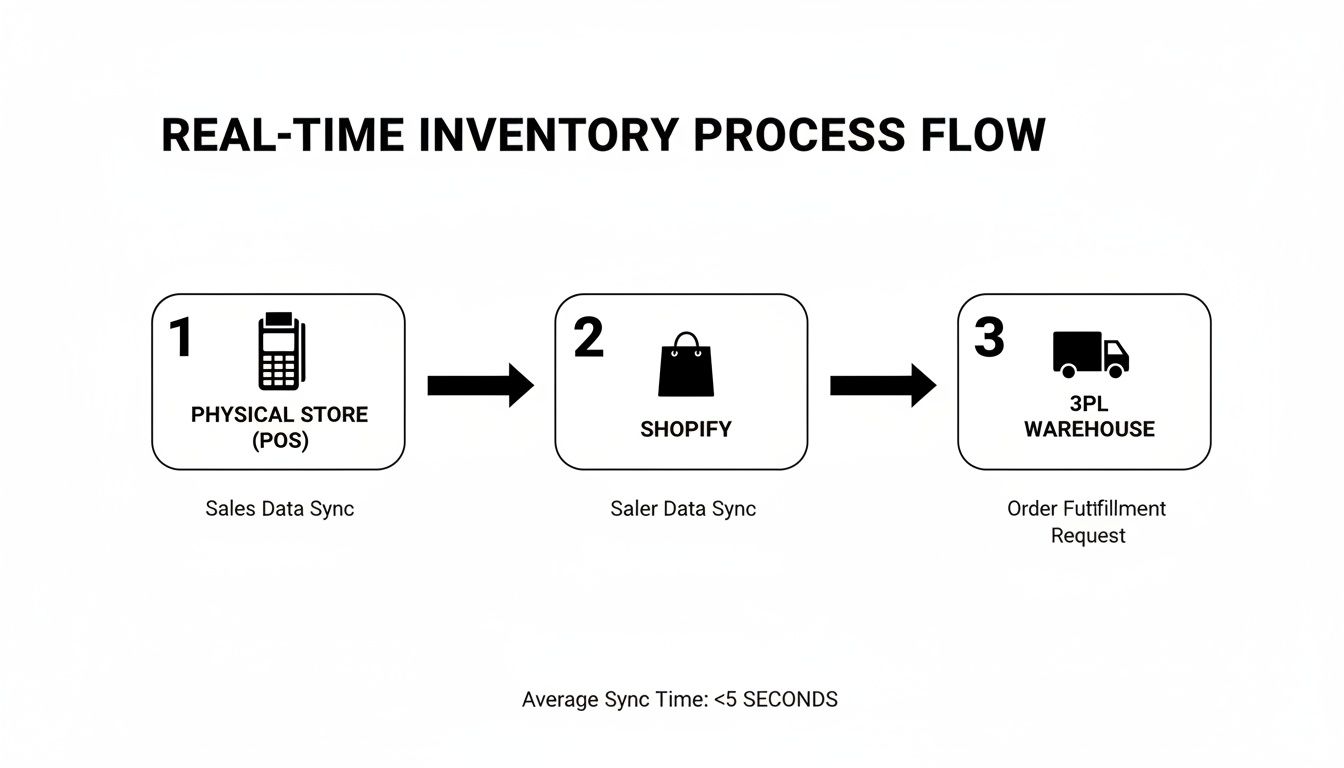
This interconnected flow is the bedrock that allows an AI to turn raw sales numbers into actionable purchasing intelligence.
From that demand forecast, the system will analyze your supplier's average lead time and calculate the ideal amount of safety stock. It establishes a dynamic reorder point that automatically adjusts as your sales velocity ebbs and flows. All this happens without you ever having to open a spreadsheet.
The goal of AI forecasting isn't just to predict sales. It's to translate those predictions into a simple, actionable command: "It's time to order X units of this product to avoid a stockout."
The final piece of the puzzle is turning these insights into action. Instead of a vague "low stock" warning that you might ignore, a truly smart system triggers an alert that comes with a pre-filled, suggested purchase order.
This transforms a complicated forecasting and procurement headache into a simple review-and-approve task. You get a notification that says something like, "Based on current trends, we recommend reordering 150 units of your 'Rosewater Facial Mist' to maintain optimal stock levels through the next 6 weeks."
This isn't some futuristic concept; it's happening right now. According to Deloitte, 30% of US retailers are already using AI for better supply chain visibility, a number set to jump to 41% within a year. This kind of adoption makes automated, intelligent reordering a practical reality.
This proactive approach frees you from the constant anxiety of manual stock monitoring. You can trust that the system is watching your inventory levels 24/7, ready to flag a potential issue long before it ever has a chance to impact your bottom line.
For a deeper dive, check out our guide on how to leverage AI for demand forecasting. You'll see how this shift ensures you have the right products, in the right quantity, at exactly the right time.
Okay, you've done the heavy lifting. Your real-time inventory management system is plugged in, connected, and humming along nicely. That's the foundation. But now comes the fun part: using that live data to make smarter, more profitable decisions for your Shopify store.
This is where you graduate from simply tracking inventory to actively managing its performance. Your store is now pumping out a constant stream of valuable data. The trick is knowing which numbers actually matter and what they're telling you about the health of your business.
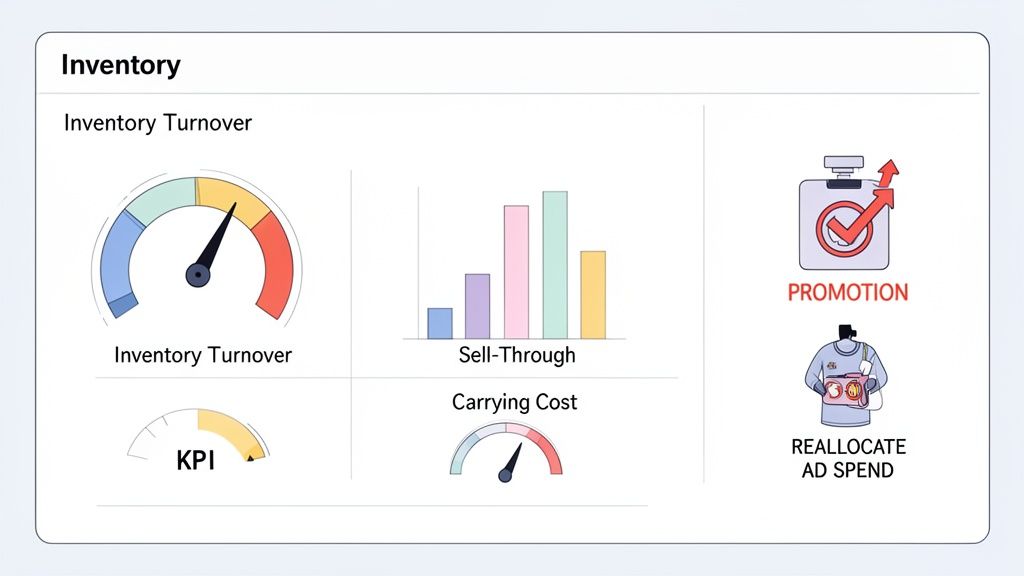
Forget the vanity metrics. There are three core inventory KPIs that directly impact your bottom line. Think of them as the three legs of a stool—together, they give you a complete picture of how efficiently your capital is working for you.
Inventory Turnover Ratio: This is a big one. It tells you how many times you sell and replace your entire inventory over a set period. A higher number is usually better, meaning products are flying off the shelves and not gathering dust.
Sell-Through Rate: This metric gets more granular, comparing how much stock you've sold versus what you received from your supplier. It's perfect for judging the success of a specific product, a new collection, or a weekend promotion.
Carrying Costs: These are the sneaky, hidden expenses of just having inventory. We're talking warehouse rent, insurance, staff time, and the cost of the cash that’s tied up in all those unsold boxes. This number pulls back the curtain on the true price of slow-moving stock.
A tool like Tociny.ai is designed to pull this data directly from your real-time Shopify feed and present it on a clean dashboard. This helps you get past the raw numbers and quickly understand the story your inventory is telling.
Knowing your numbers is great, but using them to make more money is the entire point. Your real-time data acts as a powerful feedback loop, guiding your marketing, pricing, and purchasing decisions.
Let's say you log into your dashboard and spot a product with a dismal sell-through rate and a climbing carrying cost. That item is literally costing you money every single day it sits there. That’s a clear signal to do something, now. You could bundle it with a bestseller, run a targeted flash sale, or create an exclusive offer for your email list to clear it out.
On the flip side, the dashboard might highlight a product with a sky-high inventory turnover ratio. It's selling out way faster than you anticipated.
This is where you connect inventory data directly to your marketing spend. Instead of guessing which products to promote, you now have hard evidence showing exactly where to allocate your ad budget for the highest possible return.
To help you get your bearings, it’s useful to look at some general e-commerce benchmarks. Of course, the ideal numbers vary wildly by industry—fast fashion will have a much higher turnover than high-end furniture—but these are solid starting points.
Below is a quick rundown of the essential inventory KPIs, what they mean for your store, and some general targets to aim for.
| KPI (Key Performance Indicator) | What It Measures | Why It Matters for Your Shopify Store |
|---|---|---|
| Inventory Turnover Ratio | The speed at which you sell and replace your entire stock. | A healthy ratio (often 4 to 6 for e-commerce) means your cash isn't tied up in slow-moving products. It’s a key indicator of sales velocity and operational efficiency. |
| Sell-Through Rate | The percentage of units sold compared to the units you received. | This tells you if a specific product is a hit or a dud. Aiming for 80% or higher within a season is a strong goal and helps you plan future purchase orders. |
| Carrying Costs | The total expense of holding onto unsold inventory. | Keeping this between 15-25% of your inventory's value is crucial. If it's too high, it's eating directly into your profits. |
Seeing these metrics in a clear table helps put your store's performance into context. If your numbers are falling short, don't sweat it. This is an opportunity, not a failure.
A low turnover ratio might signal that your pricing is off or your product photos aren't compelling enough. A high carrying cost is a clear sign you need to get more aggressive with markdowns on aging stock.
By continuously watching these core KPIs, you transform your real-time inventory management system from a simple tracking tool into a strategic engine for growth. It empowers you to be nimble, responding to sales trends as they unfold and ensuring your money is always invested in the products your customers actually want to buy.
Even the most meticulously planned real-time inventory management system will eventually have a bad day. The goal isn’t absolute perfection—it’s about having a solid game plan for when things inevitably go sideways. An unexpected oversell or a mismatch between Shopify and your 3PL doesn’t need to be a five-alarm fire.
So, you’ve spotted a discrepancy. Maybe your 3PL’s dashboard shows 50 units, but Shopify stubbornly insists you only have 45. Don't panic. The very first place to look is your integration’s sync log. These logs are your digital breadcrumbs, often pointing directly to a momentary API hiccup or a connection timeout that blocked a specific order from syncing properly.
If the logs look clean, your next move is a manual spot-check of recent orders and returns. Did a big return get processed in one system but not the other? Did someone on the marketing team pull a few units for a giveaway and only adjust the stock in Shopify? Finding that one transaction that threw the count off is usually the quickest way back to sanity.
Overselling is one of the most frustrating things that can happen in ecommerce, but it’s almost never a random glitch. It’s a symptom of a specific problem. Before you pull your hair out, run through this quick diagnostic checklist:
Think of yourself as a data detective. Your job is to trace the flow of information backward from the point where the error occurred. The problem is almost always a broken link in the communication chain connecting your systems.
Here’s an ironic twist: sometimes your data can be too accurate. A single, massive bulk order from a new corporate client can completely throw your sales velocity out of whack. Suddenly, your forecasting AI thinks demand has permanently exploded.
This is where a little human intervention is key. Most intelligent platforms, including Tociny.ai, let you manage these kinds of outliers. You can simply flag that unusually large order and tell the system to exclude it from future forecasting models. This teaches the AI to see it for what it was—a one-off event—ensuring your future reorder points are based on your real, organic customer demand, not statistical noise.
Of course, even the best-laid plans come with questions. When you're dealing with something as critical as your inventory and cash flow, you want to be sure you're making the right moves.
Let's tackle some of the most common questions we hear from Shopify merchants who are taking this step.
Honestly, the cost can swing pretty widely. If you're just starting out and using a simple app from the Shopify App Store, you might only be looking at a monthly subscription fee. It's a great way to dip your toes in.
But for more established brands, especially those syncing with a 3PL and a separate POS system, you're likely looking at some initial development costs for the API integrations, on top of the software fees.
The real question isn't what it costs, but what it's costing you not to do it. Think about the revenue you're losing to stockouts or the cash that's just sitting on your shelves in the form of overstock. A solid system should pay for itself, and fast, by plugging those expensive leaks.
You'll feel some of the benefits almost immediately. Things like fewer oversells and not having to spend hours on manual stock counts—that relief comes within the first month.
But the bigger, more substantial ROI? That usually shows up within 3 to 6 months. This is the sweet spot where your forecasting tools have gathered enough clean, real-time data to start making truly smart purchasing recommendations. It's when you'll really see the impact on your cash flow and profit margins.
This is exactly why you need a system like this. Trying to manually track thousands of SKUs is a recipe for disaster. It's just not humanly possible.
A connected, real-time system is built for this kind of scale. The heavy lifting is all in that initial data cleanup. Once your SKU hygiene is on point and every single product variation has its own unique identifier, the system can track 10,000 SKUs just as easily as it tracks ten. For stores with large catalogs, this kind of automation isn't just a "nice-to-have"—it's an absolute necessity to grow without breaking.
Ready to stop guessing and start forecasting with confidence? Tociny.ai replaces spreadsheet chaos with clear, AI-powered inventory recommendations directly in your Shopify workflow. See how it works at Tociny.ai.
Tociny is in private beta — we’re onboarding a few select stores right now.
Book a short call to get early access and exclusive insights.