
An effective inventory tracking sheet isn't just some list you check off. It’s a living, breathing snapshot of your business's health. For anyone running a Shopify store, it’s the first real step you take to get ahead of problems instead of constantly reacting to them. It's how data-driven decisions start.
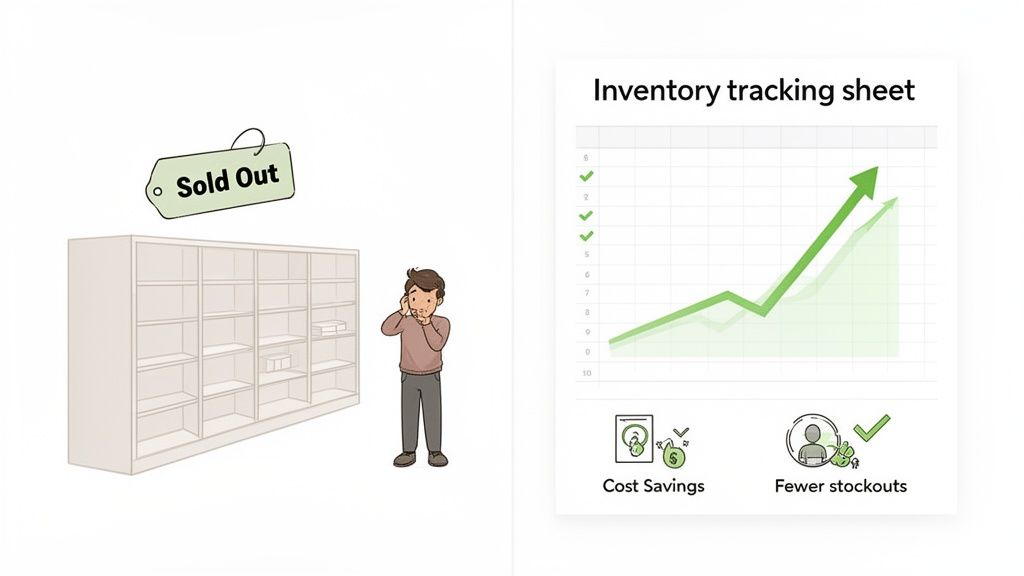
Let's be real for a second. The basic inventory list inside your Shopify admin panel is great when you're just starting out, but it hits its limits fast. Once your store starts to get some traction, relying on that alone is like trying to drive by only looking in the rearview mirror.
Managing your stock reactively is an expensive habit, and the costs hide in plain sight. Think about the last time your best-selling product went out of stock without warning. That’s not just the lost revenue from that specific item. It’s the ad money you burned sending people to a "Sold Out" page, and it's a little ding to your brand's reputation every time it happens.
The real cost of poor inventory management isn't just the stock you can't sell—it's the sales you never made. It’s the customer who clicks away, the ad budget that goes to waste, and the cash flow trapped in products that don't move.
This is where a well-designed inventory tracking sheet changes the game. It stops being a tedious chore and becomes your go-to tool for making smarter business moves. It’s the difference between seeing you sold 50 units and actually understanding why you sold them—and more importantly, how many you’re likely to sell next month.
Picture this: you run a flash sale, and your hero product is gone in an hour. A basic list just tells you it happened. But a smart sheet, loaded with your historical sales data and turnover rates, would have helped you see that demand spike coming before you even launched the sale.
This simple spreadsheet is your entry point into true inventory intelligence. It builds a rich, historical dataset that becomes the bedrock for much more powerful analysis down the road.
Sticking with a basic system quietly eats away at your profits. The consequences are often a lot more painful than merchants realize until they sit down and do the math.
Ultimately, getting this foundational spreadsheet right sets the stage for what comes next. As your data grows, it becomes the perfect fuel for AI-powered forecasting platforms like Tociny.ai, which can turn your historical numbers into predictive insights that drive serious growth.
Think of your inventory tracking sheet as the foundation of your entire ecommerce operation. Get this right, and everything you build on top of it—from your financial reports to your sales forecasts—will be solid and reliable. The mission is simple: create a single source of truth that gives you a crystal-clear, up-to-the-minute snapshot of your business's most valuable asset: your stock.
Whether you're a fan of Google Sheets for its real-time collaboration or Excel for its heavy-duty data crunching, the core principles don't change. We're not just making a list of products here. We're building a dynamic dashboard tailored specifically for the hustle of a growing Shopify store. That means it needs to handle product variants, track multiple suppliers, and tie directly into the financial data that actually drives your profitability.
You can definitely grab a pre-made template for an inventory list to hit the ground running, but truly understanding the why behind each column is what gives you the power to customize it. That knowledge is what lets your sheet grow with you, easily handling new product lines, bundles, or sales channels without falling apart.
A truly effective inventory sheet isn't just a jumble of data. It's organized into three distinct, interconnected categories. I like to think of them as layers, with each one adding more depth and utility.
Nailing these three pillars is the first crucial step in turning a static list into an active, decision-making tool.
Here’s a quick look at how you might structure an inventory sheet for a Shopify store, with clear sections for product info, inventory levels, and financial data.
See how it cleanly separates the static product details from the ever-changing inventory counts and financial metrics? That separation makes the sheet way easier to read and update without getting overwhelmed.
Now, let's get into the nitty-gritty: the essential columns. I’ve seen merchants try to cut corners here, but skipping any of these fields inevitably leads to guesswork and costly mistakes. When studies show that a staggering 90% of spreadsheets contain errors, often from messy data, a clean, consistent setup is your best defense.
The table below breaks down the must-have columns for your inventory tracking sheet, explaining what they are, why they're critical, and what they look like in practice.
| Field Name | Description & Purpose | Example |
|---|---|---|
| Product Name | The customer-facing name of the item. Consistency is everything, especially with variants. | "Organic Lavender Hand Soap - 8oz" |
| SKU | The Stock Keeping Unit—your unique internal ID. This is vital for accurate tracking and avoiding mix-ups. | LHS-LAV-08 |
| Supplier | The vendor you buy the item from. This makes reordering a breeze. | "Mountain View Organics" |
| On Hand | The total number of units you physically have in your warehouse or storage. This is your absolute total. | 150 |
| Committed | Units that are sold but not yet shipped. This stock is no longer available for new customers. | 25 |
| Available | The actual number of units available for sale. The formula is simply: On Hand - Committed. This is what Shopify should show. |
125 |
| On Order | The quantity you've ordered from a supplier but haven't received yet. | 100 |
| COGS (Per Unit) | The Cost of Goods Sold for one unit. This is what it costs you to acquire a single product. | $2.75 |
| Total Inventory Value | A calculated column showing the total value of your on-hand stock. The formula is: On Hand * COGS (Per Unit). |
$412.50 |
This level of detail is what makes your spreadsheet so powerful. It's the difference between guessing and knowing.
The real power of your sheet comes from distinguishing between different stock states. Knowing you have 150 units
On Handis one thing. Knowing only 125 are actuallyAvailableto sell is what prevents overselling and keeps customers happy.
This detailed structure transforms your inventory sheet from a passive record into an active management tool. When a new shipment arrives, you'll update your On Hand and zero out the On Order column. When a customer buys something, your Committed number goes up and Available goes down. Every transaction has a clear, logical home in your sheet, which keeps your data clean.
With this solid foundation in place, you're ready to start implementing the more advanced formulas we’ll cover next to help automate reordering and analyze your inventory performance.
A well-structured inventory tracking sheet is a great starting point, but let's be honest—it's still just a list of numbers. The real magic happens when you add formulas that turn that static data into an active, intelligent decision-making tool. This is the moment your spreadsheet stops being a simple record and starts telling you what to do next.
These formulas automate critical calculations, flagging potential problems before they cost you money. Instead of manually scanning stock levels, your sheet will literally tell you when it's time to reorder. Instead of guessing how fast a product is moving, you'll have a precise, hard metric.
This flow chart breaks down how raw data fuels these essential calculations, moving from basic product details all the way to financial insights.
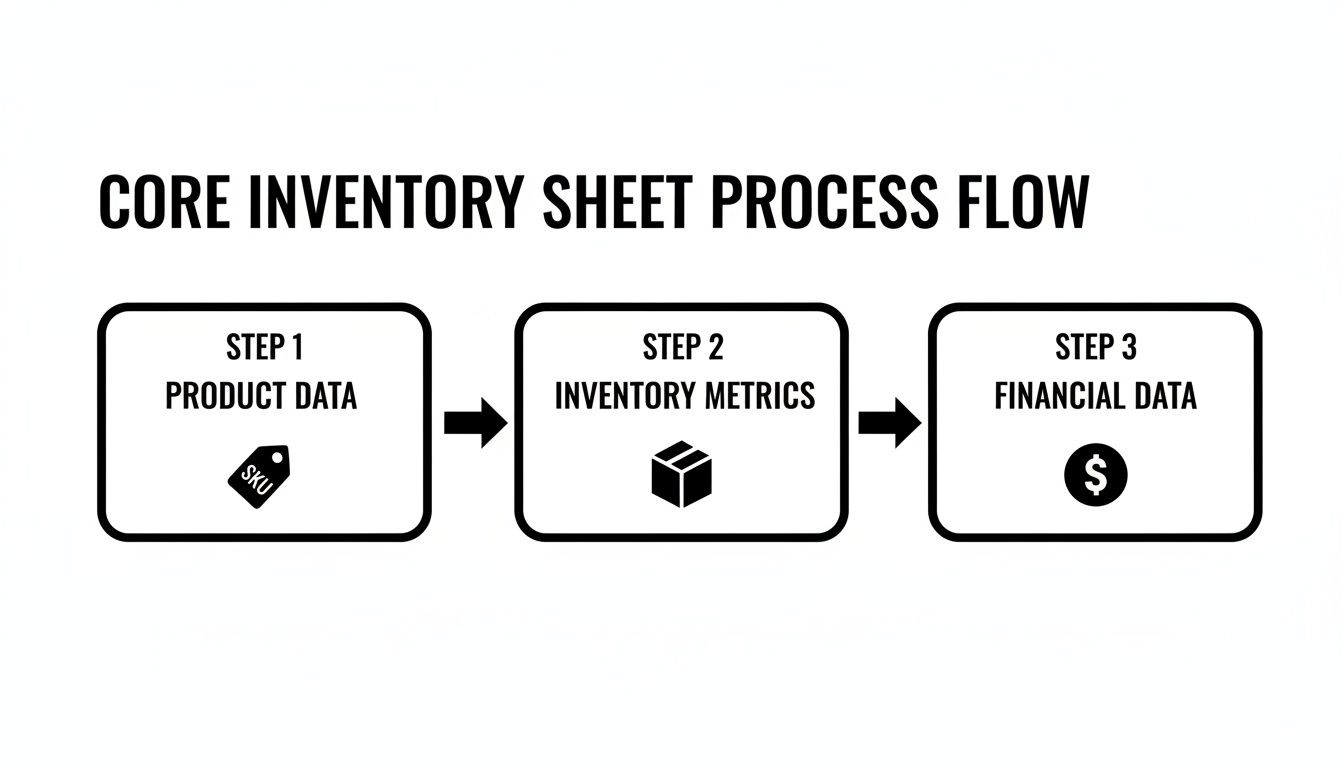
As you can see, everything hinges on accurate product and inventory numbers. Get those right, and you can unlock the financial metrics that dictate your store's profitability and cash flow.
First up is your Inventory Turnover Rate. Think of this as your efficiency scorecard. It reveals how many times you sell and replace your entire inventory over a specific period, usually a year. A higher number is almost always better, signaling strong sales and lean operations.
On the flip side, a low turnover rate is a major red flag. It could mean you're overstocked, your marketing is missing the mark, or a once-popular product is losing its appeal.
To get this number, you just need two things: * Cost of Goods Sold (COGS) for the period. * Average Inventory Value for the same period.
The formula is simple: Inventory Turnover Rate = COGS / Average Inventory Value
Let's say your Shopify store sells handmade candles. If your total COGS for the last year was $50,000 and your average inventory was worth $10,000, your turnover rate is 5. You sold through your entire stock five times last year. Not bad at all.
While turnover gives you the 30,000-foot view, Days of Inventory on Hand gets you down to the ground level. Also known as Days Sales of Inventory (DSI), this metric answers a simple but vital question: "If I don't buy anything else, how many days until I sell out?"
Knowing this helps you avoid those embarrassing "out of stock" notifications that kill customer trust.
The formula uses the turnover rate you just calculated: Days of Inventory on Hand = 365 / Inventory Turnover Rate
Using our candle store example with its turnover rate of 5: 365 / 5 = 73 days
That means you have, on average, 73 days' worth of inventory sitting on your shelves. This is an incredibly powerful number for managing cash flow and timing your next big promotion.
This is where your sheet really starts working for you. The Reorder Point (ROP) formula pinpoints the exact stock level that should trigger a new purchase order. It’s your sheet’s built-in alarm system, designed to get new inventory on its way before you run out.
To make this work, you'll need: * Average Daily Sales: How many units of a SKU you sell per day, on average. * Lead Time: The number of days it takes for an order to arrive from your supplier. * Safety Stock: A buffer of extra inventory to guard against supplier delays or sudden demand spikes.
Here’s the formula: Reorder Point = (Average Daily Sales * Lead Time in Days) + Safety Stock
Imagine your top-selling skincare serum moves 10 bottles a day. Your supplier's lead time is a consistent 14 days, and you keep a safety stock of 50 bottles just in case. Your ROP would be:
(10 * 14) + 50 = 190 bottles
When your "Available" stock for that serum hits 190 units, it's go-time. You can even use conditional formatting in Google Sheets or Excel to make the cell turn red when it hits that magic number.
Finally, let's talk about Safety Stock. In a perfect world, supply chains would be flawless and demand would be perfectly predictable. We don't live in that world. Shipments get stuck in customs and products go viral on TikTok without warning. Safety stock is the buffer you hold to protect your business from that chaos.
Think of safety stock as your business's insurance policy against the unexpected. It’s the inventory you hope you never need, but you’ll be incredibly glad you have it when a supplier is late or a product suddenly trends.
Calculating the right amount is a balancing act. Too little, and you're exposed to stockouts. Too much, and you're tying up precious cash in dusty boxes. A common formula to get you started is:
Safety Stock = (Max Daily Sales * Max Lead Time in Days) - (Average Daily Sales * Average Lead Time in Days)
For a more detailed look, our guide on how to calculate safety stock explores several advanced formulas, so you can find the model that best fits your business's unique risks.
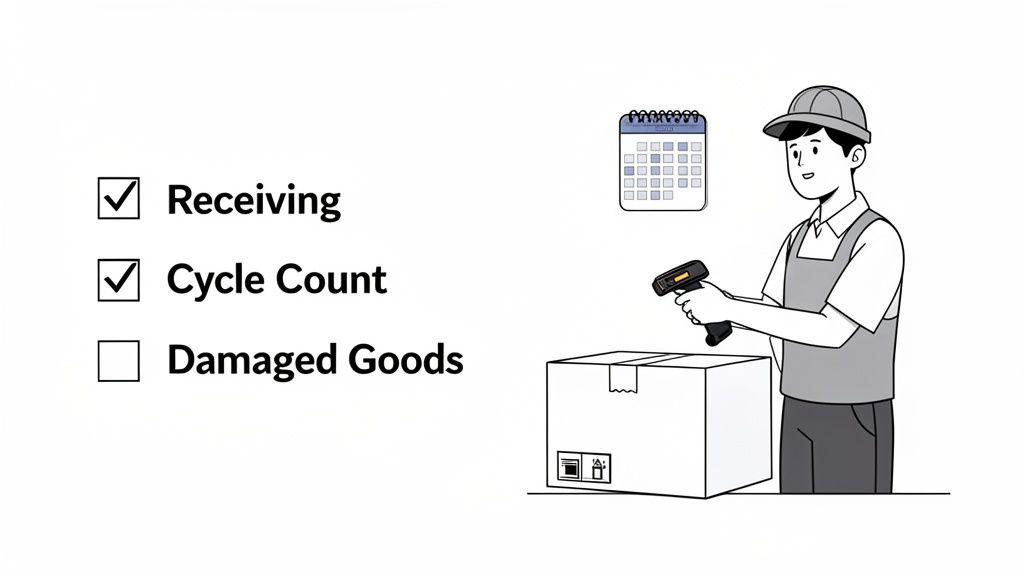
All the clever formulas in the world are useless if the data they're pulling from is wrong. Your inventory tracking sheet is a living document, and its value is directly tied to how accurately it reflects what’s actually on your shelves.
Honestly, the biggest challenge isn't building the sheet; it's creating the simple, sustainable habits to keep it updated.
Without consistent workflows, your spreadsheet quickly becomes a source of confusion rather than clarity. It’s a common pitfall—research shows that a staggering 90% of spreadsheets contain errors, usually from tiny manual entry mistakes and inconsistent updates. The goal is to build simple, repeatable processes that don’t feel like a chore, even when you're a one-person show.
Think of these workflows as your defense against the slow creep of data decay. They ensure every stock movement—from a new shipment to a customer return—gets captured correctly.
Consistency is everything. A little effort each day prevents a mountain of work at the end of the month. The trick is to weave inventory updates directly into the tasks you're already doing, making them a natural part of your process.
Just think about the main ways your stock levels change. Each one needs a simple, corresponding workflow to log the change in your sheet.
The most successful inventory systems aren't the most complex—they're the most consistent. A simple checklist you follow every single time is infinitely more powerful than a sophisticated system you only use sporadically.
The very idea of a full, wall-to-wall physical inventory count is enough to give any merchant a headache. It’s disruptive, time-consuming, and almost always reveals painful discrepancies. A far more manageable approach is cycle counting.
Instead of one massive annual event, cycle counting involves regularly counting small, specific sections of your inventory. This method spreads the workload out across the year and helps you catch errors much faster, before they can snowball into bigger problems.
A great way to do this is to prioritize your counts based on value or sales velocity, often following the classic ABC analysis principle.
This targeted approach ensures you’re dedicating the most attention to the products that have the biggest impact on your bottom line. It makes the whole process of reconciliation less of a dreaded task and more of a routine health check.
For Shopify stores looking to streamline this further, it's worth learning how to automate data entry where you can. Reducing the manual burden is one of the best ways to minimize the risk of human error. By building these solid workflows, your inventory tracking sheet becomes a reliable partner you can trust to make critical business decisions.
Your inventory tracking sheet is a fantastic tool, especially when you’re getting off the ground. It’s flexible, it's familiar, and it forces you to get your hands dirty and truly understand the mechanics of your stock flow. But for every growing Shopify brand, there's a tipping point—a moment where that same trusty spreadsheet starts holding you back.
It’s often a subtle shift. At first, you notice you’re spending more time updating rows and triple-checking formulas than actually analyzing what the data means. Before you know it, you're dealing with frustrating stockouts and costly overstocks, even though you feel like you're tracking everything.
This isn’t a sign of failure. It's a clear signal of growth. The spreadsheet that got you here won’t be the tool that gets you to the next level. When the manual upkeep starts eating into the time you should be spending on strategy, it’s time to look for a smarter system.
Recognizing the symptoms of an overstretched spreadsheet is the first step toward finding a real solution. If you find yourself nodding along to any of these points, it’s a strong indicator that you’ve hit the ceiling of what a manual inventory sheet can do.
You're likely ready to upgrade if you are:
When your business gets to this stage, a dedicated Odoo Inventory Management system can act as the central nervous system for your entire stock, handling the complexities that spreadsheets just can’t.
Graduating from your spreadsheet doesn't mean throwing away all that valuable historical data you’ve collected. In fact, that data is gold. It’s the fuel for more advanced, AI-powered systems that can solve the exact scaling problems you're facing. This is where platforms like Tociny.ai come into play.
The idea isn’t just to replace your sheet but to give your data a much more powerful engine. An AI tool can analyze your past sales history, identify hidden trends, and generate predictive forecasts that a spreadsheet simply can't compute. It turns your historical numbers into actionable insights about what to order next.
A spreadsheet tells you what you sold. An AI-powered system tells you what you will sell, why, and exactly when you need to reorder to capture that demand without tying up cash.
The industry is moving quickly in this direction. Global revenues for inventory management software are projected to hit $3.9 billion in 2024, while the market for real-time tracking is expected to grow to $6.9 billion by 2035. Real-time inventory is becoming the standard, and it’s powered by AI, not manual updates.
Ultimately, the goal is to free you from the weeds of data entry so you can focus on strategy. Choosing the right platform is crucial, which is why we’ve put together a guide on the best inventory management software for Shopify to help you compare the top options. Your inventory tracking sheet built a fantastic foundation; now it’s time to build a skyscraper on top of it.
Whenever I talk to Shopify merchants about setting up an inventory tracking sheet, a few of the same questions always pop up. It makes sense. While spreadsheets give you incredible flexibility, you want to know how it all works in the real world, day-to-day.
Let's clear up some of the most common hurdles. Getting these answers right is the key to building a system you can actually trust, not one that just adds another chore to your list.
Absolutely, and you definitely should. This is a brilliant way to build a bridge between a fully manual process and a more automated one.
Tools like Zapier or Make are your best friends here. You can create a simple rule: when a new order comes through Shopify, it automatically updates a row in your Google Sheet. This simple step can wipe out the most tedious part of manual data entry, since sales are usually your most frequent inventory change.
But—and this is a big but—it's only partial automation. It only handles one piece of the puzzle. You'll still need to be diligent about manually tracking a few other critical movements:
If the thought of a massive, weekend-long annual stock-take gives you a headache, I've got good news: that whole approach is outdated and wildly inefficient. A much smarter method is cycle counting.
Cycle counting just means you count small, manageable chunks of your inventory on a regular, rotating basis. It’s way less disruptive, helps you catch discrepancies almost immediately, and keeps your data sharp all year long.
Here’s a practical way to break it down:
Hands down, the most expensive mistake you can make is inconsistent updates. An inventory sheet is only as good as the data you feed it. Its accuracy lives and dies by how consistently you log every single stock movement—sales, new POs, returns, and damages.
The system usually breaks down in the small details. Forgetting to log a single customer return or failing to update "On Order" units to "On Hand" when a shipment lands can create a ripple effect. Before you know it, you're overselling products and your financial reports are a mess.
The best defense isn't a super-complex system. It's a simple, non-negotiable checklist for each process. This ensures everyone on your team handles inventory movements the exact same way, every time.
Ready to move beyond the limits of your spreadsheet? Tociny.ai uses your historical sales data to generate predictive forecasts and actionable recommendations, helping you eliminate stockouts and overstocking for good. Discover how AI can optimize your Shopify inventory.
Tociny is in private beta — we’re onboarding a few select stores right now.
Book a short call to get early access and exclusive insights.