
If you've spent any time in the e-commerce world, you've heard the name Shopify. But what is it, really? Is it just a simple website builder? Not even close.
Think of Shopify as the central nervous system for your entire retail operation. It’s an all-in-one command center that lets you build your online store, process payments, manage inventory, and handle shipping—all from a single dashboard. Instead of duct-taping a dozen different tools together, Shopify brings everything you need to run a business under one roof.
At its heart, Shopify is a subscription-based platform that gives anyone—from a solo entrepreneur with a single product to a global brand—the tools to set up shop and sell their products online. It's designed to be the digital flagship for modern commerce.
This unified approach is precisely why it’s become the go-to platform for millions. The numbers are staggering: Shopify supports over 4.8 million active merchants with 2.5 million live stores spanning more than 175 countries. It's a true behemoth in the e-commerce space, empowering a huge slice of online retail worldwide.
So, what’s the secret sauce? Why do so many entrepreneurs bet their businesses on this platform? It really boils down to a few foundational principles that solve the biggest headaches of starting and scaling an online business.
At its core, Shopify removes the technical barriers to entry for entrepreneurship. It levels the playing field, allowing anyone with a great idea to compete with established brands by providing world-class commerce tools that are both powerful and accessible.
To put it all in perspective, here's a quick rundown of what makes Shopify a top contender for online merchants.
A summary of the core pillars that make Shopify a leading choice for e-commerce merchants worldwide.
| Feature | What It Means for Merchants | Primary Benefit |
|---|---|---|
| All-in-One Platform | Combines website hosting, a shopping cart, payment processing, and inventory management in a single, unified system. | Simplicity and efficiency; no need to juggle multiple subscriptions. |
| App Store Ecosystem | Access to over 8,000 apps for marketing, SEO, customer service, shipping, and more to extend store functionality. | Unparalleled customization and the ability to add specialized features. |
| Multi-Channel Selling | Sell products not just on your website, but on social media (Facebook, Instagram), marketplaces, and in physical stores. | Reach customers wherever they are and centralize all sales data. |
| Secure & Reliable | Shopify manages all technical aspects, including security, uptime, and PCI compliance, ensuring your store is always on. | Peace of mind and focus on growing the business, not on IT issues. |
| Scalable Infrastructure | Built to handle massive traffic spikes (like Black Friday sales) without crashing or slowing down. | Confidence to grow without worrying about technical limitations. |
This combination of accessibility and power is what has cemented Shopify's position as a leader in the e-commerce landscape.
Beyond the platform itself, one of Shopify's biggest strengths is its massive ecosystem. The Shopify App Store is a treasure trove of thousands of plugins that can bolt new capabilities onto your store—from sophisticated marketing automation to advanced inventory analytics—often without needing to write a single line of code.
This community of developers, designers, and fellow merchants creates a powerful support network. When you’re trying to figure out the best way to grow, a critical decision often involves choosing between major platforms. Understanding the unique advantages of Shopify's model becomes key; you can explore this further in a comprehensive guide on Shopify vs. Amazon: The Definitive Guide for Omnichannel Brands. This kind of context is invaluable for seeing why Shopify’s focus on empowering independent brands is so compelling for modern sellers.
Picking the right Shopify plan isn't just about ticking boxes on a pricing page. Think of it as choosing the right-sized foundation for your brand. Each tier is built to handle a different level of sales and operational complexity, so the goal is to find the one that fits where you are now and where you're headed.
Making the wrong call can sting. If you overpay for features you don't need, you're just burning through cash. But if you cheap out and underestimate your needs, you'll hit a growth ceiling later on. It’s all about matching the plan’s horsepower to your current goals and realistic growth path.
This decision tree gives you a quick visual on whether Shopify is even the right platform for you in the first place, based on what you want to achieve.
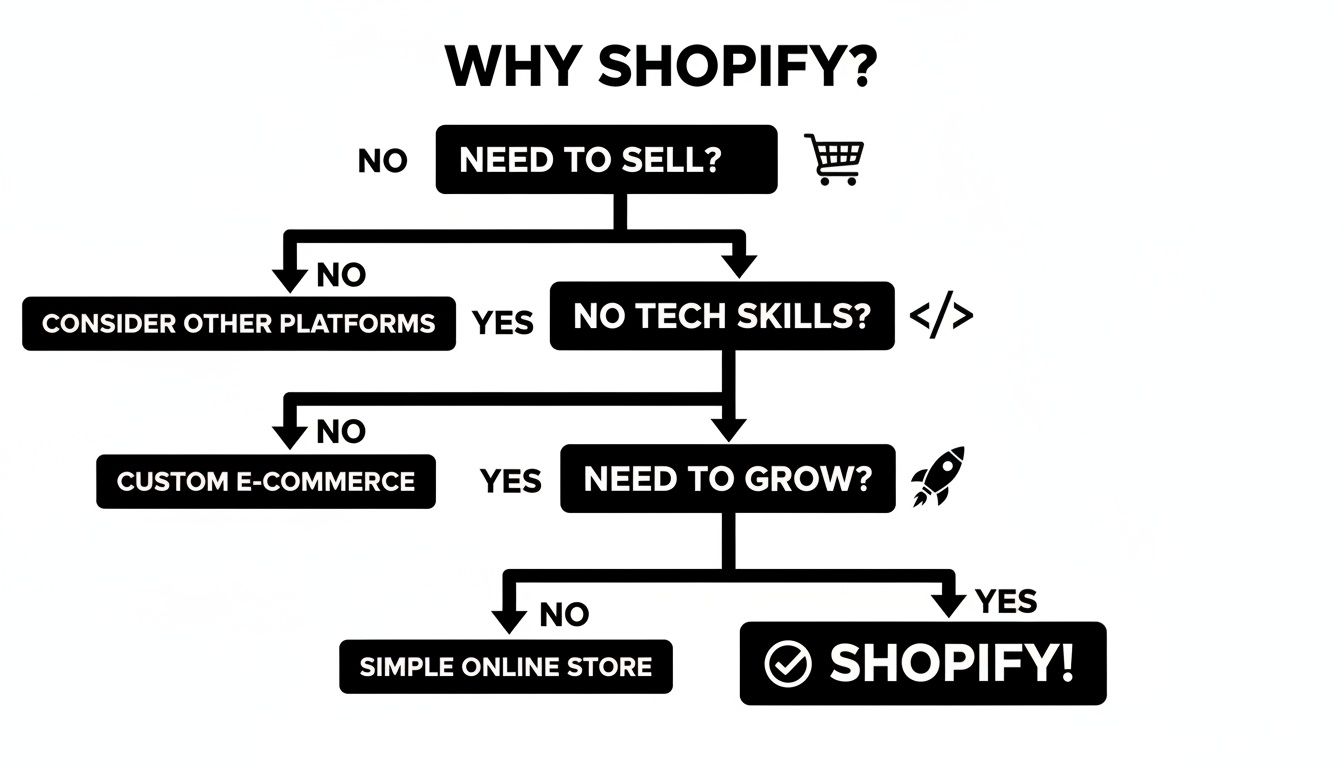
As you can see, if you're looking to sell online without needing a computer science degree and have your sights set on growth, Shopify is a pretty logical next step.
The easiest way to decide is to understand what each plan was designed for. They aren't just random levels; they represent a natural growth journey for an e-commerce business.
Basic Shopify: This is your launchpad. It’s perfect if you're just starting out, running a side hustle, or dipping your toes in the water with a new product idea. You get everything you need to build a great-looking store and start taking orders without a massive upfront cost.
Shopify: This is the engine room for a scaling business. Once orders are consistently coming in and you're gaining real traction, this plan becomes your best friend. The transaction fees drop, you get much better reporting, and you can add more people to your team.
Advanced Shopify: This is the command center for established, high-volume brands. The transaction fees are the lowest, and the analytics tools are powerful enough to give you deep insights into your sales data and customer behavior—the kind of stuff you need to fine-tune a large-scale operation.
Your Shopify plan is a strategic investment. Start with what you need, but have a clear idea of the triggers—like hitting a certain sales volume or hiring more staff—that will tell you it's time to level up.
While every plan gets you a fully functional online store, the real differences are in the details—the things that directly impact your profit margins and how efficiently you can run your business as it grows.
Here’s a practical breakdown of what will affect your day-to-day operations the most:
| Feature | Basic Shopify | Shopify Plan | Advanced Shopify |
|---|---|---|---|
| Transaction Fees | Highest rates for external payment gateways. | Lower rates, saving you money on every sale. | The lowest rates, maximizing high-volume profit. |
| Staff Accounts | Limited to 2 accounts, ideal for solo founders. | Allows 5 accounts for a small, growing team. | Provides 15 accounts for larger operations. |
| Shipping Discounts | Good discounts for starting out. | Better discounts, reducing operational costs. | The best discounts available through Shopify. |
| Reporting Tools | Standard reports for basic performance tracking. | Professional reports for deeper sales insights. | Custom report builder for granular analysis. |
Looking at these core differences, you can confidently pick the plan that makes sense for you today while also seeing the clear path forward. This way, you're not just buying a subscription; you're investing in a platform that's ready to grow right alongside you.
Ever wondered what's really involved in managing a successful Shopify store? It’s not just about launching a pretty website. The real magic happens in the daily, weekly, and monthly rhythms that turn a promising idea into a profitable business.
Let's walk through a typical day in the life of a Shopify merchant to see how the platform makes a complex job feel surprisingly manageable.
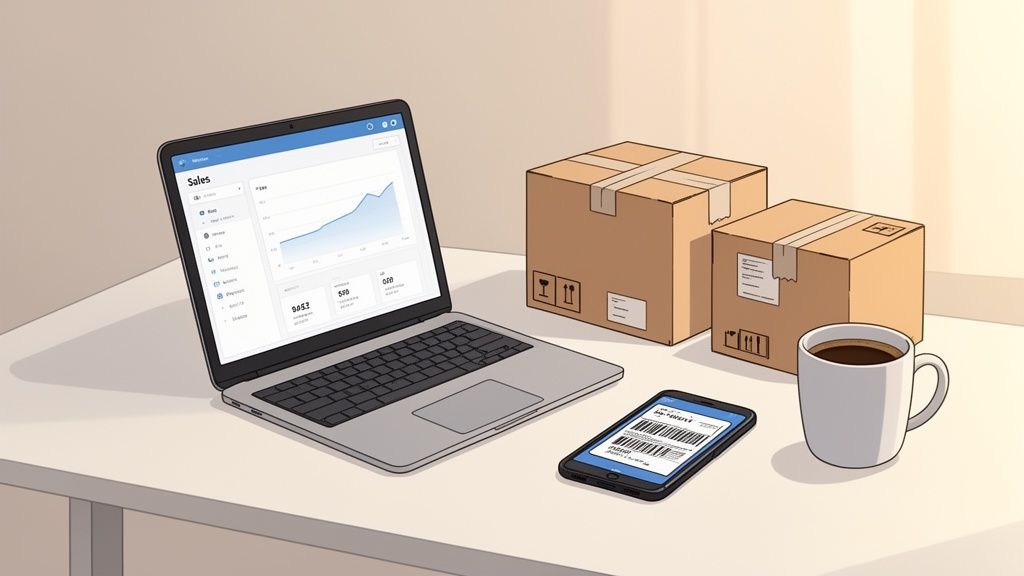
Often, the day doesn't start with an alarm clock, but with the satisfying cha-ching notification from the Shopify mobile app. A quick glance at the dashboard shows you overnight sales, which products are hot, and where your new customers are from. This instant feedback is a huge motivator and sets the tone for the day.
The morning is all about action. First up: tackling all the new orders that rolled in while you were sleeping. Shopify keeps it simple by centralizing everything in the “Orders” tab, giving you a clear list of what needs to be picked, packed, and shipped out.
If you’re using Shopify Shipping, this part is a breeze. You can buy and print discounted shipping labels from carriers like USPS, UPS, or DHL right from your admin dashboard. The second a label is printed, Shopify automatically marks the order as fulfilled and zips a tracking number over to the customer. No tedious manual entry needed.
Of course, customer questions will pop up throughout the day. Maybe it’s about sizing, or they just want an update on their shipment. Handling these conversations quickly is how you build a loyal following. Apps like Shopify Inbox let you chat with customers in real-time, pulling messages from different channels into one clean interface.
Once the daily fires are put out, it's time to think about growth. Your weekly routine is all about digging into performance and figuring out how to drive more sales. This is where you put on your strategist hat and let the data guide your next move.
Here’s what a typical weekly workflow might look like:
A Shopify store is a living, breathing thing. The platform gives you the real-time data you need to constantly test, learn, and iterate. It’s those small, consistent weekly adjustments that add up to massive long-term growth.
Monthly tasks are about zooming out. You're looking at the overall financial health of your business and, crucially, your inventory. At the end of each month, a smart merchant runs detailed sales reports to see how performance stacks up against their goals.
A huge piece of this is the inventory check. Which products are flying off the shelves, and which ones are just collecting dust? Nailing demand forecasting is one of the toughest parts of e-commerce. You have to know when to reorder your bestsellers to avoid a costly stockout, but you also can’t let slow-moving items tie up all your cash.
This is also a great time to focus on converting more of your traffic. To sharpen your skills, check out this excellent guide to Shopify Conversion Rate Optimization (CRO).
This entire cycle—from the morning sales notification to the monthly inventory review—is held together by Shopify’s integrated ecosystem. It boils dozens of complex jobs down into a smooth, intuitive workflow, giving merchants the power to not just run their business, but actually grow it.
That cha-ching sound from a Shopify sale is addictive, but behind every sale is a much bigger, less glamorous challenge: managing your inventory. Think of it as the engine room of your store. When it's running smoothly, nobody notices. But when it starts to sputter, the entire business feels the shudder.
Poor inventory control isn't just a minor annoyance; it's a silent killer of profit and a major roadblock to growth.
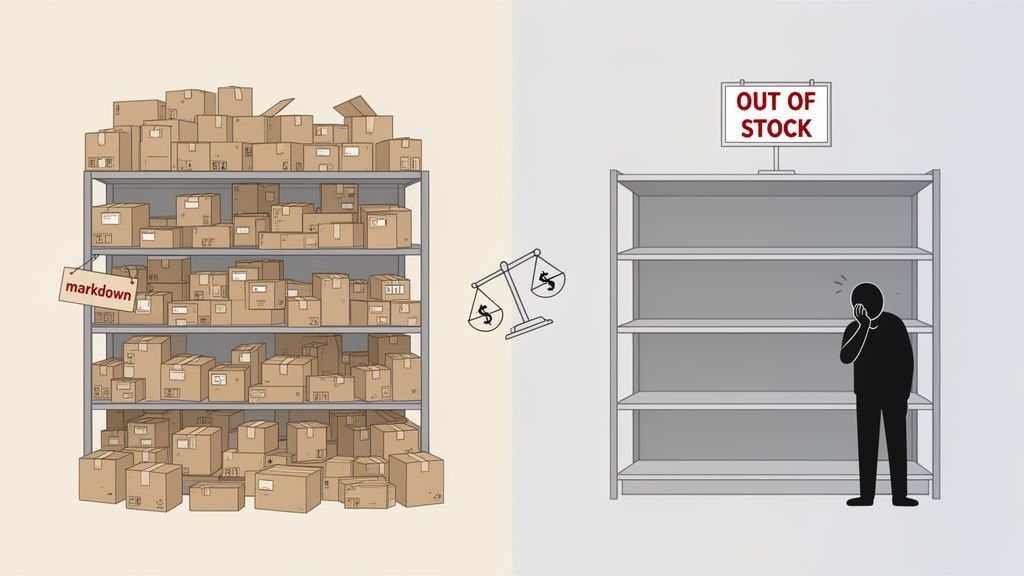
This problem is a classic double-edged sword. On one side, you have mountains of unsold products, and on the other, you have empty shelves for your bestsellers. Both scenarios are incredibly damaging, just in different ways.
Overstocking is like trying to run a marathon with a backpack full of bricks. It feels "safe" to have extra, but all that dead weight just slows you down and drains your energy. When cash is tied up in products collecting dust, it can't be used for marketing, developing new products, or anything else that actually grows your business.
This pile of excess often turns into "deadstock"—items that just aren't moving. The longer they sit, the less they're worth. Eventually, your only way out is to slash prices with deep discounts, which absolutely destroys your profit margins. It's a painful cycle that almost always starts with a simple forecasting mistake.
Running out of a hot product is just as bad, if not worse. Picture this: your product blows up on TikTok. A flood of excited buyers hits your store, ready to spend, only to find that dreaded "out of stock" button. Every single one of them is a lost sale.
But the damage goes deeper than just one lost transaction. Stockouts wreck your brand's reputation. It tells customers you're unreliable, and in today's fast-moving e-commerce world, 70% of shoppers will just go buy from a competitor instead of waiting. You don't just lose the sale; you lose the customer for life. And all that money you spent on ads to get them to your site? Completely wasted.
Poor inventory management is the business equivalent of an iceberg. The visible problems—like a sold-out item—are just the tip. Beneath the surface are the hidden costs: tied-up capital, eroded profits from discounts, wasted marketing spend, and long-term brand damage.
When you're just starting out, a spreadsheet seems like a perfectly logical way to track your inventory. It's simple, free, and gets the job done... for a while. But as your business grows, that same spreadsheet quickly becomes your biggest liability.
Spreadsheets are static and riddled with potential for human error. One wrong formula or typo can throw off your entire reorder plan, leading you straight into an overstock or stockout situation. They can't analyze sales velocity, account for seasonality, or predict future trends with any real accuracy. As you add more products and sales ramp up, you'll find yourself spending all your time just trying to keep the sheet updated.
Ultimately, sticking with manual methods means you're always playing defense. You're constantly putting out fires—slashing prices here, rushing an order there—instead of strategically planning for profit. To learn more about moving beyond manual tracking, check out our complete guide to modern inventory management software. This reactive cycle isn't just inefficient; it's a direct barrier to scaling your Shopify business successfully.
That constant tug-of-war between having way too much stock and suddenly having none at all? It can feel like an unwinnable battle, especially when you’re fighting it with clumsy spreadsheets and gut feelings. This reactive approach, where you're always one step behind, is a massive drag on your Shopify store’s growth.
But what if you could get ahead of the game? What if you could stop reacting to problems and start preventing them altogether?
This is exactly where AI-powered analytics platforms come in. Think of these tools less like a better reporting system and more like a 'smart X-ray' for your business. They dig deep into your sales data, spotting patterns and trends that are completely invisible to the human eye, giving you a crystal-clear picture of your store’s health.
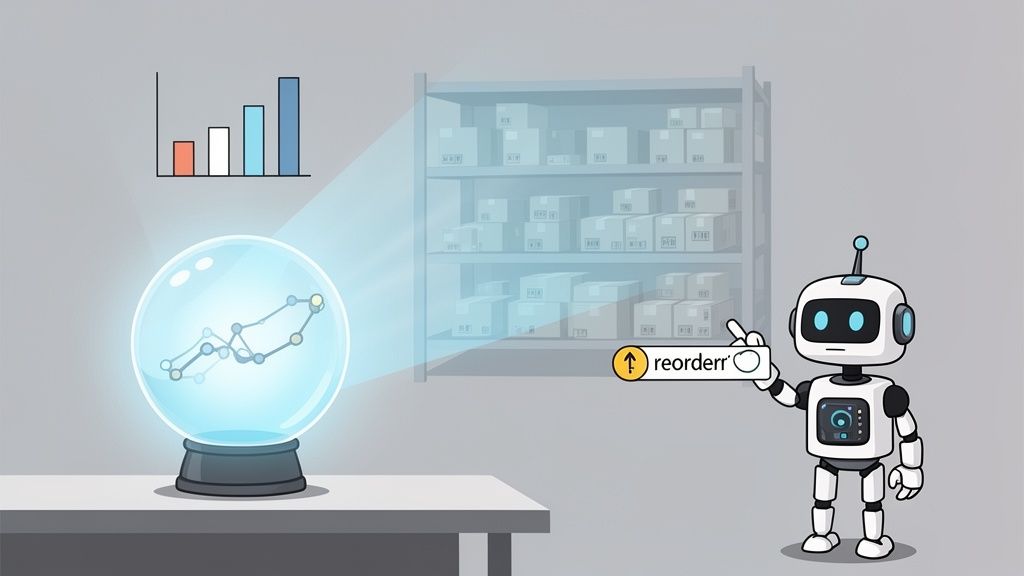
This shift lets you manage your inventory proactively, making sharp decisions based on hard data, not just hopeful guesses. It’s the difference between navigating with an old-school compass and using a GPS that shows you traffic jams three miles ahead.
One of the most powerful things AI brings to the table is its uncanny ability to forecast future demand with incredible accuracy. Imagine having a crystal ball for your Shopify store—one that chews through your past sales, current market trends, seasonality, and even your upcoming promos to predict what your customers will want to buy next week, next month, or even next quarter.
This isn't magic; it's just smart machine learning. These systems learn from your store's history, picking up on tiny signals that predict a spike or dip in sales for certain products. For example, an AI tool might notice that every time a particular influencer posts on Instagram, a specific SKU sees a 30% sales lift three days later. A spreadsheet would never catch that connection.
AI-powered forecasting turns inventory management from a guessing game into a science. By predicting demand with a high degree of confidence, you can align your purchasing directly with what your customers actually want, minimizing waste and maximizing every sales opportunity.
This predictive power is a complete game-changer. It means you can order the right amount of stock at precisely the right time, finally breaking the painful cycle of stockouts and overstock. For merchants who want to peel back the layers on this tech, digging into the principles of AI demand forecasting offers a great look at how these systems work and the huge benefits they deliver.
Let's be honest, raw data is overwhelming. But actionable insights? Those are priceless. The real strength of an AI analytics platform is its power to translate mountains of complex information into simple, clear-cut recommendations. It doesn't just show you charts; it tells you exactly what to do next.
Think of these platforms as a decision-making co-pilot for your business, giving you straightforward answers to your most critical inventory questions.
For instance, you might get an alert that says: "Your 'Blue Striped T-Shirt - Size M' will sell out in 7 days. We recommend reordering 150 units now to avoid a stockout." This isn't just data; it's a direct, revenue-saving instruction.
Bringing AI-powered analytics into your workflow isn't just about being more efficient. It's about fundamentally improving the financial health of your Shopify business. When you solve the core problems of inventory management, you kick off a chain reaction of benefits that directly boost your profitability.
With smarter stocking decisions, you reduce the amount of capital trapped in unsold goods, freeing up cash for growth—think marketing, new product development, you name it. Preventing stockouts means you capture every possible sale, which pushes up revenue and keeps customers happy. And finally, by cutting down on the deep markdowns needed to clear overstocked items, you protect your precious profit margins.
Ultimately, these tools transform inventory from a liability into a strategic asset, ensuring every dollar you've invested is working as hard as possible to grow your brand.
One of Shopify's biggest advantages isn't something baked into its core dashboard; it's the absolutely massive ecosystem of apps you can plug directly into your store.
Think of your Shopify site like a brand-new smartphone. It's powerful right out of the box, sure. But what really makes it yours and unlocks its true potential are the apps you decide to install.
The Shopify App Store is exactly that for your business. It's a marketplace packed with over 8,000 tools from third-party developers, each one built to add a specific new superpower to your store. This is how you customize your setup to match your unique needs, often without ever touching a line of code.
While you could probably find an app for just about anything, most successful merchants focus their energy—and budget—on a few key areas to streamline operations and spark growth. Think of these categories as your strategic toolkit.
The Shopify App Store is your secret weapon for staying agile. It lets you add enterprise-level features to your store on a flexible, pay-as-you-go basis. You can compete with much bigger brands without the massive upfront cost of custom development.
Beyond the tools that help you run the day-to-day, some of the most powerful apps are the ones that give you a clearer picture of your own business. Shopify’s built-in analytics are a great starting point, but specialized inventory and analytics apps deliver the kind of granular detail you need to make truly data-driven moves.
These tools hook directly into your store's data, helping you answer the tough questions that standard reports just can't. They go beyond telling you what you sold and start explaining why you sold it—and what you should do next. This is where you get serious about optimizing your stock levels and product assortment.
For example, an advanced analytics app can help you:
This level of insight turns your inventory from a source of stress into a strategic asset. By using AI-powered tools, you can discover a wide range of powerful inventory intelligence features that transform messy data into simple, actionable steps for growth.
Stepping into the world of e-commerce can feel like learning a new language, and it's only natural to have a few questions when you're picking a platform as important as Shopify. Let's clear up some of the most common things merchants ask when they're getting started.
Yes, you absolutely can. If you already have a custom domain name, you can easily connect it to your Shopify store. This is a must-do for building a professional brand people will remember.
And if you don't have one yet? No problem. You can buy a new domain right through Shopify, keeping everything in one neat package.
Shopify is hands-down one of the best platforms out there for anyone just starting. Its drag-and-drop editor is incredibly intuitive, meaning you can build a slick, professional-looking store without touching a single line of code.
The whole setup process walks you through adding products, sorting out payments, and hitting that "launch" button.
The real beauty of Shopify is that it handles all the complicated tech stuff—security, web hosting, payment gateways—behind the scenes. This frees you up to focus on what you do best: growing your business, not troubleshooting servers.
Think of Shopify Payments as Shopify's built-in checkout system. It’s designed to let you accept all major credit cards from the minute your store goes live.
The biggest advantage is how seamless it is; everything from orders to payouts is managed right inside your Shopify dashboard. Plus, using it means Shopify waives the extra transaction fees you'd otherwise pay for using a different payment provider, which saves you a little bit on every single sale.
Definitely. Shopify isn't just an online game. With Shopify POS (Point of Sale), you can take your business anywhere—markets, pop-up events, or even a full-blown retail shop.
All your sales, inventory levels, and customer info sync up automatically between your online store and your in-person sales. It gives you one unified, clear picture of your entire business.
Ready to stop guessing and start making data-driven inventory decisions? Tociny.ai replaces messy spreadsheets with clear, AI-powered recommendations to prevent stockouts and eliminate overstock. Get early access and see what your Shopify data is really telling you at https://tociny.ai.
Tociny is in private beta — we’re onboarding a few select stores right now.
Book a short call to get early access and exclusive insights.