That "out of stock" notice on your Shopify store does more than just block a single sale—it's a silent business killer. When a customer sees that message, their journey with you grinds to a halt.
It’s the digital version of a popular coffee shop running out of beans during the morning rush. Customers don’t just leave disappointed; they start to question if they should even come back tomorrow.
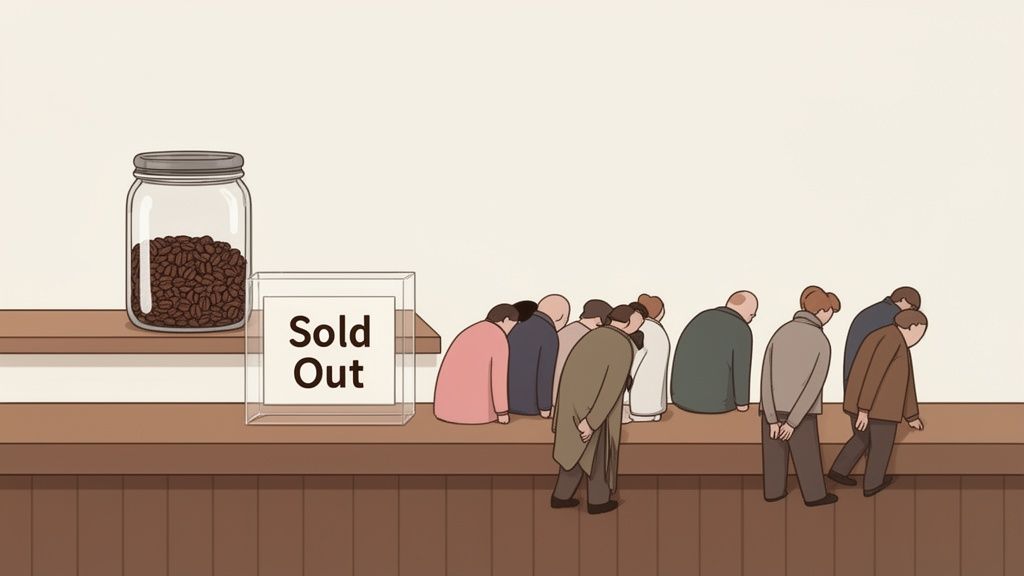
A stockout might seem like a simple inventory hiccup, but its consequences ripple through your entire business. The costs add up to way more than just one lost order. Each time a potential buyer hits that dead end, it chips away at your brand’s reliability and kills your momentum.
The most obvious hit is the missed transaction, but the real damage runs much deeper. Think about the ad spend you burned just to get that customer to your now-empty product page. That marketing dollar is gone forever, delivering a negative return.
Worse yet, frequent stockouts can poison your search engine rankings. When shoppers bounce from your site because a product is unavailable, search engines see it as a poor user experience. Over time, this can push your page further down in the search results, making you harder to find.
The scale of this problem is massive. Poor inventory management, with stockouts being a primary symptom, costs global retailers a staggering $1.75 trillion every year in lost sales and preventable returns. For the Shopify ecosystem, that’s an enormous amount of money left on the table.
Understanding this context is the first step. Every stockout is a direct blow to your bottom line and erodes the long-term value of your customers.
A stockout isn’t just an inventory problem; it's a marketing, finance, and customer service problem rolled into one. It tells your most interested customers that you can't meet their needs.
This guide is your playbook for turning inventory management from a reactive scramble into a genuine competitive advantage. Since stockouts tank your sales, applying solid ecommerce conversion rate optimization tips is key to making every single visit count. We'll walk you through how to capture every possible sale and build a more resilient brand.
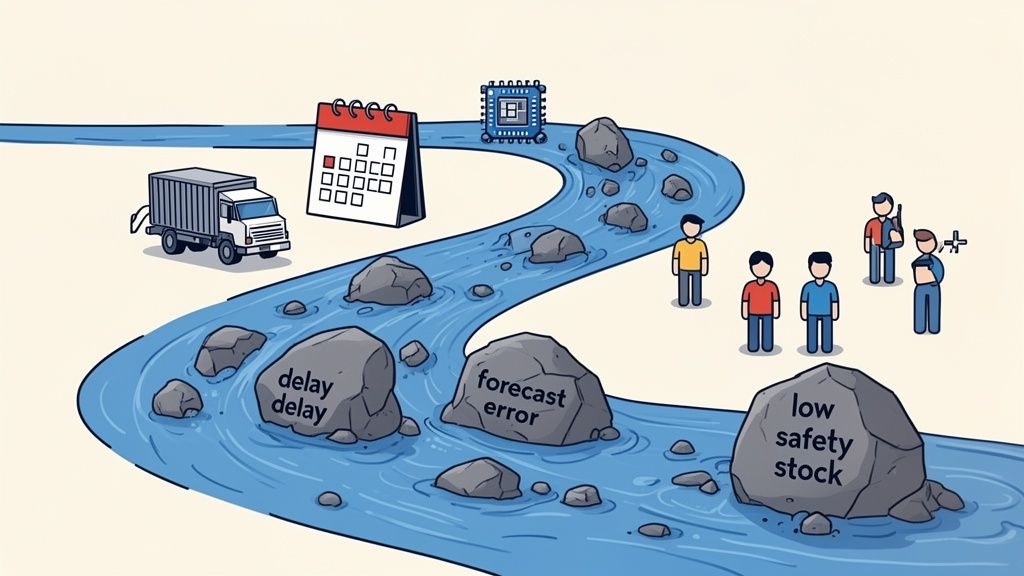
Hitting "out of stock" on Shopify is never just a fluke. Think of it less as a random accident and more like a warning light flashing on your business dashboard. It's a symptom, pointing to a deeper operational issue that needs your attention. To fix it for good, you can't just react to the empty shelf; you have to trace the problem back to its source.
Imagine your inventory as a river, flowing smoothly from your suppliers all the way to your customers. A stockout is simply a blockage somewhere upstream. Your job is to find it and clear it out.
More often than not, the culprits behind your stockouts fall into a handful of familiar categories. Each one disrupts that steady flow of products and ultimately leaves your customers disappointed. Let's walk through the big ones.
Inaccurate Demand Forecasting: This is the equivalent of trying to navigate that river blindfolded. If you underestimate demand—maybe you missed a viral TikTok trend or a seasonal spike—you simply won't have enough product on hand. A sudden surge in popularity can wipe out your stock in a matter of hours.
Unexpected Supplier Delays: Your suppliers are a critical link in the chain. Any hiccup on their end, whether it's a manufacturing delay, a shipping snag, or a customs hold-up, creates an instant dam. When your supplier’s lead time—the window between placing an order and receiving it—stretches out unexpectedly, a stockout becomes almost inevitable.
Insufficient Safety Stock: Consider safety stock your inventory reservoir, a buffer specifically designed to absorb unexpected demand spikes or supply delays. Running with too little is like trying to get through a drought with no water reserves; the second something goes wrong, you run completely dry.
Poor Data Management: Still relying on messy spreadsheets or, worse, just gut feelings? That's a recipe for disaster. Without clean, real-time data, you never truly know your stock levels or when to place another order. This leads to constant surprises, and none of them are good.
Understanding the 'why' behind a stockout is the first real step toward prevention. A stockout isn't a failure of sales; it's a failure of planning.
To get ahead of these problems, you need to master your reorder point. This is the specific stock level that should automatically trigger a new purchase order. It's not a random number you pull out of thin air; it’s a calculated threshold meant to ensure new inventory lands just before you sell the last unit.
Calculating it properly means factoring in your daily sales velocity, your supplier lead times, and your safety stock levels. Getting this number right is fundamental to healthy inventory flow. Miscalculate it—or ignore it completely—and you’re essentially scheduling your next stockout.
By digging in and diagnosing these root causes, you can finally shift from frantically reacting to emergencies to proactively managing your inventory.
So, you've figured out why you're dealing with a Shopify out of stock situation. Now what? Your next move is to jump into your store’s admin panel and take control of the customer experience.
Shopify gives you some surprisingly powerful, built-in settings that let you decide exactly how a sold-out product shows up—or doesn't show up—on your storefront. This isn't just a technical tweak; it's a strategic decision that can impact sales, SEO, and customer perception.
The main goal here is to manage expectations and keep the shopping experience smooth. You can hide the product entirely, leave it up with a "Sold Out" badge, or even use it as a chance to capture a future sale. Each option has its own set of pros and cons.
The most basic control you have is right inside the product's inventory settings. To make sure an item correctly shows as unavailable, you have to do two key things in your Shopify admin.
Here’s a look at the inventory tracking section where all this happens:
Think of this little dashboard as your command center for preventing overselling and making sure your site reflects what's actually on your shelves.
Once these settings are locked in, you can move on to the front-end strategy.
Now for the big decision: do you keep the product page live, or do you hide it from your collections?
Showing the Product: Leaving the page visible with a "Sold Out" badge does a few things. It creates a sense of urgency and social proof—clearly, people love this item! This approach also keeps the page's SEO value intact, since the URL is still live and getting indexed by search engines. The obvious downside? It can be frustrating for a customer who lands on the page ready to buy, only to find they can't.
Hiding the Product: Taking the item off your store collections gives customers a much cleaner shopping experience. They only see what they can actually buy right now. The problem is, this can hurt your SEO. Hiding the page makes it disappear from search engines, and any customer who bookmarked the direct link will hit a dead end.
Deciding whether to show or hide a Shopify out of stock product is a classic balancing act between user experience and marketing strategy. Showing it builds hype, while hiding it ensures a frustration-free browse.
So, what's the right call? It really depends on the product and your audience. For a trendy, high-demand item you know you'll restock soon, showing it off can be a great marketing move. But for products with a fuzzy restock timeline, hiding them is probably the safer bet to avoid disappointing your shoppers.
By carefully managing these native controls, you can turn a pesky stockout into a strategic touchpoint. And if you're looking to go even deeper, there's a whole world of powerful tools and apps available for Shopify that can take your inventory management to the next level.
An empty shelf doesn't have to mean a lost customer. When you see that “sold out” badge, it’s easy to think of it as a failure. But what if you saw it as an opening? A savvy Shopify merchant knows that an out-of-stock product isn’t a dead end—it's a chance to collect valuable data and build a pipeline for future sales.
Instead of letting an interested shopper click away disappointed, you can capture their intent right at that moment. This simple shift in mindset turns a moment of frustration into one of engagement. With the right workflows in place, you can secure that sale for later and actually build a stronger relationship with the customer in the process.
You have three powerful strategies to lean on when you’re facing a Shopify out of stock situation. Each one serves a different purpose, from capturing a lead to locking in revenue on the spot. Picking the right one comes down to your specific product, how soon you can restock, and the kind of experience you want to create for your customers.
Back-in-Stock Notifications: This is the go-to for most stores, and for good reason. You simply add a form to the sold-out product page where shoppers can drop their email to get an alert the second it's back. It’s the perfect fit for your bestsellers that have a fairly predictable restock schedule.
Pre-Orders: Got a huge product launch coming up or a viral item with a confirmed delivery date? Pre-orders are an absolute game-changer. They let you collect revenue before the inventory even hits your warehouse, which is fantastic for cash flow and for validating that the demand is really there.
Strategic Cross-Selling: What if a restock is up in the air, or you just want to save the sale right now? This is where you can guide the customer to a great alternative. By recommending similar, in-stock products, you can point them toward something they’ll love just as much without making them wait.
This decision tree gives you a great visual for how to think through your options on the storefront.
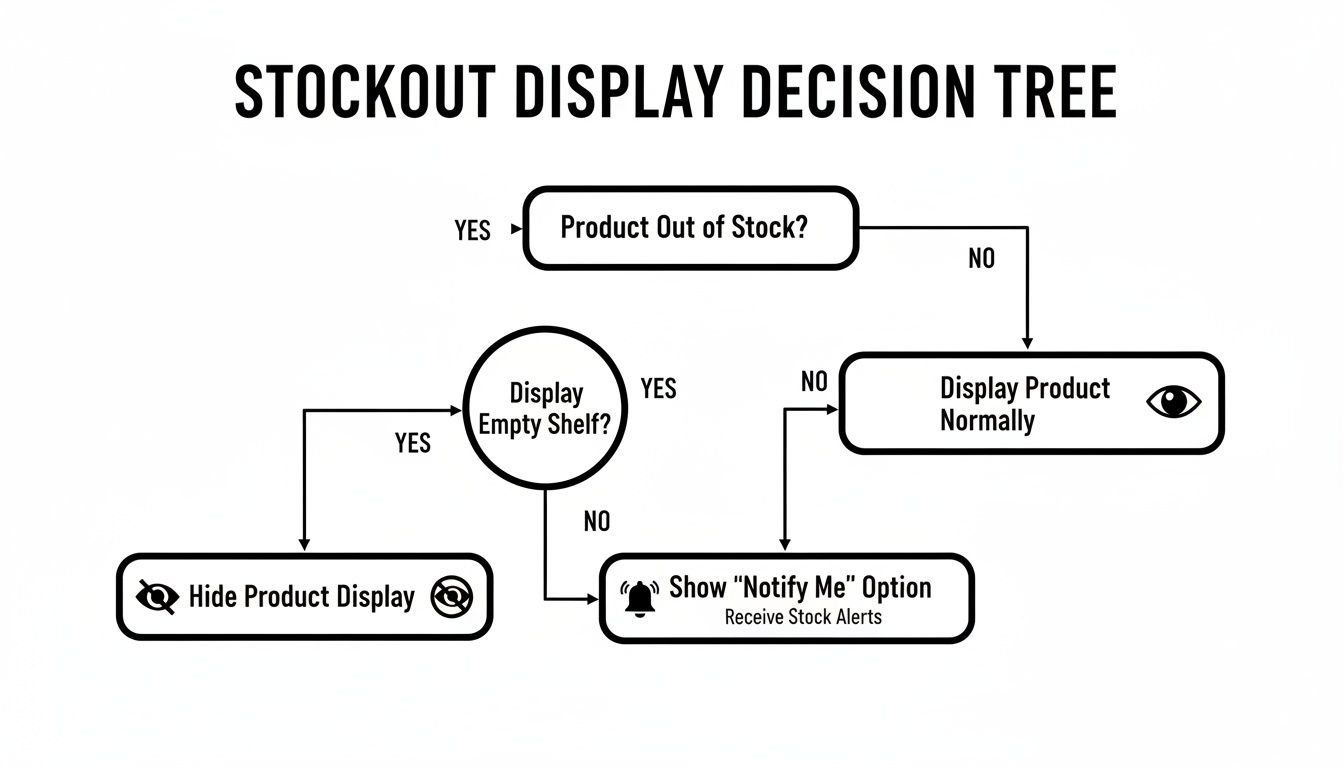
As the chart shows, it starts with a simple choice: hide the product, show it as sold out, or actively use it to capture that future interest.
These workflows do more than just rescue a few sales; they protect you from a much bigger, more expensive problem. We’ve all seen it: dead stock. It haunts every warehouse, tying up cash in products that just sit there. After 90 days with no sales, that inventory is officially a shelf-warmer.
This problem is often a direct result of overcorrecting after a stockout. A merchant gets burned by selling out too fast, so the next time they overestimate demand, buy way too much, and get stuck with excess inventory they have to slash prices on. For stores with a lot of SKUs, it’s not uncommon for 10-15% of their inventory to end up dead.
By capturing real demand data through back-in-stock alerts instead of just guessing, you make much smarter purchasing decisions. You order what you know people want, not what you’re afraid of running out of.
Ultimately, these tactics change your entire perspective. A stockout is no longer just a fire to put out; it’s a data point to analyze and learn from. To go deeper, you can explore our complete guide on stockout management to turn any Shopify out of stock event into a win for your business. It's all about keeping customers excited and building a more resilient sales process.
Fixing a Shopify out of stock issue after it’s already happened is one thing. But what if you could stop it from happening in the first place? That’s the real game-changer.
The best way to handle stockouts is to see them coming long before they hit your store. This means shifting your mindset from putting out fires to preventing them entirely. It’s about moving from reactive guesswork to proactive, data-driven inventory forecasting.
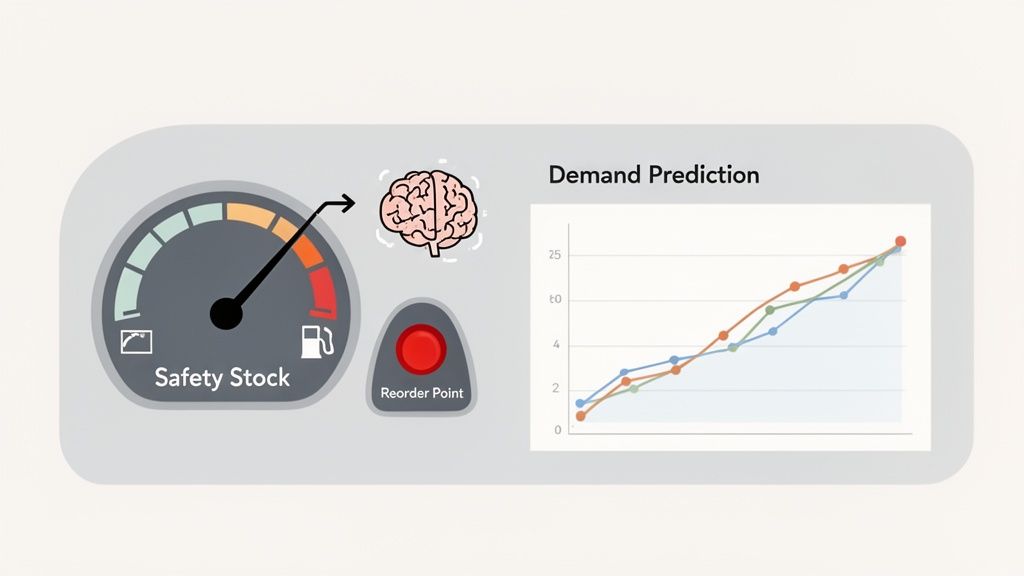
Think of it like driving a car on a long road trip. You wouldn’t just keep driving until the engine sputters and dies, right? Of course not. You rely on a fuel gauge to tell you when it’s time to find a gas station. Your inventory needs the same kind of warning system, and it’s built on two core concepts.
These two metrics are the bedrock of any solid inventory plan. They work together to give you an automated heads-up before things go wrong.
Safety Stock: This is your buffer. It’s the extra inventory you hold just in case of the unexpected—a sudden spike in orders from a viral TikTok video or a supplier delay. This isn’t stock you plan to sell every day; it's your emergency reserve to avoid a complete shutdown.
Reorder Point: This is the flashing low-fuel light on your dashboard. It's a specific inventory level that, once hit, automatically triggers a new purchase order. The key is to set this point high enough so your new shipment arrives before you ever have to touch your safety stock.
Managing inventory without a defined reorder point is like driving on a long road trip without a fuel gauge. You're guaranteed to run out of gas eventually, and it will always happen at the worst possible time.
Setting these levels manually is a massive headache. How do you accurately account for seasonal demand, the impact of a flash sale, or a product that suddenly blows up? This is where modern tools come in to take the heavy lifting off your plate.
Relying solely on last year’s sales data is like driving while looking only in the rearview mirror. It tells you where you’ve been, but not where you’re going.
This is the big difference with an AI-powered platform like Tociny.ai. It doesn’t just look at past sales. It analyzes market trends, seasonality, promotional schedules, and even strange anomalies to deliver scarily accurate purchasing recommendations. If you're looking for the right tool, exploring different predictive analytics software can give you a lay of the land.
The table below breaks down just how different the two approaches are.
| Feature | Manual Forecasting (Spreadsheets) | AI Forecasting (Tociny.ai) |
|---|---|---|
| Data Inputs | Relies on historical sales data, often entered manually. | Ingests real-time sales, market trends, seasonality, and promotional data automatically. |
| Process | Time-consuming calculations, prone to human error and personal bias. | Automated, continuous analysis that runs 24/7 without manual intervention. |
| Accuracy | Static and often inaccurate; struggles to adapt to sudden market shifts. | Dynamic and highly accurate; algorithms learn and adapt to new patterns in real-time. |
| Outcome | Frequent stockouts or overstocking, leading to lost sales and tied-up capital. | Optimized inventory levels, reduced stockouts, and minimized holding costs. |
As you can see, AI isn't just a faster way to do the old thing—it's a fundamentally better way to operate.
This approach helps you navigate the fine line between stocking out and the equally expensive problem of overstocking. You stop tying up cash in products that are just collecting dust, while making sure your bestsellers are always ready for your customers. For a closer look at the mechanics behind this, you can check out our deep dive into how demand forecasting works.
Getting this right has a massive impact on your bottom line. Your stockout rate is a critical health metric for your Shopify store. While the top-tier brands keep this number below 2-3%, it's common to see stores hovering around 5-10%. For a mid-sized store, a 5% stockout rate can easily mean hundreds of lost sales every single month, adding up to thousands in missed revenue.
By adopting a proactive, data-driven forecasting strategy, you’re not just preventing stockouts—you’re protecting your revenue and building a much more resilient, profitable business.
Alright, let's get down to brass tacks. Keeping your products in stock isn't about a one-time fix or some magic bullet. It’s about building a solid routine—a system of checks and smart decisions that becomes second nature.
Think of this as your playbook. It’s a simple, scannable guide to keep your Shopify store running smoothly and your customers coming back. This is how you stop chasing stockouts and start getting ahead of them.
The single most important thing you can do is create a rhythm for checking in on your inventory. A few minutes each week and a slightly deeper dive once a month can make all the difference, helping you spot trouble long before it hits your bottom line.
A consistent review process turns inventory management from a frantic, reactive scramble into a calm, predictable part of your business. Stick to this checklist, and you'll always know where you stand.
Weekly Review (Grab a coffee, this takes 15-30 minutes):
Monthly Review (Block out 1-2 hours for this):
Having the right tools is one thing; knowing when to use them is another. When a Shopify out of stock event is unavoidable, you still have options. Here’s a quick guide to choosing the right move.
| Situation | Best Strategy | Why It Works |
|---|---|---|
| Recurring Bestseller | Back-in-Stock Alerts | You capture genuine customer demand and get hard data without tying up your cash in tons of extra inventory. |
| Hyped New Launch | Pre-Orders | This is perfect for validating demand. You secure revenue before the product even lands, guaranteeing a successful launch. |
| Uncertain Restock | Cross-Sell Alternatives | The restock date is a big question mark. Don't lose the customer! Suggest a similar product and save the sale right now. |
When you build these habits into your operations and lean on modern tools like Tociny.ai to handle the heavy lifting of forecasting, "out of stock" stops being a constant fire you have to put out. Instead, it becomes a rare, manageable hiccup on your path to growth.
When you’re dealing with a Shopify out of stock alert, a few practical questions always seem to pop up. Let's get you some quick, clear answers to the ones we hear most often.
By default, Shopify is set up to automatically restock items from a cancelled order. In most cases, this is exactly what you want—it puts the product right back into your available inventory count without you having to lift a finger.
But this automation isn’t a one-size-fits-all solution. Think about a limited-edition drop or a situation where a fulfillment mistake was made. You might not want that item going back up for sale. You can easily turn this off by heading to Settings > Checkout and simply unchecking the "Automatically restock" option for cancelled orders.
Ah, the classic debate. There’s no single right answer here because you’re balancing two important things: user experience and SEO.
Leaving a sold-out product page live preserves its SEO ranking, acts as social proof that the item is popular, and gives you a golden opportunity to capture emails for back-in-stock notifications. On the flip side, hiding it creates a cleaner, less frustrating shopping experience.
So, how do you decide? Think about your strategy: * Show It: This is your best move for popular bestsellers that you know you'll be restocking soon. The perceived demand is a powerful marketing tool. * Hide It: If you're not sure when—or if—an item is coming back, hiding the page is the kinder option. It saves potential customers from the disappointment of finding something they can't have.
Absolutely. This is the magic behind running pre-orders or backorders. To get this going, just navigate to a specific product's inventory settings and check the box that says, "Continue selling when out of stock."
A word of warning, though: if you use this feature, transparency is everything. You absolutely must be upfront about the expected shipping date. Put it on the product page, state it clearly in the cart, and repeat it in the order confirmation email. Managing expectations is the key to keeping your customers happy and your support inbox from overflowing with "Where's my order?" emails.
Stop letting stockouts run your business. Tociny.ai trades guesswork for AI-powered demand forecasting, ensuring you have the right products ready when your customers are. Finally get the clarity you need to grow your brand with confidence. Request your early access to Tociny.ai today.
Tociny is in private beta — we’re onboarding a few select stores right now.
Book a short call to get early access and exclusive insights.