An inventory management app is a piece of software that takes over the tedious job of tracking your stock levels, sales, orders, and deliveries. Think of it as the brain of your operations. It gets rid of messy spreadsheets and gives you a single, real-time dashboard of your entire product catalog, no matter how many sales channels or warehouses you have.
Picture your inventory as a leaky bucket. Every time you have a stockout, a potential sale drips right out. With every overstocked product, your cash is trapped inside, unable to flow back into growing your business. For any growing D2C brand, especially on a platform like Shopify, sticking with manual spreadsheets is that leaky bucket—a slow, steady drain on your profits.
Clinging to manual methods isn’t just inefficient; it’s a roadblock to your growth. Every hour your team spends punching numbers into a spreadsheet, double-checking sales orders, or drafting purchase orders is an hour not spent on marketing, talking to customers, or developing your next great product. It's a system just waiting for human error, which always creates a ripple effect of expensive problems.
For most store owners, the switch from spreadsheets only happens after a painful wake-up call. The cracks in the manual system really start to show when you're growing, running a big sale, or dealing with unexpected supply chain hiccups.
An inventory management app is more than just a tool; it's the central nervous system for your operations. It provides the clarity needed to stop the leaks and transform reactive decisions into proactive, profit-driven strategies.
Ultimately, adopting a dedicated app is the first real step toward building a scalable, lasting business in the tough world of ecommerce. It’s the move that takes your brand from constantly putting out fires to being in full, strategic control.
Think of a good inventory management app not as a glorified spreadsheet, but as the central nervous system for your entire ecommerce operation. It's not just about counting what you have on hand. It’s about actively solving the gnarly, expensive problems that keep Shopify merchants up at night—turning inventory chaos into calm, automated control.
The shift away from manual tracking is happening fast for a reason. The global market for this kind of software shot up from $1.57 billion in 2020 and is on track to hit $2.87 billion by 2026. Why the explosion? Because in the cutthroat world of D2C, you simply can't afford to guess anymore. You need tools that give you a real-time, accurate picture of your stock, sales, and orders.
For any D2C brand that's starting to grow, one of the first big headaches is selling across multiple channels. You've got your Shopify store, maybe a weekend pop-up shop, and you're selling directly through Instagram. This setup is a recipe for disaster. It's way too easy to sell the same item twice, forcing you to cancel an order and deal with a justifiably annoyed customer.
A modern inventory app completely sidesteps this problem. It becomes your single source of truth for stock levels. The second a customer buys that last blue sweater from your website, the app instantly flags it as "sold out" everywhere else. No more overselling, no more apologies.
As this diagram shows, trying to manage this with a spreadsheet is a direct path to either running out of stock or drowning in unsold products. You're trapped in a constant cycle of reacting instead of planning.
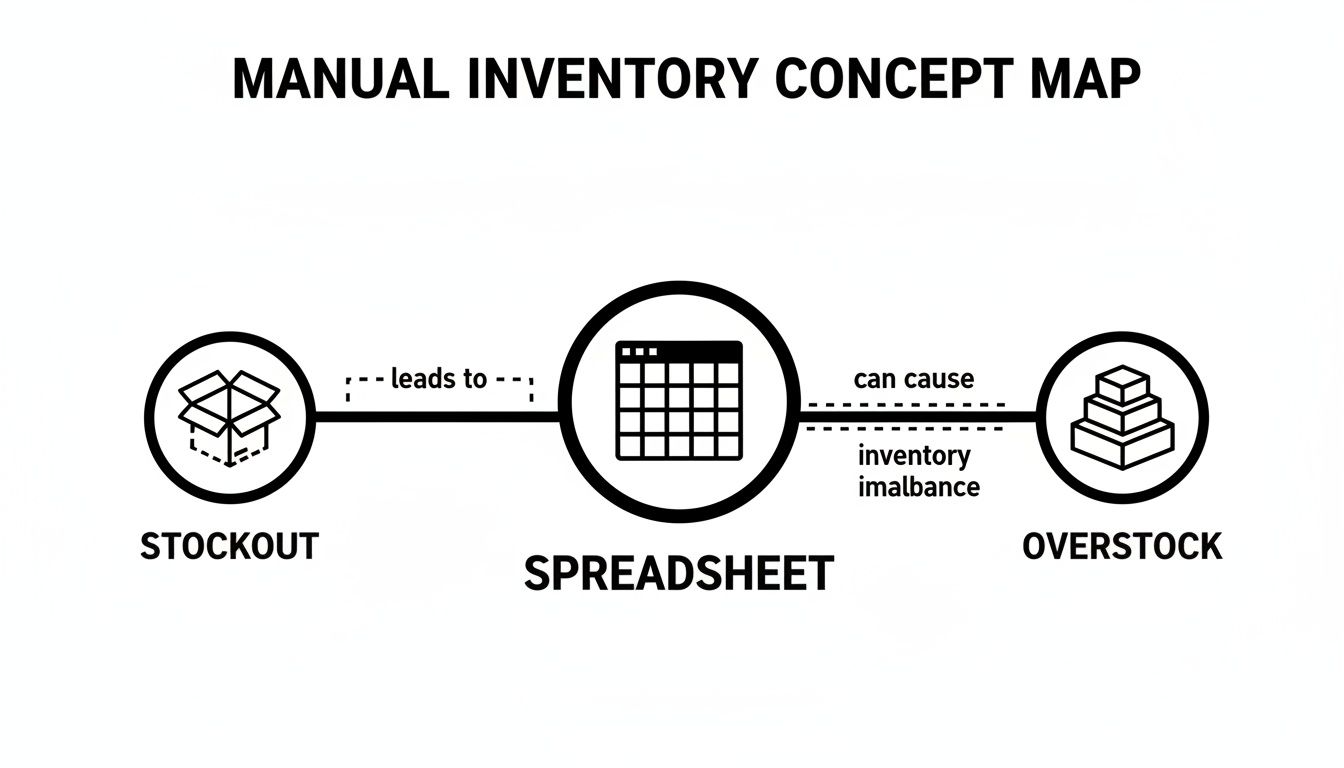
Without automation, you're essentially flying blind, and that guesswork always ends up costing you money, one way or another.
Let's be honest: manually creating purchase orders (POs) is a soul-crushing task. It’s repetitive, tedious, and a minefield for typos and other human errors. You have to check your stock, figure out what's running low, hunt down supplier details, and then carefully draft the order. It’s the kind of work that can easily eat up hours every week—hours you could be spending on marketing or product development.
This is where an inventory app really shines. It can automate that entire workflow. You set your reorder points once, and the system automatically generates and even emails POs to your suppliers whenever stock for a particular item gets low. This means your bestsellers are always on their way before you run out, and your team is freed up to do more important work. You can see a detailed inventory management system example to get a feel for how this process works in the real world.
The real goal of an inventory app isn't just to track products—it's to buy you back your time. By automating routine tasks like creating POs, it lets you and your team focus on the high-impact activities that actually move the needle.
How do you know when it’s time to reorder? If you're using a spreadsheet, the answer is usually "a gut feeling" or a mad scramble when you realize a popular product is completely sold out. This kind of reactive management leads to lost sales and expensive rush shipping fees that chew through your profit margins.
A proper app flips this on its head with proactive, intelligent low-stock alerts. It doesn't just tell you when you're out; it watches your sales velocity and current stock levels to warn you before you're in the danger zone. This gives you plenty of time to place a reorder without disrupting the flow of sales.
Core Reporting Features to Look For: * Best-Seller Reports: Instantly see which products are your cash cows so you can make sure they never go out of stock. * Slow-Moving Inventory Reports: Identify the products that are just sitting on the shelf, tying up your capital, so you can run a promotion to clear them out. * Profitability Analysis: Go beyond revenue and understand the actual profit margin on every single product after all costs are factored in.
When you see the daily grind of manual tracking compared to an automated system, the difference is night and day.
The struggle with spreadsheets is real. Here’s a quick breakdown of how an inventory app changes the game for common, everyday tasks.
| Inventory Task | Limitation with Spreadsheets | Advantage with an App |
|---|---|---|
| Stock Updates | Constant manual data entry after every sale; the numbers are always slightly out of date. | Instantly syncs across all sales channels for 100% real-time accuracy. |
| Reordering | Based on guesswork, gut feelings, or time-consuming manual checks. | Automated low-stock alerts and PO generation prevent stockouts before they happen. |
| Reporting | Requires complex formulas and hours of work to get even basic insights. | Provides instant, easy-to-read reports on sales, profit, and stock turnover. |
| Error Handling | A single typo can throw off your entire inventory, leading to major overselling or overstocking. | Minimizes human error through automation and having one central source of data. |
Ultimately, an app takes the error-prone, time-consuming busywork off your plate, letting you focus on the strategic decisions that will grow your business.
Poor inventory management isn't just an operational headache; it’s a silent profit killer. The costs don't always show up neatly on a balance sheet, but they are constantly eating away at your margins, customer trust, and long-term growth. To really get a handle on the damage, it helps to first understand the core inventory management best practices that successful D2C brands live by.
Let's paint a picture that's all too familiar. A thriving Shopify brand is gearing up for its biggest Black Friday sale ever. Ads are running, emails are prepped, and traffic is flooding the site. But by noon, their star product—the one featured in every single campaign—is sold out. The damage goes way beyond a few missed sales. It kicks off a chain reaction of hidden costs that will sting the business for months.
A stockout is the most obvious sign that your inventory control has failed, and its consequences are brutal. The immediate lost revenue is just the tip of the iceberg.
Think about all the other ways it bleeds your business dry: * Wasted Ad Spend: Every dollar you spent driving a customer to a sold-out product page is gone. You paid to bring them in, only to send them away disappointed. * Damaged Customer Loyalty: When a customer is ready to buy but can't, they don't just sit around and wait. Over 70% of shoppers will jump to a competitor instead of waiting for you to restock. * Negative Brand Reputation: A stockout just looks unprofessional. It chips away at the trust you've worked so hard to build, leaving customers feeling like your brand is unreliable.
These intangibles—the lost loyalty and tarnished reputation—are often far more expensive in the long run than the initial lost sale.
An unexpected stockout during a peak sales period is like hosting a huge party but running out of drinks in the first hour. You’ve spent all the time and money to get people there, only to leave them with a bad experience.
The flip side of the coin, overstocking, is just as damaging but in a much quieter way. This is where your capital goes to die a slow death, tied up in unsold products collecting dust on a warehouse shelf. That money isn't working for you. It can't be reinvested into new marketing campaigns, product development, or even making payroll.
And that excess inventory isn't just sitting there for free. It actively costs you money through carrying costs—things like storage fees, insurance, and the risk of products becoming obsolete or getting damaged. Eventually, you’re forced into margin-killing clearance sales just to free up cash and space, which completely undermines your pricing strategy.
The scale of this problem is staggering. Globally, inventory mismanagement costs businesses a whopping $1.1 trillion. But there's a clear shift happening. The inventory management software market is projected to jump from USD 2.7 billion in 2026 to USD 9.4 billion by 2036. This growth signals that brands are finally tackling the issue head-on. For D2C merchants, using an inventory management app with predictive analytics is the key to forecasting demand and avoiding these costly mistakes. You can explore more inventory software market trends to see the full picture.
Ultimately, stockouts and overstocking are two sides of the same coin. Both are symptoms of a fundamental lack of visibility and control. Without a smart solution, you're left guessing, reacting, and leaving a ton of money on the table. This makes adopting a modern inventory management app less of a "nice-to-have" and more of an urgent necessity for survival and growth.
The next big step in inventory management isn’t just tracking what you have; it’s about accurately predicting what you’ll need. This is where Artificial Intelligence (AI) stops being a buzzword and becomes one of the most powerful tools in your arsenal, completely changing how D2C brands handle forecasting.
Think of old-school forecasting like trying to predict tomorrow's weather by only looking at what happened yesterday. Sure, you might get it right occasionally, but you're going to miss a lot of nuances. AI, on the other hand, is like a sophisticated weather model that crunches thousands of data points—from wind patterns to historical trends—to give you a much clearer, more reliable picture.

For an e-commerce brand, this means an inventory management app built on AI can see far beyond simple sales history. It analyzes a dizzying number of variables to produce forecasts with stunning accuracy, empowering you to make smarter, data-backed decisions that cut down on risk and boost your bottom line.
Traditional methods for setting reorder points often lean on static formulas that just can't keep up with the real world. They don't know how to factor in a sudden demand spike from a viral TikTok video or the subtle sales dip that always follows a major holiday.
AI-driven forecasting, however, is dynamic. It’s designed to learn from your store’s unique sales patterns and constantly refines its predictions as new data comes in.
This technology digs deep into a wide range of inputs to understand the why behind your sales figures: * Historical Sales Data: It starts by identifying the recurring trends and cycles hidden in your sales history. * Seasonality: The system inherently understands that swimsuits fly off the shelves in summer and scarves are a hot commodity in winter. * Marketing Campaigns: It can connect the dots between a recent email promotion and a corresponding surge in orders. * External Market Trends: Good AI can even factor in broader economic signals or industry-wide shifts in consumer behavior.
By weaving all these threads together, AI delivers forecasts that are worlds more reliable than anything a spreadsheet could ever hope to produce.
One of the biggest headaches for merchants is trying to turn a mountain of raw data into a clear plan of action. A truly useful AI system doesn't just throw cluttered dashboards at you; it delivers straightforward, actionable recommendations.
You get clear guidance on critical business decisions, not just a pile of numbers.
The real goal of AI in inventory management is to arm merchants with predictive power. It's about shifting from guessing what to order to knowing with a high degree of confidence, turning your inventory from a potential liability into a strategic asset.
This potential is driving huge investments. The global AI in inventory management market is expected to jump from USD 4.3 billion in 2026 to USD 8.8 billion by 2032. For D2C merchants, AI algorithms can forecast demand with 85-95% accuracy, which helps slash stockouts by up to 50%. That’s a game-changer when you consider U.S. retailers lose over $634 billion a year to stock issues.
So, what does this actually look like day-to-day for a Shopify store owner? It's about getting answers to your most pressing inventory questions without having to spend hours drowning in reports.
Here are a few practical things an AI-powered inventory management app can do:
This level of insight moves your entire strategy from reactive to proactive. For a deeper look, check out our guide on how to improve your D2C brand with AI demand forecasting. Ultimately, AI transforms an inventory management app from a simple record-keeping tool into a strategic partner that helps you grow smarter.
Picking the right inventory app can feel like you're lost in a maze. Every option promises to solve all your problems, and it’s way too easy to get buried in marketing hype and endless feature lists. This checklist is designed to cut through that noise and help you make a smart, strategic choice for your brand.
The goal here isn't just to find an app—it's to find a true operational partner. You need a system that fits how you work today but is also ready to scale with you tomorrow. Let’s walk through the absolute must-haves for any solution you're considering.
Before you even glance at the fancy features, make sure any app you look at nails the basics. These are the non-negotiables, the very foundation of a reliable inventory system. Get these wrong, and even the slickest-looking software will cause more headaches than it cures.
Seamless Shopify Integration: Your inventory app has to connect to your Shopify store without a fight. We're talking a simple, one-click install and an automatic, real-time sync of products, sales, and stock levels. If the setup feels like a science project or requires manual data mapping, that’s a huge red flag.
Scalability for Growth: The app you pick today shouldn't be the thing holding you back a year from now. It needs the muscle to handle a growing catalog of SKUs, a higher volume of orders, and even multiple warehouse locations without grinding to a halt or becoming ridiculously expensive.
Intuitive User Interface (UI): Let's be honest: if the software is a pain to use, your team won't use it. Look for a clean, logical layout that gives you a clear "bird's-eye view" of your inventory health. The best systems make complex data feel simple, empowering you to make decisions on the fly.
Choosing an inventory management app is like hiring a key employee. It needs to be reliable, easy to work with, and capable of growing with your company. A poor fit will only create friction and slow you down.
Okay, once you’ve confirmed the basics are solid, it’s time to look under the hood. This is all about what the software actually does and what kind of backup you have when things inevitably go sideways. A killer feature set is worthless without a team ready to help you use it.
You’ll want to zero in on three key areas:
Robust Reporting and Analytics: A great inventory app doesn't just track numbers; it gives you answers. Look for reports that are easy to understand, showing you your best-sellers, your dust-collectors, and SKU-level profitability. This is the raw material for making much smarter purchasing and marketing decisions.
Responsive Customer Support: When you have an urgent inventory question, you can't wait two days for an email back. Dig into reviews and ask directly about their support. Do they offer live chat? Phone support? Will they actually help you get set up? Fast, knowledgeable support is priceless.
Specific Operational Needs: This is where you get personal. It’s time to match your unique business challenges to the app's features. Make a list of your biggest pain points and see if the app has a real solution.
Map Your Needs to App Features:
By walking through this checklist, you can move past a superficial feature comparison. This approach helps you pick an inventory management app that truly fits your day-to-day reality and becomes a powerful engine for your brand's growth.
Putting a new inventory management app in place is a huge step, but how do you know if it's actually making a difference? The answer is in the numbers—specifically, the right Key Performance Indicators (KPIs). These aren't just abstract business metrics; think of them as the vital signs of your inventory's health. They tell you exactly where you're winning and where your strategy needs a tweak.
Moving beyond simple sales figures to these specific KPIs is how you graduate from just managing stock to strategically using it to drive profit. Without them, you're flying blind, guessing at the real return on your investment in a new system. Let's break down the metrics that truly matter.
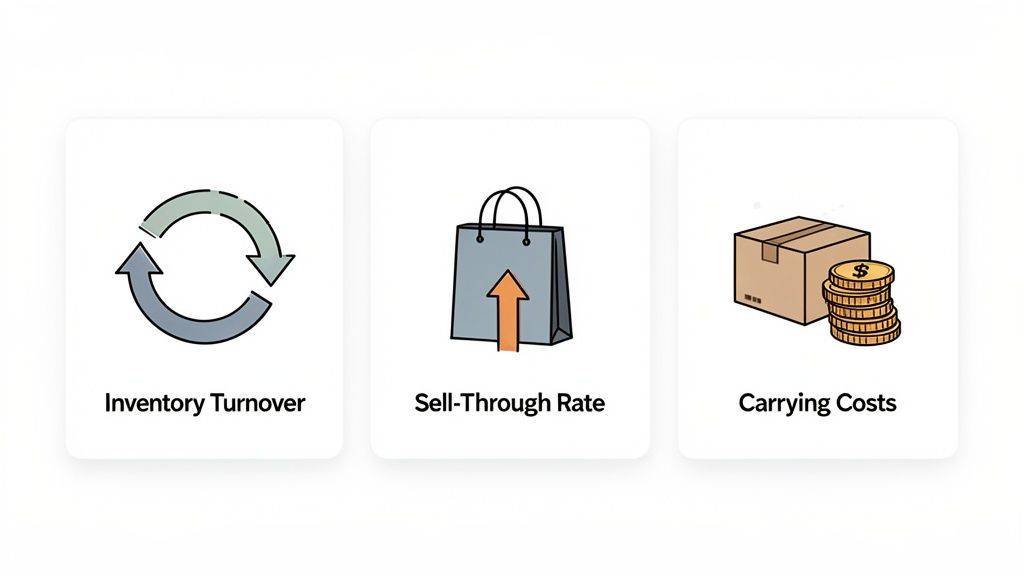
Think of this KPI as a measure of speed. It tells you how many times your business sells and replaces its entire inventory over a set period, usually a year. A higher number is almost always a good thing, signaling strong sales and efficient management.
For instance, if your annual COGS is $200,000 and your average inventory is valued at $40,000, your turnover rate is 5. That means you sold through your entire inventory five times that year. Not bad at all.
While turnover gives you the big-picture view, the sell-through rate zooms in on individual products. It compares how many units you sold versus how many you received from your supplier in a given period, like a month. This is absolutely critical for judging the success of a new product launch or a marketing push.
Your sell-through rate is your reality check. It tells you if customers are actually buying a new product at the pace you hoped, helping you spot both surprise best-sellers and potential duds early on.
A healthy sell-through rate—often between 40% to 80%—is a great sign that your purchasing decisions are in sync with what your customers want.
Also known as holding costs, these are the silent profit killers. They represent all the hidden expenses that come with keeping unsold inventory on your shelves. It’s everything from warehouse rent and insurance to the risk of products getting damaged or becoming obsolete.
Common Carrying Costs Include: * Warehouse storage fees * Salaries for staff who handle stock * Insurance and taxes * Losses from expired or damaged goods * The cost of capital—the money tied up in inventory that could be used elsewhere
Tracking these KPIs inside your inventory management app gives you a clear, data-backed way to measure success. They empower you to make smarter buying decisions, free up cash flow, and make sure every product you stock is working hard to grow your bottom line.
Jumping into a new system, even one that promises to solve major headaches, can feel like a big leap. We get it. Here are some straight-up answers to the questions we hear most from Shopify merchants, designed to clear things up so you can make a confident decision.
Believe it or not, most modern apps built for Shopify connect in just a few clicks. You’ll install the app from the store, grant it permission to see your data, and it gets to work syncing your entire product catalog and sales history.
That initial sync can take anywhere from a few minutes to a couple of hours, really just depending on how big your store is. The key is finding a tool that has a quick and simple onboarding process to make sure your data is pulled in correctly right from the start.
This is a totally fair question, especially if you’ve ever wrestled with clunky, old-school enterprise software. But the new generation of inventory apps—especially AI-first platforms—are built to be the exact opposite. The whole point is to ditch messy spreadsheets for clean dashboards that tell you what you need to know, automatically.
The right inventory management app should reduce complexity, not add to it. It should save your team time by providing clear, actionable recommendations instead of just throwing raw data at you.
A good app gives you that perfect ‘bird’s-eye view’ of your inventory's health, making it easy for anyone on your team to see what's going on without needing a degree in data science.
For a growing store, an inventory app isn't really a cost—it's an investment in your profitability. Think about it: the monthly fee is often just a fraction of the money lost from one bad stockout on a bestseller or the cash you have tied up in products that just aren't moving.
By preventing those expensive mistakes, freeing up your cash flow, and saving you dozens of hours of manual work, the app usually pays for itself almost immediately. It helps you make smarter buying decisions that directly boost your bottom line, which is exactly what you need to scale.
Absolutely, and for any scaling brand, this is a non-negotiable feature. A solid inventory management app will let you track your stock levels accurately across all your locations, whether that’s multiple warehouses, a third-party logistics (3PL) partner, or even your retail stores.
It brings everything into one centralized view. This means you can fulfill orders from the smartest location and, most importantly, you'll never oversell a product because the data was stuck in different silos. This is absolutely essential for keeping customers happy and operations running smoothly as you grow.
Ready to stop guessing and start making data-driven decisions? Tociny.ai offers an AI-powered inventory analytics platform that gives you the clarity to reduce stockouts, eliminate overstock, and plan for profitable growth. Get early access to Tociny.ai and see your inventory in a new light.
Tociny is in private beta — we’re onboarding a few select stores right now.
Book a short call to get early access and exclusive insights.